Retail Traders Measure TradingView Alert Latency: Median 4.0s
Typical TradingView webhook latency runs a few seconds from candle close to server receipt, with a heavy tail that pushes some alerts well past that. The fastest fix you can apply today is to stand up a minimal HTTPS webhook endpoint that logs the {{timenow}} value from each alert and compares it against your own server’s receipt time, so you know your actual numbers instead of guessing.
TL;DR:
- Most webhook delays stem from the trigger evaluation, alert dispatch, and server processing times, with median latency around 4 seconds from candle close to receipt.
- Using the “Once Per Bar Close” setting adds several seconds delay during illiquid trading conditions to confirm bar finality, which may be necessary for strategy accuracy.
- Measure your actual alert latency by logging {{timenow}} and server receipt times, then optimize your infrastructure to respond within TradingView’s three-second processing limit.
- Prioritize reliability over minimal latency, as consistent delivery within three seconds outweighs chasing fractions of a second that could increase missed or false signals.
- Most delays can be reduced by simplifying payloads, hosting on fast infrastructure, and acknowledging immediately, rather than attempting to speed up TradingView’s internal evaluation.
Table of Contents
- The alert delay chain: how an alert moves from condition to order
- Why TradingView’s alert settings can add or prevent delays
- How to measure alert latency reliably
- Priority checklist to reduce latency and improve reliability
- When latency matters: mapping tolerances to strategies and timeframes
- Measurement evidence and official platform constraints
- Trade-offs between latency, reliability, and automation risk
- How Big Move Algo helps reduce noisy alerts and simplify automation
- Official docs, measurement studies, and developer resources
- FAQ
The alert delay chain: how an alert moves from condition to order
An alert does not fire the instant a price crosses your line. It passes through several stages, and each one adds its own slice of delay.
TradingView first has to evaluate your trigger condition against incoming price data, which depends on how your indicator or strategy is coded and when the platform processes that symbol’s feed. Once the condition is confirmed, TradingView queues the alert for dispatch and sends an HTTP POST to your webhook URL. That POST has to travel across the internet, hit your server, get processed, and receive a response, all before your automation layer or broker can act on it.
The stages generally look like this:
- Trigger evaluation: TradingView checks your condition against live or closing price data on its own servers.
- Dispatch: the platform sends a webhook POST to the URL you configured in the alert.
- Reception and acknowledgment: your server receives the POST, and TradingView expects a response within its processing window, a rule known as the 3-second cutoff.
- Downstream handling: your automation platform or broker receives the parsed payload and places an order.
You can map these events yourself using the {{time}} and {{timenow}} placeholders, which return the bar time and current UTC time respectively, inside your alert message payload. Logging both lets you see exactly where time is being spent: between the bar event and dispatch, or between dispatch and your server’s receipt. Most of the delay traders notice sits in the first and third stages, not in the network leg itself, which is usually the fastest part of the chain.
Why TradingView’s alert settings can add or prevent delays
Not every delay is a problem. Some are built into the alert settings you chose, and understanding them clears up a lot of confusion about mismatched timestamps.
TradingView gives you several trigger frequency options, and each behaves differently:
- Once: fires a single time, the first time the condition is met, then the alert stops.
- Once Per Minute: can fire again every minute the condition remains true.
- Once Per Bar: fires as soon as the condition is met within the current bar, including intrabar.
- Once Per Bar Close: waits until the bar fully closes before firing.
Once Per Bar Close is the setting most likely to feel “late.” The server waits for the first trade of the new bar to confirm the previous bar is actually final, which can add several seconds of delay on illiquid instruments or when trades arrive late from the exchange. That wait is intentional: it avoids false signals caused by a bar being revised after the fact.
Intrabar settings create a different kind of confusion. Because indicator values can update as a bar builds, an alert can trigger on data that later shifts before the bar closes, making the chart and the alert appear out of sync. On top of that, the {{interval}} placeholder often returns 1 even when you’re not on a 1-minute chart, since many price alerts calculate off 1-minute bars internally.
Pro Tip: If your strategy depends on confirmed bars, use Once Per Bar Close and accept the small delay rather than chasing intrabar speed and risking false triggers.
How to measure alert latency reliably
Guessing at your latency is pointless when you can measure it directly. The setup is simple enough to build in an afternoon.
- Build a minimal webhook receiver that accepts a JSON payload containing {{timenow}} and immediately logs the server’s receipt time in UTC.
- Keep the payload small, just the timestamp, symbol, and signal type, so processing time on your end doesn’t distort the measurement.
- Run continuous sampling across multiple trading sessions rather than a single afternoon, since load varies by time of day.
- Calculate the median and the 95th percentile of the delay between {{timenow}} and your server’s receipt timestamp, not just the average.
- Repeat across session types, comparing a busy session against an off-peak window, and keep your server clock synced via NTP so the comparison is valid.
If you’re building an execution path that depends on fast fills, the tail matters more than the typical case.
Developer-focused write-ups on measuring latency with {{timenow}} walk through building this kind of logging setup if you want a reference implementation rather than starting from scratch. Our own guide to webhook receivers that respond within TradingView’s window covers the acknowledge-then-enqueue pattern that keeps your measurement clean and your automation fast at the same time.
Priority checklist to reduce latency and improve reliability
Work through these in order. Each step builds on the last, and the first two alone fix most of what traders complain about.
- Instrument a timestamped webhook and measure your baseline before changing anything, so you know whether later changes actually helped.
- Simplify your payload and serve over HTTPS on port 443, hosted on infrastructure that responds quickly and sits close to major cloud regions.
- Keep processing under TradingView’s 3-second window by acknowledging with a 200 OK immediately and pushing any heavy work to a background queue.
- Use a managed relay or direct broker integration for anything execution-critical, since a service built specifically to minimize queue time beats a general-purpose server you maintain yourself.
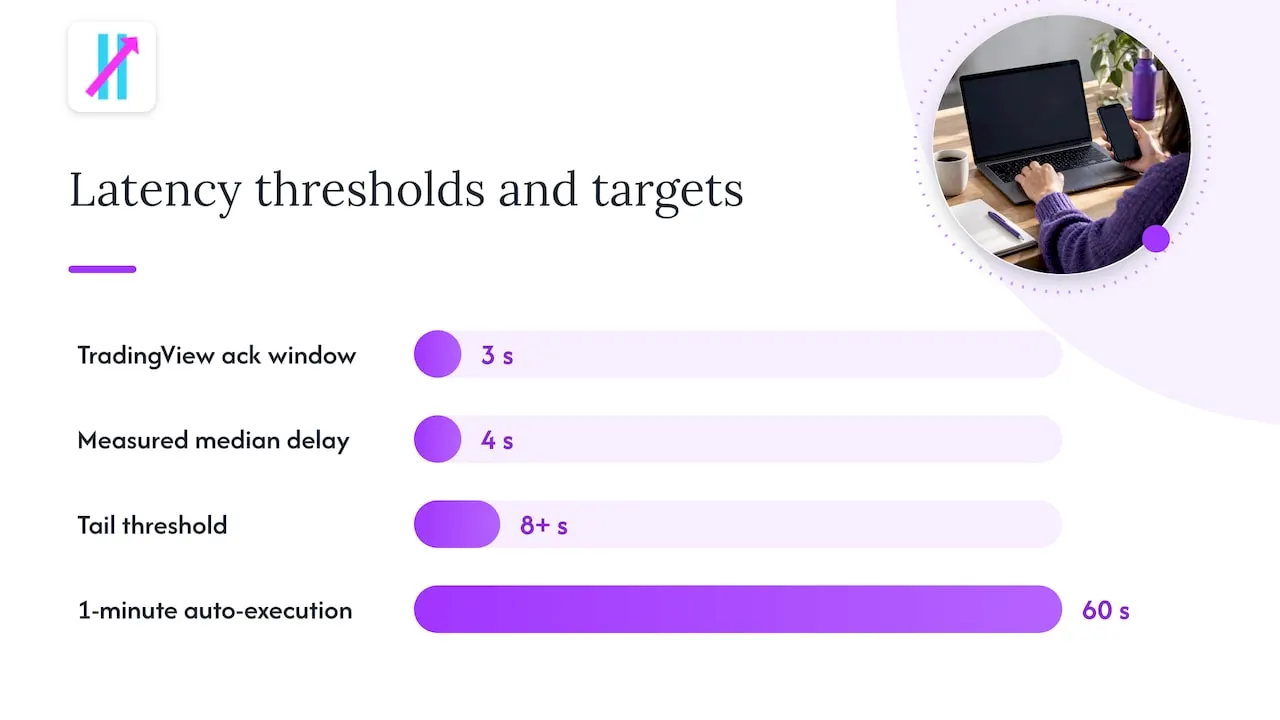
- Match your strategy’s timeframe to your measured latency. If your median delay sits around 4 seconds and your tail stretches past 8, 1-minute auto-execution is a bad fit unless your infrastructure is built for sub-second response.
Pro Tip: Run your baseline test for at least a full trading week before deciding your setup is “fast enough.” A single good day tells you nothing about the tail.
Our walkthrough on sending alerts to brokers covers payload structure and minimal processing patterns in more depth if you’re building step 3 and 4 yourself. For developers assembling the alert side of the equation, Pine Script patterns built for webhook automation show how to avoid ambiguous triggers at the source.
When latency matters: mapping tolerances to strategies and timeframes
Not every strategy needs the same speed, and chasing milliseconds when you don’t need them wastes effort better spent elsewhere.
- True high-frequency trading and sub-second scalping require infrastructure that TradingView webhooks were never built for; if your edge depends on microseconds, you need a direct exchange connection, not an alert chain.
- 1-minute scalping often breaks down under multi-second median delays, since a few seconds can be the entire life of the setup you were trying to catch.
- 5-minute and longer intraday strategies are usually workable, since a handful of seconds is a small fraction of the bar’s duration.
- Swing and daily strategies tolerate seconds of delay without issue, and reliability matters far more than shaving off a second or two.
- Fail-safes matter regardless of timeframe: manual confirmation steps, kill switches that pause automation during unusual conditions, and duplicate-alert filtering all reduce the damage a slow or repeated alert can cause.
The honest framing here is that most retail traders are operating in the seconds-level tier whether they like it or not, so the real decision is whether your strategy’s timeframe can absorb that, not whether you can engineer it away entirely.
Measurement evidence and official platform constraints
Two things shape what’s actually possible: documented platform rules and real measured data, and they tend to agree more than traders expect.
TradingView’s own support documentation lays out firm constraints: webhooks only accept connections on ports 80 and 443, the platform cancels any request that takes longer than 3 seconds for the remote server to process, and the connection must use IPv4, since IPv6 isn’t supported. Placeholder behavior follows its own rules too: {{timenow}} and {{time}} return UTC values, which is what makes cross-system timing comparisons possible in the first place.
| Metric | Value |
|---|---|
| Median webhook latency (candle close to server receipt) | 4.0 seconds |
| Alerts exceeding 5 seconds | about 1 in 3 |
| Alerts exceeding 8 seconds | 9% |
A large-sample measurement study found that heavy trading session load increased median latency by about 27% compared to off-peak periods, which is why sampling across both busy and quiet sessions matters for an honest baseline. If you only test during a quiet overnight window, you’ll underestimate what happens when markets are active, which is exactly when your alerts matter most.
Trade-offs between latency, reliability, and automation risk
Most retail traders chase latency when they should be chasing reliability. A webhook that delivers in 3 seconds every time beats one that delivers in 1 second nine times out of ten and drops the tenth alert entirely, especially once real money is attached to the outcome.
The operational complexity of shaving fractions of a second, custom relays, dedicated servers, constant tuning, rarely pays off for anyone outside true high-frequency setups. What pays off is a signal source you trust and an automation chain you’ve actually measured. That’s the thinking behind building AUTO Mode and a Fake Trend Detector into Big Move Algo: fewer low-quality signals reaching your webhook in the first place means fewer wasted executions, regardless of whether that execution lands in 2 seconds or 5.
If you’re deciding between a DIY webhook stack and a managed relay, ask yourself honestly whether your strategy’s timeframe needs the difference. For most swing and intraday traders, it doesn’t.
— Steven Hartwell
How Big Move Algo helps reduce noisy alerts and simplify automation
The latency conversation only matters once your alerts are worth acting on. Big Move Algo is built to cut down on the number of low-quality signals reaching your webhook in the first place, so the seconds you spend on delivery aren’t wasted on a trade you shouldn’t have taken.
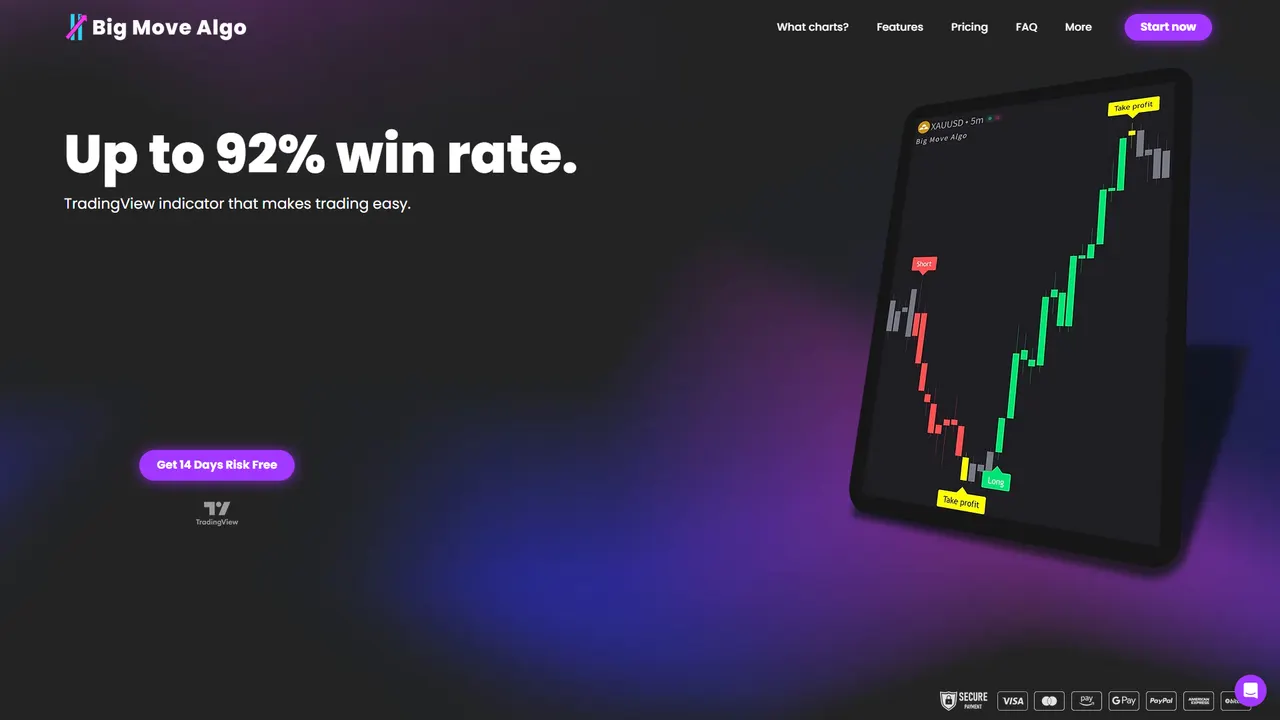
The indicator runs on TradingView and includes:
- AUTO Mode, which requires minimal setup and gets you producing Long, Short, and Exit signals quickly.
- Manual Mode, for traders who want to customize settings beyond the defaults.
- A Fake Trend Detector, which filters out low-quality market conditions before they ever become an alert.
- Support across multiple financial markets, with unlimited devices and no repainting.
You can see current subscription plans on the Big Move Algo product page. If you’re setting up your TradingView account for the first time, the account connection guide walks through enabling webhooks step by step.
Official docs, measurement studies, and developer resources
For readers who want to reproduce the tests described here: TradingView’s own webhook configuration docs and placeholder reference cover the platform rules directly. For building and measuring your own pipeline, see our guide on sending TradingView alerts to brokers and the developer-focused guide to automating from alert to live order.
This article is general information, not a substitute for advice from a qualified financial advisor. Consult a qualified financial professional about your own circumstances before acting on anything here.
FAQ
Are TradingView alerts delayed?
Yes, to some degree. Alerts pass through evaluation, dispatch, and webhook delivery, and a large sample of 34,174 webhook alerts found a median delay of 4.0 seconds from candle close to server receipt, with some alerts taking considerably longer.
Does TradingView have latency?
Yes, latency exists at multiple points, including trigger evaluation, webhook dispatch, and your own server’s processing time. TradingView’s documentation confirms the platform cancels webhook requests that take longer than 3 seconds to process, which sets a hard ceiling on how long your endpoint can take to respond.
How to fix delay on TradingView?
Start by measuring your actual latency with a timestamped webhook using the {{timenow}} placeholder, then simplify your payload and host your endpoint on fast, reliable infrastructure. Keep your webhook response under the 3-second processing window by acknowledging immediately and offloading heavier work to a background queue.
Is there a 15 minute delay on TradingView?
No, a delay of many minutes is not typical for webhook alerts; that figure is more commonly associated with certain real-time data feeds on free data plans, not alert delivery. Measured webhook studies show delays in the range of a few seconds, with a median around 4.0 seconds rather than minutes.