3 Components to Connect TradingView to a Bot for Traders & Developers

Yes, you can automate TradingView alerts: TradingView sends webhook POSTs, and a bot or bridge receives those messages and turns them into broker API orders. The three components are TradingView alerts, a webhook receiver, and broker execution. You’ll need a paid TradingView plan with two-factor authentication enabled, and you should always test in a demo or paper account before risking real money.
TL;DR:
- Most failures stem from symbol mismatches, sizing errors, or alert firing faster than the receiver can process, not from the webhook setup itself.
- Proper testing with tools like webhook.site or a paper trading account is crucial to prevent costly mistakes during live deployment.
- Using secure methods such as environment variables and HMAC signatures for credentials significantly reduces the risk of security breaches.
- Building a dedicated webhook receiver entails ongoing maintenance, but simplified options like pre-built indicators or no-code platforms can reduce complexity.
- Ensuring your account has a paid TradingView plan with two-factor authentication enabled is a strict requirement for webhook alerts to work properly.
Table of Contents
- What you need before connecting TradingView to a bot
- How to create a TradingView alert and craft a webhook message
- How to configure a webhook receiver to parse TradingView alerts
- How to map alert data to broker API orders safely
- How to test and debug your TradingView-to-bot pipeline
- How to protect credentials and stay within compliance basics
- What we’ve learned building TradingView-ready signals
- Why most TradingView automation guides miss the point
- A simpler path if you’d rather skip building your own receiver
- FAQ
What you need before connecting TradingView to a bot
Before writing a single line of code or clicking “Create Alert,” get your accounts and tools in order. Webhooks on TradingView require a paid subscription tier, and TradingView will not let you send webhook alerts unless two-factor authentication is active on your account, a safeguard meant to keep automated signal delivery tied to a verified identity according to TradingView’s webhook documentation.
On the broker side, check whether your exchange or brokerage offers a sandbox, testnet, or paper trading environment. Most serious crypto exchanges and several stock brokers do, and you’ll want that before connecting anything live.
For the receiver itself, you have a few paths:
- A self-hosted server (Node.js, Python/Flask) you control end to end
- A no-code automation tool like Pipedream or Zapier for simple routing
- A dedicated TradingView-to-broker integration built specifically for this handoff
- API testing tools like Postman or curl to simulate payloads before going live
How to create a TradingView alert and craft a webhook message
Setting up the alert itself is the easy part. The harder part is making sure the message format matches what your bot expects on the other end.
- Open the chart for your symbol and click Create Alert (or use the alarm clock icon).
- Choose your condition: a price crossing, an indicator signal, or a custom Pine Script
alert()call. - Under Notifications, check Webhook URL and paste your receiver’s HTTPS endpoint.
- In the Message field, write either plain text or a JSON payload using placeholders like
{{ticker}},{{close}}, or{{strategy.order.alert_message}}. - Set the alert to “Open-ended” so it doesn’t expire mid-strategy, and confirm the frequency matches how often you want it to fire (once per bar close, once per bar, or every tick).
- Save and send a test alert to confirm delivery.
A JSON payload might look like {"ticker": "{{ticker}}", "action": "buy", "price": "{{close}}"}. According to Pine Script’s strategy documentation, scripts can’t place orders directly on an exchange, they only emit alert events, so the alert_message placeholder is how you pass structured order data out to whatever executes the trade.
Pro Tip: Use order-fill alerts (tied to strategy.entry or strategy.exit) when you want execution-time precision, and reserve generic alertcondition() calls for signals you plan to review manually before automating.
How to configure a webhook receiver to parse TradingView alerts
Once TradingView fires an alert, something has to catch it, validate it, and turn it into an action. This is where most of the real engineering happens.
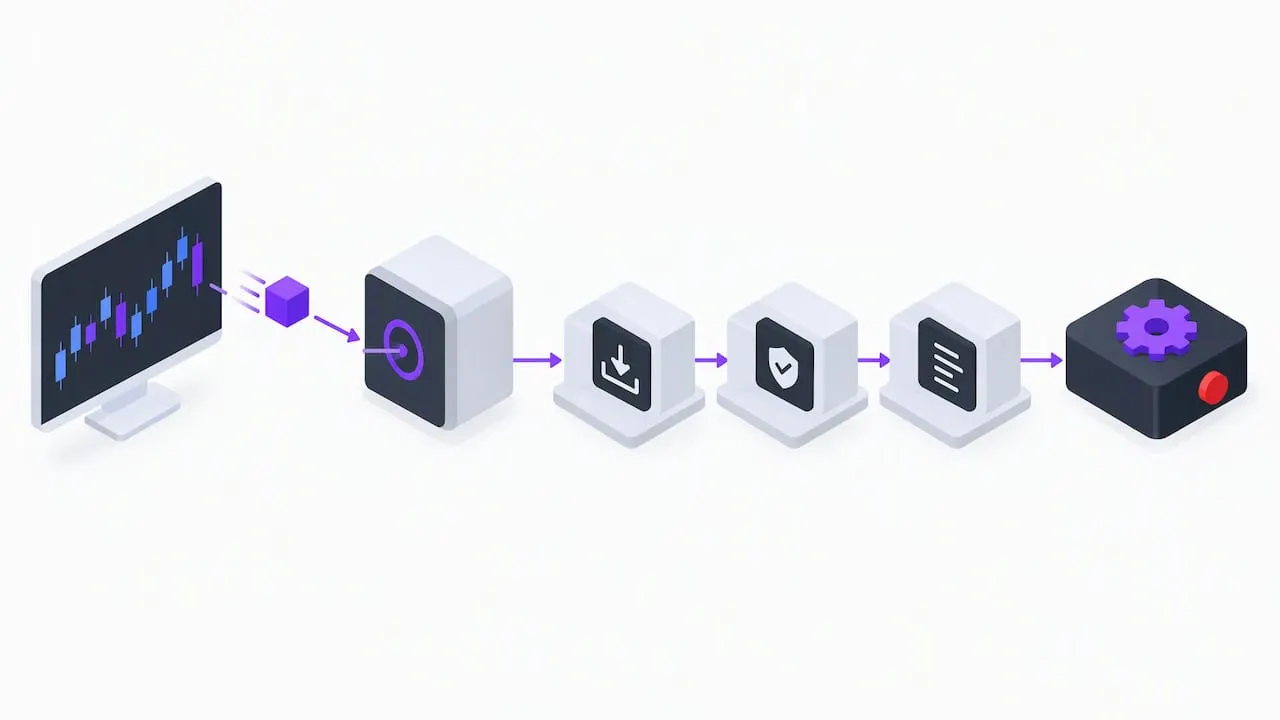
TradingView sends the alert as an HTTP POST. If your message field contains valid JSON, the content type arrives as application/json; otherwise, it comes through as plain text, according to TradingView’s webhook configuration guide. Your receiver needs to handle both cases gracefully, since a malformed JSON string will otherwise crash a strict parser.
A few practical rules for building this layer:
- Validate incoming requests with a shared secret, token header, or HMAC signature before trusting the payload.
- Respond to TradingView within the processing window, since TradingView cancels webhook requests that take longer than roughly three seconds to process, according to TradingView’s documentation. That means your endpoint should acknowledge receipt immediately and hand off the real work (order placement, logging, notifications) to a background queue.
- Map
{{ticker}}to your broker’s expected symbol format, since TradingView’s ticker naming often differs from an exchange’s own symbol convention. - Parse the
alert_messagestring for order side, size, and price if you’re passing structured data through that field.
For the stack itself, a lightweight Node/Express or Flask app works fine for most individual traders. If you’d rather skip server management entirely, a no-code tool like Pipedream can catch the webhook and route it onward with a visual workflow. Developers who want a more detailed walkthrough on this exact handoff, including payload examples, can see our guide on sending TradingView alerts to a broker, and our notes on acknowledging webhooks within the three-second window cover the queueing pattern in more depth.
How to map alert data to broker API orders safely
Once your receiver has parsed the alert, the next job is turning that data into an actual order on your broker or exchange, without creating a security hole or a sizing mistake.
- Store API keys in environment variables or a secrets manager, never inside the webhook payload itself. TradingView explicitly warns against including login credentials in webhook messages, recommending a secure, separate execution layer instead, according to TradingView’s credentials guidance.
- Normalize symbol names between TradingView’s ticker format and your broker’s expected format before placing the order.
- Convert sizing logic consistently, whether you’re using a fixed contract size or a percentage of account equity, so a single alert can’t accidentally oversize a position.
- Set a hard maximum order size and a circuit breaker that halts execution if an unusual run of alerts fires in a short window.
- Route every order through a testnet or paper account first, switching to live trading only after the logic has run cleanly for a stretch.
Our exchange-specific mapping guide walks through one concrete example of this symbol and sizing translation for readers connecting to a major exchange.
How to test and debug your TradingView-to-bot pipeline
Before any real capital touches this pipeline, catch and inspect every alert manually.
- Point your TradingView alert at a free inspection tool like webhook.site, or use ngrok or localtunnel to expose a local development server, so you can see the raw payload before your bot ever processes it.
- Check for the most common failure points: an invalid or unreachable URL, a non-HTTPS endpoint, a connection timeout, or a 4xx/5xx error from your receiving server, all of which TradingView’s error documentation lists as the primary troubleshooting categories.
- Log every raw event before processing it, so a failed execution can be replayed later instead of lost entirely.
- Run the full chain against a paper trading account and confirm the fills match what the alert intended.
Pro Tip: Keep a rolling log of the last fifty raw webhook payloads, even after you trust the system. It’s the fastest way to diagnose a mapping bug months later.
How to protect credentials and stay within compliance basics
Never put usernames, passwords, or raw API secrets inside a webhook body or URL string. Use a bearer token or HMAC signature header instead, require HTTPS on every endpoint, and rotate keys on a schedule rather than leaving them static for years.
- Keep secrets in a vault or encrypted environment variable, not in source code.
- Use short-lived tokens where your broker’s API supports them.
- Turn on audit logging so a failed order or an unusual spike in alerts gets flagged immediately.
- Understand the general distinction between software that passively routes your own signals and a service that makes discretionary trading decisions for other people’s money, since the latter tends to draw regulatory scrutiny; when in doubt, talk to a qualified professional before offering automation as a service to others.
What we’ve learned building TradingView-ready signals
AUTO Mode style setups work well for traders who want a structured signal (Long, Short, Exit) without writing a parser themselves, while developers who need custom position sizing, multi-exchange routing, or conditional logic are usually better served building their own webhook receiver from scratch.
The most common pitfalls we see are repainting signals that change after the fact, ticker symbols that don’t match between TradingView and the broker, and position sizes that scale incorrectly when equity shifts. A Fake Trend Detector style filter, built into the signal logic itself, helps cut down on low-quality alerts before they ever reach the webhook stage. Whatever setup you run, build in a simple rollback: a manual kill switch that pauses new orders without needing a code deploy.
Why most TradingView automation guides miss the point
Most writing on this topic treats the webhook handshake as the hard part. It isn’t. Getting TradingView to fire a POST request is a five-minute task. The part that actually breaks live accounts is everything downstream: symbol mismatches, sizing errors that compound across a losing streak, and alerts that fire faster than a receiver can process them.
The conventional advice tells readers to “connect TradingView to your bot” as if that’s a single step. It’s really three separate systems with three separate failure modes, and treating them as one pipeline is how traders end up debugging a blown position at 2 AM instead of in a paper account during business hours.
If you take one thing from this walkthrough, prioritize the testing phase over the setup phase. Spend more time running alerts through webhook.site and a paper account than you spend writing the parser. A slow, boring rollout beats a fast, broken one every time money is actually on the line.
— Steven Hartwell
A simpler path if you’d rather skip building your own receiver
Building a custom webhook receiver gives you full control, but it also means maintaining a server, debugging edge cases, and handling your own symbol mapping indefinitely. If that’s more plumbing than you want to own, our Big Move Algo indicator gives you TradingView-ready Long, Short, and Exit signals you can route into automation with far less custom code.
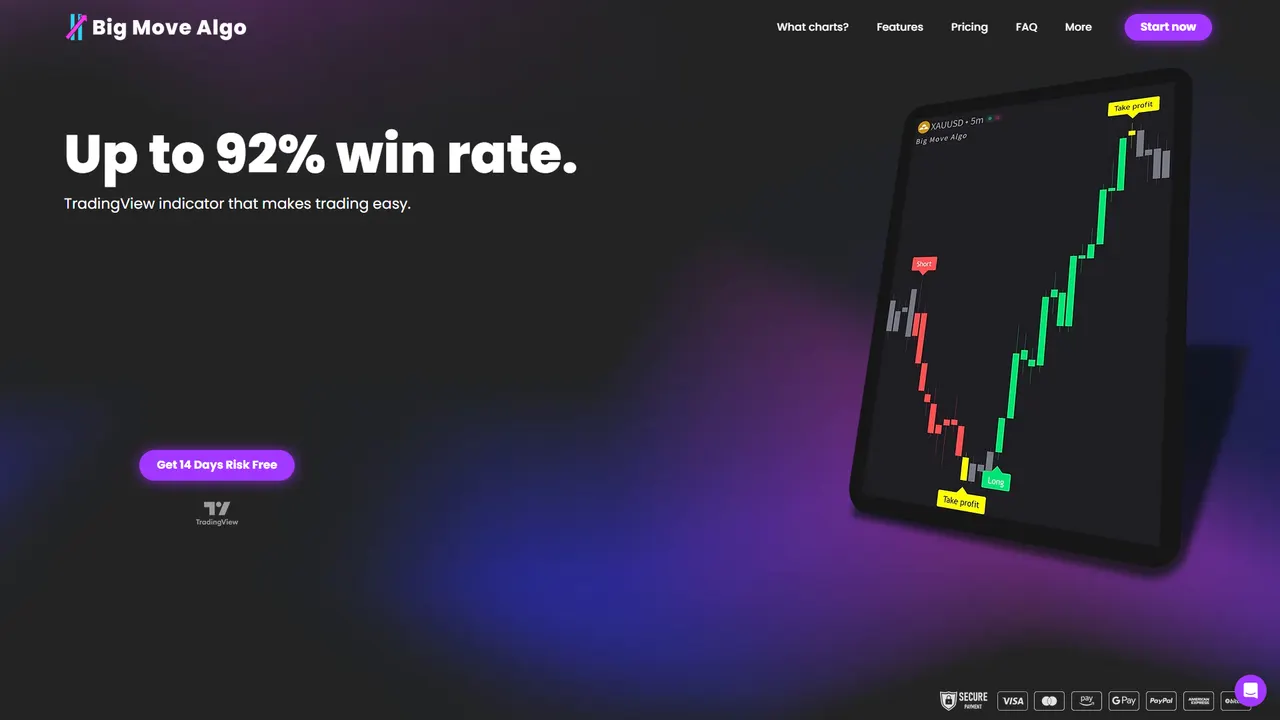
- AUTO Mode gets you running with minimal setup, while Manual Mode keeps customization available if you want it.
- Our guide to setting up indicator alerts walks through the exact TradingView alert steps that pair with our signals.
- If you’d rather deploy without touching code at all, QuantGenie offers a no-code platform for building and routing trading algorithms to a broker.
Test any new setup in paper mode first, then check Version 2, Version 3, and Version 3 Plus plans to see which fits your trading style.
This article is general information, not a substitute for advice from a qualified financial advisor. Consult a qualified financial professional about your own circumstances before acting on anything here.
FAQ
Can you use bots on TradingView?
TradingView itself doesn’t execute trades, but you can connect it to a bot through webhook alerts that send signal data to an external receiver, which then places the order on your broker. This requires a paid TradingView plan and two-factor authentication enabled on your account, according to TradingView’s support documentation.
How do I link TradingView to AI-based trading tools?
The connection works the same way as any bot integration: TradingView fires a webhook POST containing your alert message, and an AI-driven receiver parses that payload to decide on order size, timing, or risk adjustments before sending it to your broker. The AI logic sits entirely on the receiving end, since TradingView only delivers the raw alert data.
Are trading bots illegal?
Running your own automation on your own account is generally not illegal, since you’re simply routing your own signals to your own broker. The regulatory line tends to shift once a bot or service starts making discretionary decisions for other people’s money, which is a different activity and may require registration, so consult a qualified professional if you plan to offer automation to others.
Can I automate my trading with TradingView?
Yes, by combining a TradingView alert with a webhook that feeds a receiver capable of placing broker orders, a setup that requires a paid TradingView plan, 2FA, and an HTTPS endpoint. Always test the full chain in a demo or paper account before switching to live trading.