TradingView Signal Latency: Measure It in 30 to 50 Synthetic Tests
Signal latency is the time between when your indicator fires a Long, Short, or Exit signal and when you or your automation actually receive and act on it. The gap matters because it drives missed fills, worse entry prices, and slippage on fast moves. The first thing to check is simple: pull the timestamp on your TradingView alert and compare it against your broker’s execution timestamp for the same trade.
TL;DR:
- Signal latency often exceeds a few seconds due to multiple factors, including indicator complexity, alert queueing, webhook delays, and VPS performance.
- Measuring actual latency requires comparing alert timestamps with broker order fill times across many samples to identify typical delays and spikes.
- Using webhooks or API integration and hosting automation on a nearby VPS can significantly reduce latency compared to email alerts or distant servers.
- Ongoing monitoring with regular synthetic tests helps detect latency degradation caused by broker API changes or infrastructure issues, enabling timely fixes.
- The acceptable delay varies by strategy, with scalping needing near-instant signals, while swing trading can tolerate longer gaps without major impact.
Table of Contents
- How signal latency happens for TradingView indicators and subscription alerts
- How to measure and benchmark signal latency for your alerts
- Practical steps to reduce signal latency for TradingView indicators and subscription tools
- Testing, monitoring, and maintaining low latency over time
- Execution and automation considerations: when low latency matters and when it doesn’t
- Quick troubleshooting checklist and diagnostic steps
- Balancing signal clarity and speed
- How Big Move Algo can reduce decision latency and deliver clear alerts
- Selected sources and further reading
- FAQ
How signal latency happens for TradingView indicators and subscription alerts
Every alert travels through several stages before it becomes a filled order, and delay can creep in at any of them. The indicator has to calculate on the incoming bar or tick, TradingView has to queue and dispatch the alert, the message has to pass through a webhook or notification gateway, an automation script or VPS has to receive and parse it, and finally the broker has to accept and fill the order.
Some of these stages are within your control. Others are not.
- Indicator calculation: heavier scripts with multiple conditions or higher-timeframe references take longer to evaluate on each new bar.
- Alert queueing: TradingView processes alerts in the order they trigger, so a burst of signals across many charts can back up delivery.
- Webhook or gateway delay: the relay service between TradingView and your broker or bot adds its own processing time.
- VPS scheduling: a shared or underpowered server can delay script execution by seconds.
- Broker API throttling: brokers may rate-limit or queue orders during high-volume periods.
- Market congestion: during news events or volatility spikes, order books move faster than usual, widening the effective gap between signal and fill.
The indicator logic and your infrastructure choices are yours to optimize. Market congestion and broker-side throttling are not.
How to measure and benchmark signal latency for your alerts
You cannot fix what you have not measured, and latency benchmarking does not require anything expensive. A best practice is to compare the alert timestamp inside the TradingView alert payload against your broker’s execution or fill timestamp for the same trade, then repeat that across many samples rather than trusting a single test.
- Capture the alert timestamp: include a timestamp field in your webhook payload so you know exactly when TradingView fired the signal.
- Log the receipt timestamp: record when your automation script or webhook processor actually received the message.
- Log the execution timestamp: pull the fill time from your broker’s order confirmation or API response.
- Run synthetic tests: place small paper trades or micro-lot live orders on a schedule to generate consistent, repeatable samples instead of waiting for live signals.
- Log consistently: track symbol, timeframe, signal type, and all three timestamps for every sample.
- Compute the median, not just the average: the median shows your typical delay, while the 95th and 99th percentiles reveal the rare but damaging spikes that averages tend to hide.
Pro Tip: Run at least 30 to 50 synthetic samples across different times of day before trusting any latency number, since a handful of tests during quiet hours will understate real-world delay.
Practical steps to reduce signal latency for TradingView indicators and subscription tools
Once you know where the delay lives, the fixes follow a rough priority order. Delivery method usually matters more than anything else: webhooks and direct broker API integrations respond in a fraction of the time that email-based alerts take, since email routing adds unpredictable delay before you even see the message.
- Switch to webhooks or API integrations instead of email or app push notifications for anything time-sensitive.
- Use a lightweight, low-latency webhook processor rather than a general-purpose automation platform with extra overhead.
- Run your automation on a VPS located near your broker’s servers and keep the script itself simple so it parses and forwards orders quickly.
- Simplify indicator logic to avoid repainting and reduce the number of heavy calculations per bar.
- Match your chart timeframe to your strategy since a scalping approach on a slow timeframe adds unnecessary delay before a signal even fires.
- Preconfigure fast order templates with your broker, using market or immediate-or-cancel orders where your risk tolerance allows it.
- Build in redundant routing, such as a backup webhook path, so a single point of failure does not stall execution.
Pro Tip: Keep risk controls in place even as you speed things up: cap order size, set a maximum acceptable slippage, and never remove those guardrails just to shave off a few hundred milliseconds.
Redundancy protects you from outages, but it should never come at the cost of the caps and limits that keep a fast system from placing a bad trade at speed.
Testing, monitoring, and maintaining low latency over time
Latency is not a one-time measurement. Connections degrade, brokers change their API behavior, and TradingView itself updates its alert infrastructure, so what worked last quarter can quietly slow down.
- Schedule recurring synthetic tests and aggregate the results so you always know your current median and your 95th and 99th percentile delay.
- Set a concrete threshold, such as a median above a set number of seconds, that automatically flags an investigation.
- Document every change to your indicator, webhook processor, VPS, or broker integration, and rerun your benchmark immediately after.
- Triage spikes methodically: check the alert timestamp first, then webhook receipt, then broker response, to isolate which stage slowed down.
A latency spike right after a broker API update or a VPS migration is rarely a coincidence, and catching it early is far cheaper than discovering it after a missed fill.
Execution and automation considerations: when low latency matters and when it doesn’t
How much latency you can tolerate depends entirely on your strategy. Scalping and fast intraday setups need delay measured in single-digit seconds at most, while swing trading on higher timeframes can absorb a much longer gap without materially changing your entry.
Slippage and partial fills scale with both latency and volatility, so the same delay that is harmless in a quiet market can cost real money during a fast move.
- Automate freely for strategies that tolerate a few seconds of delay and where the signal logic is already well tested.
- Require manual confirmation for large positions or during known high-volatility windows like major news releases.
- Set a circuit breaker that pauses automated execution after a defined number of consecutive losing trades.
- Cap order size and set a max slippage tolerance so a delayed fill cannot execute far outside your intended price.
Quick troubleshooting checklist and diagnostic steps
When you suspect high latency, work through this in order rather than guessing.
- Check the alert timestamp on the original TradingView signal.
- Check webhook receipt time to confirm the message arrived promptly.
- Check automation logs for parsing or queueing delay.
- Check the broker’s API response time for the actual order confirmation.
- Try an alternate delivery path if one stage is clearly the bottleneck.
- Restart the automation agent or VPS process if it appears stalled.
- Escalate to your broker if their API response time is consistently the slow point.
- Run a full benchmark once the immediate issue is resolved, and share the timestamped samples with your indicator provider if the delay traces back to signal generation itself.
Balancing signal clarity and speed
Chasing the lowest possible latency number is tempting, but it can push traders toward stripped-down indicator logic that trades accuracy for speed. A slightly slower signal that filters out low-quality setups is usually worth more than a faster one that fires on noise.
The sequence that works is measure first, optimize delivery second, and automate last, with risk controls attached at every step. Readers who want to see this tested in more depth should look at the publisher’s own educational posts on slippage and signal delivery for hands-on detail.
— Steven Hartwell
How Big Move Algo can reduce decision latency and deliver clear alerts
Most of the delay traders fight is not the indicator itself, it is the confusion of interpreting a messy signal fast enough to act on it. Big Move Algo is built to cut that decision time down: it delivers clear Long, Short, and Exit signals instead of raw data you have to interpret under pressure.
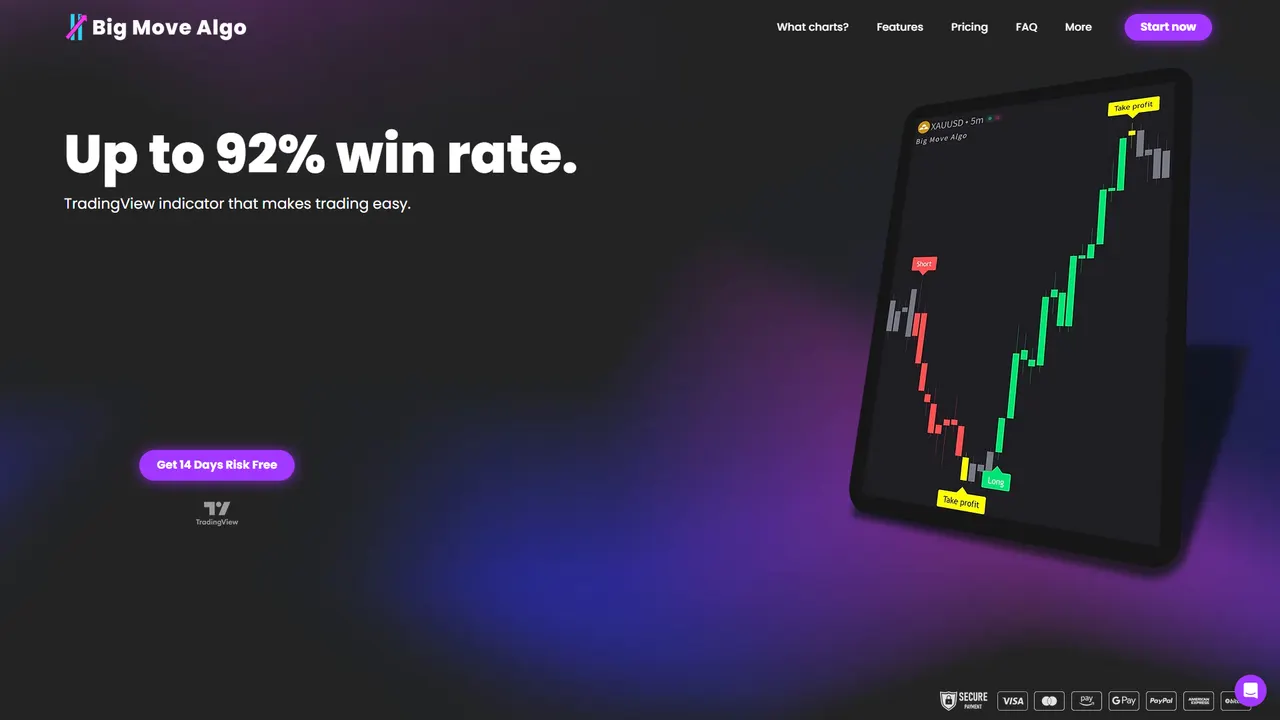
AUTO Mode gets you running with minimal setup, while Manual Mode gives experienced traders more control over how signals are generated. The built-in Fake Trend Detector filters out low-quality market conditions before they ever reach you as a signal, so your alert pipeline is not wasting webhook and execution time on setups you would have skipped anyway. The indicator works across multiple financial markets, and subscription plans provide access on multiple devices with software updates. Check current plans and get instant access at Bigmovealgo.
Selected sources and further reading
For implementation detail on timestamp comparison and percentile-based benchmarking, see the measurement guidance referenced above. To review the indicator’s AUTO and Manual modes, Fake Trend Detector, and subscription access, visit the Big Move Algo landing page.
This article is general information, not a substitute for advice from a qualified financial advisor. Consult a qualified financial professional about your own circumstances before acting on anything here.
FAQ
What is signal latency in trading?
Signal latency is the delay between when a trading indicator generates a Long, Short, or Exit signal and when you or your automation system receives and can act on it. It is distinct from general network speed and is specific to the alert-to-execution path.
How do I measure signal latency myself?
Compare the timestamp in your TradingView alert payload against your broker’s execution timestamp for the same trade, repeated across many samples rather than a single test. Look at the median delay along with the 95th and 99th percentiles, since rare spikes often cause the most damage.
What causes high latency with TradingView alerts?
Common causes include heavy indicator calculations, alert queueing during busy periods, slow webhook gateways, underpowered VPS scheduling, and broker API throttling during high volume. Market congestion during volatile events can also widen the gap between signal and fill.
Does Big Move Algo help with signal latency?
Big Move Algo focuses on delivering clear, structured Long, Short, and Exit signals with AUTO and Manual modes and a Fake Trend Detector that filters low-quality setups before they reach you. That structure is meant to reduce the time you spend interpreting a signal, which is a separate factor from network or broker-side delay.
How much latency is acceptable for trading?
It depends on your strategy: scalping and fast intraday setups need much lower delay than swing trading on higher timeframes. Set your own threshold based on synthetic testing rather than assuming a fixed number applies to every strategy.