Risk-On/Risk-Off Filter: How to Compare Your Options

A risk-on/risk-off filter tells you whether the market is in a mood to reward risk or punish it, so you can decide whether a Long signal deserves your money today. You can build one from public data, read a published index, or let a TradingView indicator do the filtering at the chart. For traders who want a ready-made answer on the chart, Big Move Algo is our pick: it gives Long, Short and Exit signals and a built-in Fake Trend Detector that screens out low-quality market conditions where trading may not be recommended.
Below, we explain what these filters measure, compare the main options side by side, and show how to use one without turning it into a single buy or sell button.
TL;DR
- Risk-on means money flows toward stocks and other higher-risk assets. Risk-off means it moves toward safer assets like government bonds and cash.
- Published indices from the Federal Reserve and the Office of Financial Research measure the mood well, but they are macro dashboards, not trade signals with entries and exits.
- A do-it-yourself filter (VIX threshold, moving average, drawdown) is cheap to build and easy to overfit.
- Big Move Algo puts Long, Short and Exit signals and a Fake Trend Detector on your TradingView chart, across crypto, forex, stocks, indices and commodities.
- Treat any filter as a gate on your trades, not the trade itself.
Table of Contents
- What a risk-on/risk-off filter actually measures
- The four ways filters are built
- Published risk-on/risk-off indices
- Side-by-side comparison
- Where risk-on/risk-off signals go wrong
- Why an on-chart filter suits most retail traders
- How to use a filter in your workflow
- Promo: Big Move Algo plans
- Our perspective
- FAQ
- Sources
What a risk-on/risk-off filter actually measures
Investopedia describes risk-on risk-off investing as the way changes in investor risk tolerance move markets. In risk-on periods, investors favor higher-risk assets such as stocks. In risk-off periods they favor safer assets such as government bonds and cash. Interest rates, news, inflation and geopolitics can trigger the shift.
A filter turns that idea into a rule. The rule answers one question: should I be taking new risk right now? When the answer is no, you skip entries, size down or stand aside.
That is different from a signal. A signal says what to do with one instrument. A filter says whether the environment supports doing it at all. Most losing streaks for retail traders come from taking good-looking signals in bad environments, which is why the filter matters even if you never look at a macro chart.
The four ways filters are built
Under the hood, nearly every risk-on/risk-off filter falls into one of a few families. Alphanume’s market regime filter explainer lists four standard approaches:
- Volatility-based: risk-off when the VIX (the market’s fear gauge, built from S&P 500 option prices) or realized volatility exceeds a threshold.
- Trend-based: risk-off when price sits below a moving average, risk-on when above.
- Drawdown-based: risk-off when price falls a set amount from its recent high.
- Multi-factor composites: a blend of volatility, trend, credit spreads and other macro inputs.
Our own guides cover the practical versions: a market regime filter built on SMA and ATR and a volatility filter that cuts bad trades. If you want to see how one number can summarize market mood, this Fear and Greed Index explainer shows how several sentiment inputs roll into a single live score.
Published risk-on/risk-off indices
The most rigorous measures come from public institutions. They are worth knowing because they show what a good filter should include.
Kansas City Fed RORO Index. The Federal Reserve Bank of Kansas City’s index uses daily data from US and euro-area asset markets. It combines four categories: advanced-economy credit risk, equity market volatility, funding conditions, and currencies and gold. The authors argue in their working paper that measures built on a single market, traditionally the VIX, miss part of the picture, so they blend several markets into one barometer.
Federal Reserve global ROI. A Federal Reserve paper on global risk describes an index that adds up changes in 15 assets, including equities, the VIX, Treasury and bund yields, credit spreads, currencies and gold. Positive values mark risk-on days. The same paper finds the daily index mean-reverting, with average episodes lasting about two days. That is a useful reality check: raw risk-on/risk-off readings flip fast.
OFR Financial Stress Index. The Office of Financial Research’s index is a daily snapshot built from 33 variables across credit, equity valuation, funding, safe assets and volatility. It reads positive when stress is above average and negative when below.
These are excellent for understanding the backdrop. For a trader working a TradingView chart, though, they leave three gaps: no entry, no exit, and no way to apply the reading to the specific crypto pair, forex cross or stock you are watching.
Side-by-side comparison
| Option | What it tells you | Entries and exits | Markets it covers | Setup effort |
|---|---|---|---|---|
| Big Move Algo (TradingView indicator) | Long, Short and Exit signals, plus a Fake Trend Detector that flags low-quality conditions | Yes, built in | Crypto, forex, stocks, indices, commodities | AUTO Mode needs minimal setup; Manual Mode for customization |
| Kansas City Fed RORO Index | Daily risk appetite across credit, equity volatility, funding, currencies and gold | No | US and euro-area asset markets | Read it; no chart integration |
| Federal Reserve global ROI | Equally weighted change across 15 assets | No | Global asset classes | Research data, needs your own handling |
| OFR Financial Stress Index | Market stress level from 33 variables | No | US, other advanced and emerging markets | Read it; no chart integration |
| DIY VIX, moving average or drawdown rule | Binary on/off based on one rule | Only what you code | Whatever you apply it to | Coding or manual tracking, plus tuning |
The pattern is clear. The institutional indices diagnose; the DIY rule is only as good as your tuning. Big Move Algo is the option that gives you a decision on the chart you are already trading.
Where risk-on/risk-off signals go wrong
Every filter fails sometimes, and knowing how helps you use one well.
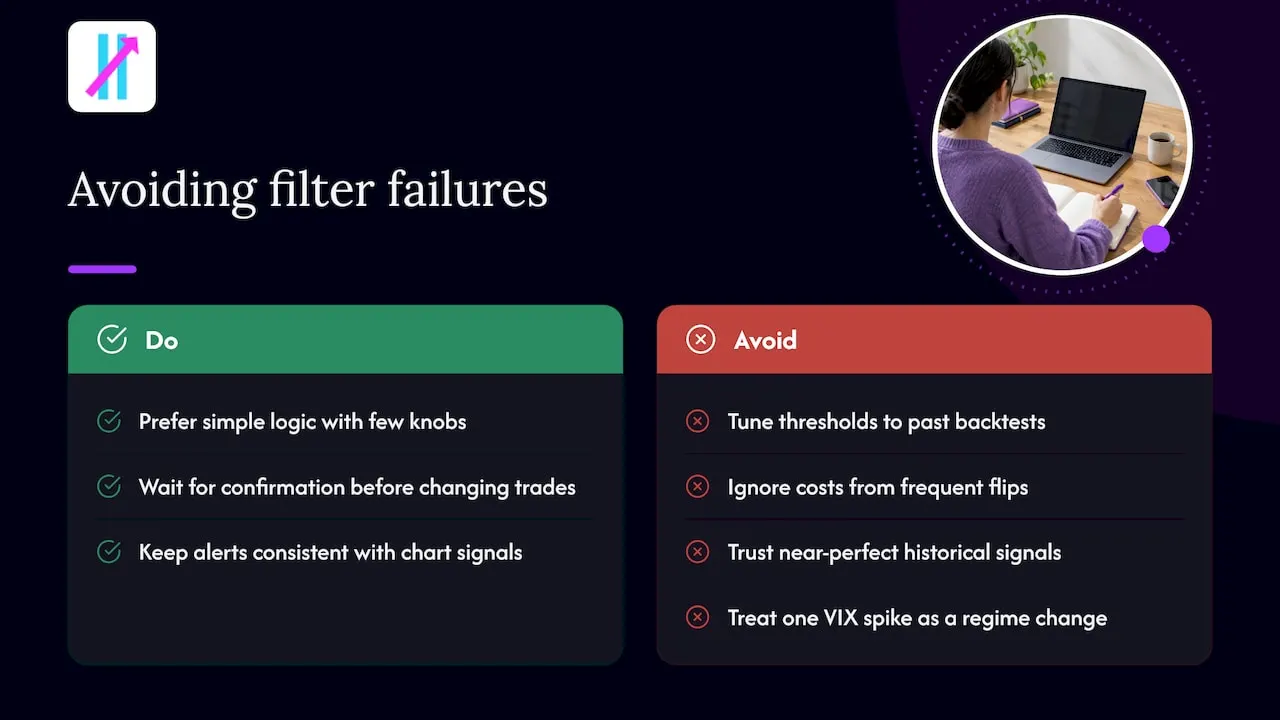
Overfitting. Alphanume warns that regime filters can look great in backtests because the thresholds were tuned to the past, then deliver less benefit live. The lesson is to prefer simple logic with few knobs over a filter with twenty settings.
Lag and churn. Many indicators trail the market, and frequent regime flips can create transaction costs. The Federal Reserve’s finding that average episodes last about two days is a reminder that a fast-flipping filter will have you trading in and out constantly.
Repainting. On TradingView, anyone can publish a script. Hollow Point Trading notes that near-perfect historical signals that always catch tops and bottoms are the tell of a repainting script, one that redraws past signals using data not available when they fired. Big Move Algo is built as a non-repainting indicator, and our guide to bar-close TradingView alerts explains how to keep alerts consistent with what you see on the chart.
Mistaking noise for a regime. One day’s VIX spike is not a regime change. Equicurious makes this point in its guide to risk dashboards: dashboards describe the current regime better than they predict the next one. Wait for confirmation before changing how you trade.
Why an on-chart filter suits most retail traders
If you trade crypto, forex or stocks on TradingView, the useful question is not what the global risk index says. It is whether the setup in front of you deserves your capital. A filter that lives on your chart answers that in the same place you place the trade.
That is the design idea behind Big Move Algo. It analyzes markets in real time and gives Long, Short and Exit signals. Its Fake Trend Detector is built to filter out low-quality or misleading conditions where trading may not be recommended. That is the job a risk-on/risk-off filter does, applied to the instrument you are actually trading, and it takes the emotional second-guessing out of whether to act.
For beginners, AUTO Mode needs minimal setup, so you are not tuning thresholds on day one. More experienced traders can switch to Manual Mode for customization, and our guide to customizing TradingView chart signals walks through the approach. The indicator works on unlimited devices and sends alerts to multiple platforms, and it can be integrated with automated trading platforms, which our TradingView algo trading guide covers.
How to use a filter in your workflow
A filter is a gate. Here is a routine that keeps it in that role.
- Check the backdrop once a day. Look at a published reading, such as the OFR Financial Stress Index or the Kansas City Fed index, to learn whether broad stress is rising or falling. This sets your mood, not your orders.
- Read the chart’s own filter. Before acting on a Long or Short signal, look at whether the Fake Trend Detector is flagging the conditions as low quality. If it is, the default is to stand aside.
- Match the style to the regime. Trending conditions favor trend-following; choppy ones favor mean reversion. Our guide to four regime checks shows how to tell them apart.
- Act on closed bars. Use signals and alerts that confirm at bar close, so what you traded matches what the chart shows afterward.
- Size to the environment. Risk-off conditions call for smaller size or no new trades, not bigger conviction.
- Use the Exit signal. Decide the exit before the entry. Big Move Algo gives you one, which removes a common source of emotional decisions.
Market timing carries real risk of loss, and no filter removes it. Set position sizes you can afford to lose, and talk to a licensed financial adviser about how trading fits your overall finances.
Promo: Big Move Algo plans
Big Move Algo is a subscription with instant access after purchase, and payment runs through Stripe. Version 2 costs $55 per month or $660 per year. Version 3 costs $64 per month or $768 per year. Version 3 Plus costs $79 per month or $948 per year. Updates are free.
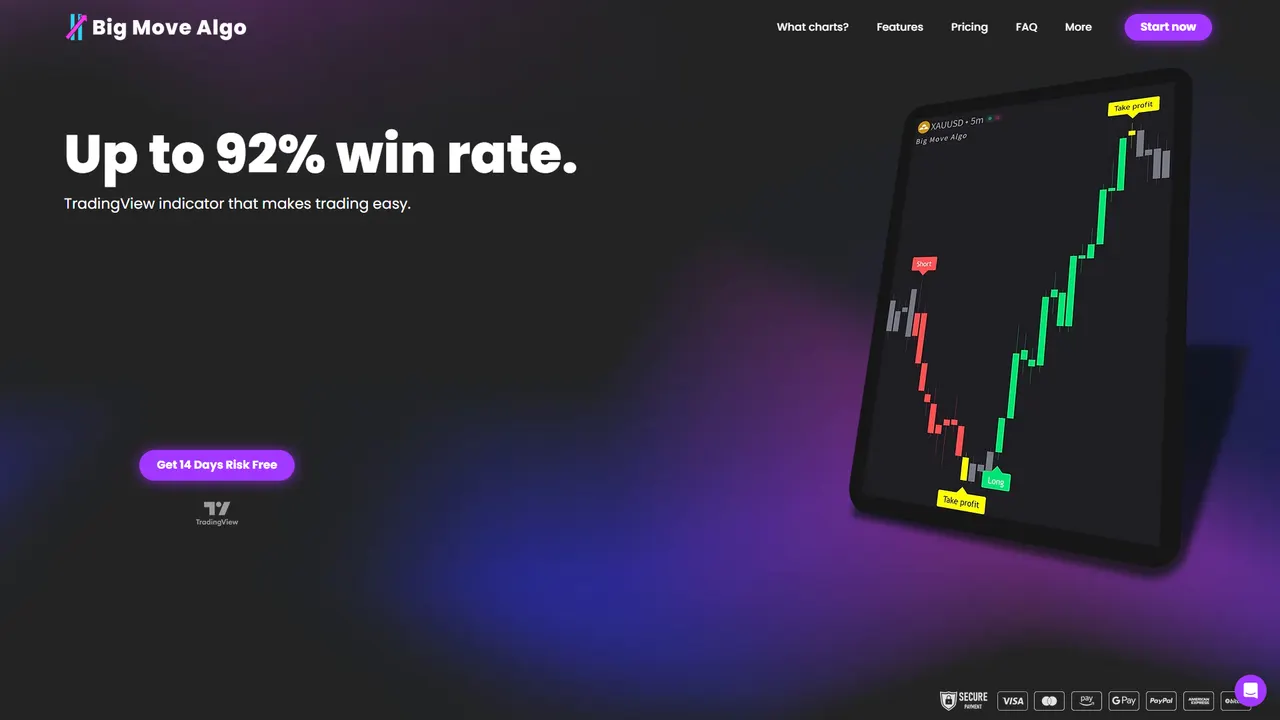
You can see the plans and start on the Big Move Algo site.
Our perspective
Most traders we talk to do not lose because they lack information. They lose because they have too much of it and no rule for when to act. A risk-on/risk-off filter is a good idea, but a dashboard of ten macro series is one more thing to second-guess at 9:35 a.m.
We built Big Move Algo around the opposite principle: clarity, speed and ease of use. One indicator, clear Long, Short and Exit signals, and a Fake Trend Detector that screens out the conditions where trading is not recommended. AUTO Mode gets you started with minimal setup, and Manual Mode is there when you want more control.
The Federal Reserve research shows how quickly risk sentiment flips. A tool that decides for you on the chart, in the same way every time, is how you keep emotion out of those flips. That structure is what we believe retail traders on TradingView are actually looking for.
Steven Hartwell
FAQ
What is a risk-on/risk-off indicator?
It is a tool that summarizes whether investors are favoring riskier assets such as stocks (risk-on) or safer ones such as government bonds and cash (risk-off). Some are published indices built from many markets, and others are chart indicators that apply a rule to price. You use the reading to decide whether to take new risk.
Can I use a risk-on/risk-off filter on crypto and forex?
Yes. Risk appetite affects currencies, crypto and equities, and the Federal Reserve’s global index includes currency and gold moves alongside equities. Big Move Algo works across crypto, forex, stocks, indices and commodities, so the same chart-based filter applies to each.
Should a filter be my only buy or sell signal?
No. A filter says whether conditions support taking risk, not which instrument to trade or where to exit. Pair it with entry and exit signals, such as Big Move Algo’s Long, Short and Exit, and size positions to what you can afford to lose.
How do I avoid a filter that repaints?
Be wary of historical signals that look too perfect, since that can mean the script redraws the past. Use closed-bar confirmation for alerts. Big Move Algo is designed not to repaint, and our bar-close alerts guide explains how to set alerts correctly.
Sources
- Investopedia: Risk-On Risk-Off
- Alphanume: What Is a Market Regime Filter
- Federal Reserve Bank of Kansas City: Risk-On Risk-Off Index
- Kansas City Fed working paper: Risk-On/Risk-Off, Measuring Shifts in Investor Sentiment
- Federal Reserve: Taxonomy of Global Risk, Uncertainty, and Volatility
- Office of Financial Research: Financial Stress Index
- Hollow Point Trading: TradingView guide
- Equicurious: Using Risk-On/Risk-Off Dashboards