Signaplex.com Alternatives for Traders in 2026

Signaplex is built around one idea: the Power Slope Index (PSI), a single score from −100 to +100 that condenses five market frames into a trend reading for stocks, ETFs, crypto and forex. If that format does not match how you trade, the best alternatives depend on what you want in its place: buy and sell signals on your own chart, a scanner, a backtesting platform, or a news feed. This guide compares the real options, including ours, Big Move Algo, and tells you who each one suits.
TL;DR
- Signaplex gives you a trend score. If you would rather get explicit Long, Short and Exit signals on a TradingView chart, look at Big Move Algo or a similar indicator suite such as LuxAlgo.
- If you want scanning or backtesting, TrendSpider and Trade Ideas are built for that, and cost more.
- If you want news-driven alerts, Benzinga Pro is the usual choice. If you want no-code automation, look at Composer.
- No signal tool can promise profits. FINRA and the CFTC both warn about claims of guaranteed returns from AI trading tools.
- Pick one tool that fits your workflow and paper-trade it for a few weeks before risking real money.
Table of Contents
- What Signaplex does, and why traders look elsewhere
- The main Signaplex alternatives at a glance
- Big Move Algo: clear signals on your TradingView chart
- The other options, and who they fit
- How to choose: five questions
- Our perspective: a signal is only as good as the discipline behind it
- Protect yourself before you subscribe to any signal tool
- Try Big Move Algo on your own charts
- FAQ
- Sources
What Signaplex does, and why traders look elsewhere
Signaplex describes its core product as the PSI indicator, a multi-frame trend score. Its pricing page shows a free tier with access to PSI values and a weekly AI analyst report, plus paid Standard, Premium and Pro plans, a 30-day free trial on paid plans and a 16% discount for annual billing. It also offers an API aimed at institutions. Check the site for current plan prices, since they can change.
That is a reasonable product. But a score is not a plan. Traders who leave it behind usually give one of these reasons:
- They want an entry and an exit, not a reading. A number between −100 and +100 still leaves you to decide when to act.
- They live in TradingView. They want the signal drawn on the chart they already use, with alerts they can route to a phone or a bot.
- They want a different job done. Scanning, backtesting, news and automation are separate categories of tool.
- They are overloaded. Multi-frame data can be useful, but some traders want fewer inputs, not more.
The last point matters. Industry reviewers at Signal Provider Reviews separate research services, scanners and automated platforms because each demands a different level of oversight from you. They also caution against buying a stack of indicators, since conflicting readings add confusion. Choose by the decision you need help with, then pick one tool.
The main Signaplex alternatives at a glance
Prices below are the ones published by the sources linked, and they change often. Confirm them on each vendor’s site before you buy.
| Option | Best for | What you get | Published price |
|---|---|---|---|
| Big Move Algo | TradingView users who want clear Long, Short and Exit signals | Proprietary indicator, AUTO and Manual modes, Fake Trend Detector, alerts, works on crypto, forex, stocks, indices and commodities | $55 per month (Version 2), $64 per month (Version 3), $79 per month (Version 3 Plus) |
| LuxAlgo | Traders who want a broad suite of TradingView overlays | 50+ indicators, AI-assisted signals, support and resistance, trend detection | $47.99 per month according to one review directory |
| TrendSpider | Technical traders who backtest | Automated backtesting and pattern scanning | $33 to $321 per month depending on plan |
| Benzinga Pro | News and event-driven traders | Real-time news and market-event signals | $197 per month for Essential |
| Composer | Hands-off investors | No-code strategy building | Free starter tier, then $32 per month for Pro |
| Pionex | Crypto traders who prefer bots | Crypto-specific trading bots | No subscription fee, 0.05% trading cost |
| Trade Ideas | Active US stock day traders | Real-time AI scanner with Holly AI signals | $178 per month billed yearly on the Premium plan |
The Dupple comparison also notes that Trade Ideas targets day traders, TrendSpider technical and backtesting work, Composer passive automation, and Benzinga Pro news-driven trading. That framing is the most useful way to shortlist.
Big Move Algo: clear signals on your TradingView chart
Big Move Algo is our own product, so weigh this section accordingly. It is a proprietary TradingView indicator that reads the market in real time and prints three kinds of signal: Long, Short and Exit. It is built for retail traders who are tired of guessing and of indicator panels crowded with settings.
What sets it apart in practice:
- AUTO Mode and Manual Mode. AUTO needs minimal setup, so a newer trader can load it and start reading signals. Manual Mode gives experienced traders more room to customize.
- Fake Trend Detector. This filters out low-quality or misleading conditions where trading may not be recommended. Sitting out a bad market is a decision too.
- Multiple markets. Crypto, forex, stocks, indices and commodities, all from the same indicator.
- No repainting. Signals do not rewrite themselves after the fact, so what you see on the chart is what appeared in real time.
- Unlimited devices and multi-platform alerts. Use it on your desktop, laptop or phone, and send alerts where you need them. You can also connect alerts to automated trading platforms. Our guide on sending TradingView alerts to a bot without duplicate trades explains the setup.
- Free updates and instant access. Payment runs through Stripe and access starts straight after purchase.
The trade-off is plain. Big Move Algo needs TradingView. If you do not use it, or you want a news terminal or a backtesting lab, one of the tools below will serve you better.
Big Move Algo pricing
There are three versions, each billed monthly or annually:
| Version | Monthly | Annual |
|---|---|---|
| Version 2 | 55 USD per month | 660 USD per year |
| Version 3 | 64 USD per month | 768 USD per year |
| Version 3 Plus | 79 USD per month | 948 USD per year |
Current plans are listed on the Big Move Algo site.
The other options, and who they fit
LuxAlgo: a suite of overlays
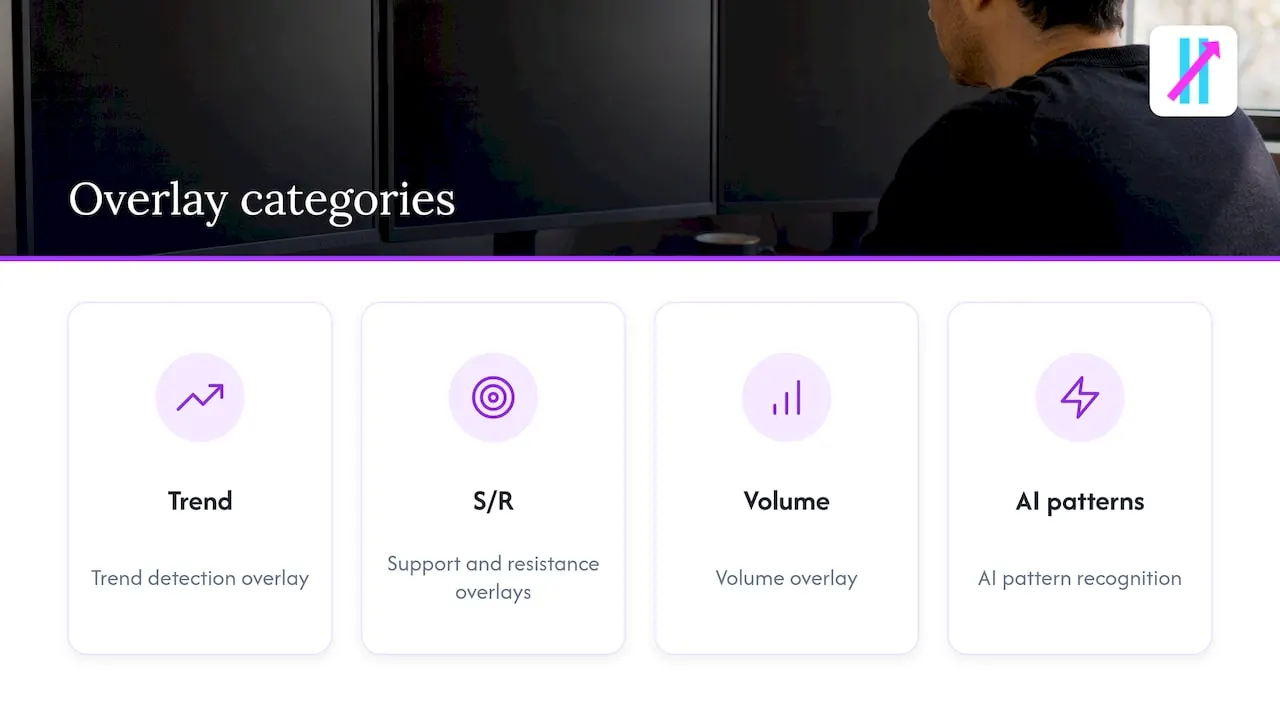
LuxAlgo is a bundle of TradingView indicators covering trend detection, support and resistance, volume and AI pattern recognition. One review notes that it informs decisions rather than placing orders, so execution stays with you. It suits traders who like to build their own read from many layers. The flip side is the one Signal Provider Reviews warns about: lots of overlays can produce conflicting readings.
TrendSpider: backtesting and pattern scanning
TrendSpider is a platform rather than an indicator. Its value is in testing an idea against history and scanning for patterns automatically. If you want to prove a strategy before you trade it, that is the right category. It is also a bigger commitment of time and money than a single indicator.
Trade Ideas: for active US stock day traders
Trade Ideas is described by Dupple as the strongest real-time AI scanner for active US stock traders, with its Holly AI signals on the Premium plan. It is a scanner, so it finds candidates; it does not draw entries on your TradingView chart. It is stock-focused and priced for people who trade often.
Benzinga Pro: news first
Benzinga Pro is for traders who react to headlines and market events. It will not tell you where a trend starts or ends on a chart. If your edge is speed on news, it is a different tool for a different job than Signaplex or any indicator.
Composer and Pionex: automation
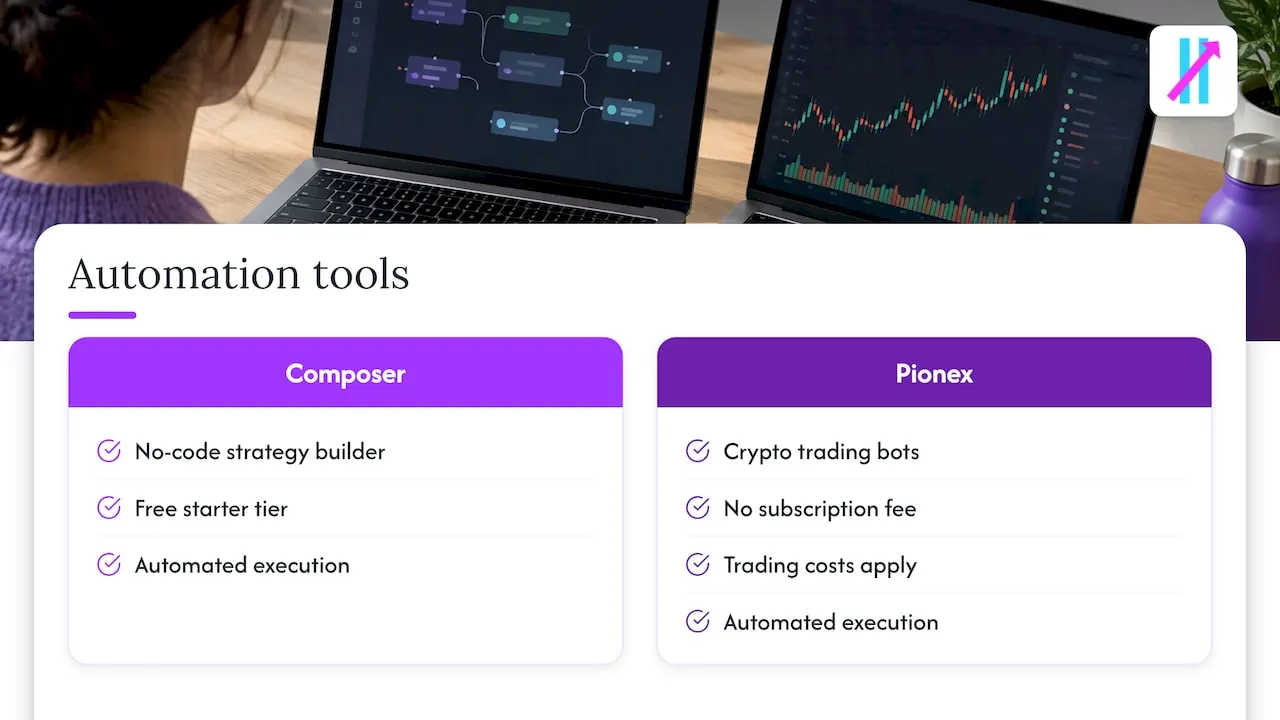
Composer lets you build strategies without code and has a free starter tier. Pionex offers crypto bots with no subscription fee, though trading costs apply. Both put an automated system in charge of execution, which means you oversee the system rather than each trade. That suits some people and alarms others. Read our notes on risk controls every TradingView user needs before handing any decisions to automation.
How to choose: five questions
- Where do you trade and analyze? If your charts are in TradingView, an indicator keeps everything on one screen. If not, a standalone platform may fit better.
- Do you need a signal, a screen or a story? Indicators give signals, scanners give candidates, news terminals give catalysts.
- How much time do you have? A day trader watching the market all session can use a scanner. A swing trader checking in twice a day is better served by alerts.
- How many settings do you want to manage? More configuration is not more edge. Be honest about whether you will use it.
- What is the total cost over a year? Compare annual figures, not just the monthly sticker. Our three plans run from 660 USD to 948 USD per year, while some platforms above reach several hundred dollars per month.
If you want to see how others in this niche compare, we have written similar breakdowns, such as top alternatives to SharkSignals and EliteSignals alternatives. For active traders, our guide to real-time day trading signals covers what to look for on shorter timeframes.
Our perspective: a signal is only as good as the discipline behind it
We build a signal indicator, so you might expect us to say signals solve trading. They do not. What a good indicator can do is remove two kinds of noise: the clutter of too many settings, and the in-the-moment emotion that turns a plan into a gamble.
That is why Big Move Algo is built around clarity. AUTO Mode exists so a trader does not need to tune ten parameters before seeing a result. The Fake Trend Detector exists because many losses come from trading conditions that were never worth trading. Signals that do not repaint exist so you can judge the indicator honestly by looking back at the chart.
We also think the market for trading tools is full of exaggerated claims, and traders should be skeptical of us too. Use a trial period elsewhere, paper-trade ours, keep position sizes small at first, and judge us on how the tool behaves live, not on a screenshot.
— Steven Hartwell
Protect yourself before you subscribe to any signal tool
This part is not optional, whichever tool you pick.
- Be wary of guaranteed results. The CFTC warns that fraudsters exploit interest in AI to promote trading bots and signal schemes. FINRA says the same about claims of unrealistic returns, which it treats as typical of investment fraud.
- Check who is behind an auto-trading service. FINRA has identified a rise in unregistered entities offering auto-trading to retail investors through websites and apps, and it advises checking providers with tools such as BrokerCheck. If a service routes orders or manages money for you, verify its registration. If you have already sent money to one you cannot verify, contact your state securities regulator or FINRA.
- Understand AI limits. FINRA notes that AI models are often trained on historical data that may not capture modern volatile markets, and it warns about platforms that claim to use AI without the substance. For a broader view, this overview of the risks of AI investing tools is worth your time.
- Paper-trade first. Experts advise running any new AI-powered indicator in a simulated account for at least a few weeks, because live results often fall short of backtests due to slippage and execution delays.
Big Move Algo is a charting tool that gives signals. It does not hold your funds, and it does not guarantee any result. Trading carries a risk of loss, and you decide every trade.
Try Big Move Algo on your own charts
If you want explicit Long, Short and Exit signals on TradingView, with AUTO Mode to start quickly and a Fake Trend Detector to keep you out of weak conditions, see the Big Move Algo plans. Version 2 starts at 55 USD per month, and access is instant after payment. Pair it with a simple routine: paper-trade first, size small, and review your signals weekly. If you are new to the concept, start with our beginner’s guide to algorithmic trading and our piece on the benefits of automated trade signals.
FAQ
What is the closest alternative to Signaplex?
It depends on what you value in Signaplex. For trend readings on a chart you already use, a TradingView indicator such as Big Move Algo or LuxAlgo is the nearest match. For scanning, Trade Ideas is closer. No tool replicates the PSI score exactly.
Is there a free alternative to Signaplex?
Signaplex itself has a free tier with PSI values. Among other options, Composer has a free starter tier and Pionex charges no subscription, only trading costs. Free tiers are useful for testing whether a workflow suits you, but check what they leave out.
Can any trading signal tool guarantee profits?
No. The CFTC and FINRA both warn that AI trading tools cannot guarantee success, and that promises of very high returns are typical of fraud. Treat any such promise as a reason to walk away, and verify any provider that touches your orders or money.
Does Big Move Algo work outside TradingView?
Big Move Algo is a TradingView indicator, so you need TradingView to use it. Alerts can be delivered to multiple platforms and connected to automated trading platforms, but the signals are generated on your TradingView chart.
How long should I test a new indicator before using real money?
Experts suggest at least a few weeks of paper trading. Live conditions bring slippage and delays that backtests miss, so a longer test across different market conditions tells you more than a short, lucky run.
Sources
- Know the Risks of Auto-Trading Services Offered by Unregistered Entities, FINRA
- Artificial Intelligence (AI) and Investment Fraud, FINRA
- Customer Advisory: AI Won’t Turn Trading Bots into Money Machines, CFTC
- Best AI Trading Tools in 2026: 8 Platforms Compared, Dupple
- LuxAlgo Review, The Toolsverse
- Trading Signal Provider Reviews and Comparisons, Signal Provider Reviews
- AI Investing Risks: What Can Go Wrong and How to Protect Yourself, StockPilot