Send TradingView Alerts to a Bot Without Duplicate Trades

You can send TradingView alerts to a bot by setting up a TradingView webhook alert that posts a JSON payload to an HTTPS endpoint, whether that endpoint is a custom server, an automation platform like Zapier or Pipedream, or a managed executor. The setup needs a working webhook URL, a structured message using {{strategy.order.alert_message}} or a custom alert() call, SSL verification on the receiving end, and idempotent processing so retries do not trigger duplicate trades. Test everything in demo mode first, and keep two-factor authentication enabled on your TradingView account before you turn on webhooks.
TL;DR:
- Choose a custom server for control and lower recurring costs if you can maintain it; Zapier or Pipedream starts faster, while managed executors reduce setup.
- TradingView sends application/json only when the alert message is valid JSON; malformed JSON falls back to text/plain, so validate payloads before execution.
- TradingView retries failed 5xx responses, except 504, up to three additional times, so store a unique payload ID and reject duplicates before orders execute.
- Require HTTPS and verify TradingView’s SSL certificate, keep credentials out of alert payloads, and remember that webhook requests use ports 80 or 443.
- Paper trade the full flow for a few sessions, test malformed and duplicate messages, then begin with small positions and keep a kill switch ready.
Table of Contents
- Shortlist: Pick Your Integration Path
- Developer-Focused Walkthrough: Alert to Bot
- Low-Code Paths: Zapier, Pipedream, and Telegram
- Security and Reliability Checklist
- Client-Rooted Examples: Payload Patterns That Work
- Cautious Automation Is a Feature, Not a Failure
- Another Option: Signals Built for Automation
- FAQ
- Sources
- Key Docs and Links to Read Next
Shortlist: Pick Your Integration Path
Three routes get a TradingView alert into a bot, and the right one depends on how much time you want to spend building versus maintaining.
A direct webhook to a custom server gives you full control over parsing, validation, and execution logic. You own the uptime, the security, and the debugging, which means lower recurring costs but real developer time up front.
Automation platforms such as Zapier or Pipedream get you running fastest. You capture the webhook, map fields in a visual editor, and forward the result to another API or chat app, though you trade away fine-grained control and may hit monthly task limits or added fees.
Managed executors handle the server and the exchange connection for you, which cuts development work to nearly zero. Check each provider’s uptime history, order confirmation process, and fee structure before committing real capital.
- Developer with time to build: direct webhook to a custom server for maximum control.
- Non-developer who wants speed: an automation platform like Zapier or Pipedream.
- Trader who wants minimal setup: a managed executor, with small test orders first.
Your choice usually comes down to three questions: how much code can you maintain, how much latency can you tolerate, and how much are you willing to pay monthly for someone else to run the plumbing.
Developer-Focused Walkthrough: Alert to Bot
Building the full pipeline takes five steps, and each one has a failure point worth testing before you connect real money.
- Create the alert in TradingView. Pick your trigger condition, set the alert frequency, and paste your webhook URL into the notifications tab. Use
{{strategy.order.alert_message}}for strategy-based alerts, or write a customalert()call in Pine Script to emit a dynamic JSON string. - Know what TradingView sends. Per TradingView’s webhook alert documentation, the request arrives as
application/jsonwhen your alert message is valid JSON, and falls back totext/plainotherwise, so malformed JSON silently changes your content type. - Build the receiving server. Accept HTTPS POST only, check the TradingView SSL certificate on the request, parse and validate the JSON body, and check an idempotency key before doing anything else.
- Queue, then respond. Push the validated alert onto a queue for execution, log the event with a timestamp and raw payload, and only then return a 2xx response confirming receipt.
- Test before you trust it. Simulate a TradingView webhook with a cURL POST request carrying a sample JSON body, run unit tests against malformed and duplicate payloads, and paper trade the full flow for at least a few sessions before going live.
Pine Script’s alert concepts documentation covers alert(), alertcondition(), and the placeholder syntax in detail, including how to pair alert() with alert.freq_once_per_bar_close for more reliable, bar-close-triggered payloads.
Pro Tip: Log every raw payload before parsing it, so a schema change or a malformed message never costs you the evidence you need to debug it.
Low-Code Paths: Zapier, Pipedream, and Telegram
Not every trader wants to run a server, and automation platforms close that gap by sitting between TradingView and whatever you want to notify or trigger.
The pattern is the same regardless of platform: capture the incoming webhook, transform the payload into the shape your destination expects, then call that destination’s API or webhook. Two common flows illustrate this well: TradingView to Zapier to Telegram for simple trade notifications, and TradingView to Pipedream to an exchange API for lightweight automated execution.
- Latency: low-code platforms add a processing hop, so expect a delay beyond what a direct server connection gives you.
- Cost: most platforms charge per task or per run once you exceed a free tier.
- Transformation limits: complex JSON restructuring can hit the ceiling of a visual workflow builder.
- Security: API keys stored in a third-party platform are only as safe as that platform’s own practices.
If you route alerts to a managed executor through one of these platforms, confirm you get order confirmations back, and test with small position sizes before scaling up. Our guide to sending TradingView alerts to Telegram walks through one of the simplest versions of this setup.
Security and Reliability Checklist
A webhook that works once is not the same as a webhook that works reliably under retries, outages, and bad actors. A handful of practices close most of the gap.
- Never put credentials in the payload. TradingView’s webhook configuration guide explicitly warns against including sensitive data in alert messages.
- Verify the SSL certificate. TradingView’s webhook authentication documentation confirms it sends a certificate with HTTPS requests, and accepts webhooks only on ports 80 and 443, so checking that certificate confirms the request actually came from TradingView.
- Build idempotency from day one. Webhooks follow at-least-once delivery semantics, meaning the same alert can arrive more than once, so persist a unique id from each payload and reject duplicates before they reach your execution logic.
- Expect retries on failure. TradingView’s webhook resubmission policy resends on any 5xx response except 504, up to three additional times, meaning a single trigger can arrive up to four times total.
- Monitor everything. Log failed deliveries, set up alerts for silent failures, and keep a kill switch and a demo mode ready for staged rollouts.
A single unverified webhook retry can turn into four duplicate orders if your server does not dedupe by id, which is the single most common cause of accidental over-trading in automated setups.
Client-Rooted Examples: Payload Patterns That Work
A clean payload does most of the risk reduction before any code runs. A practical structure includes an action field (long, short, or exit), a symbol, a size, a unique id for idempotency, a bar_close boolean, and a fake_trend flag where applicable.
- Explicit action fields remove ambiguity about what the bot should do, instead of making it infer intent from a free-text message.
- Bar-close alerts reduce the chance of acting on a price that reverses before the candle actually closes, a pattern also recommended in Pine Script’s alert documentation.
- A unique id in every payload gives your server something concrete to check against before processing, which is the backbone of idempotent execution.
- A short human-readable note alongside the structured fields makes later audits and debugging faster.
For the exact payload format and broker-specific notes, see our developer guide to sending alerts to a broker and our bar-close alert walkthrough.
Cautious Automation Is a Feature, Not a Failure
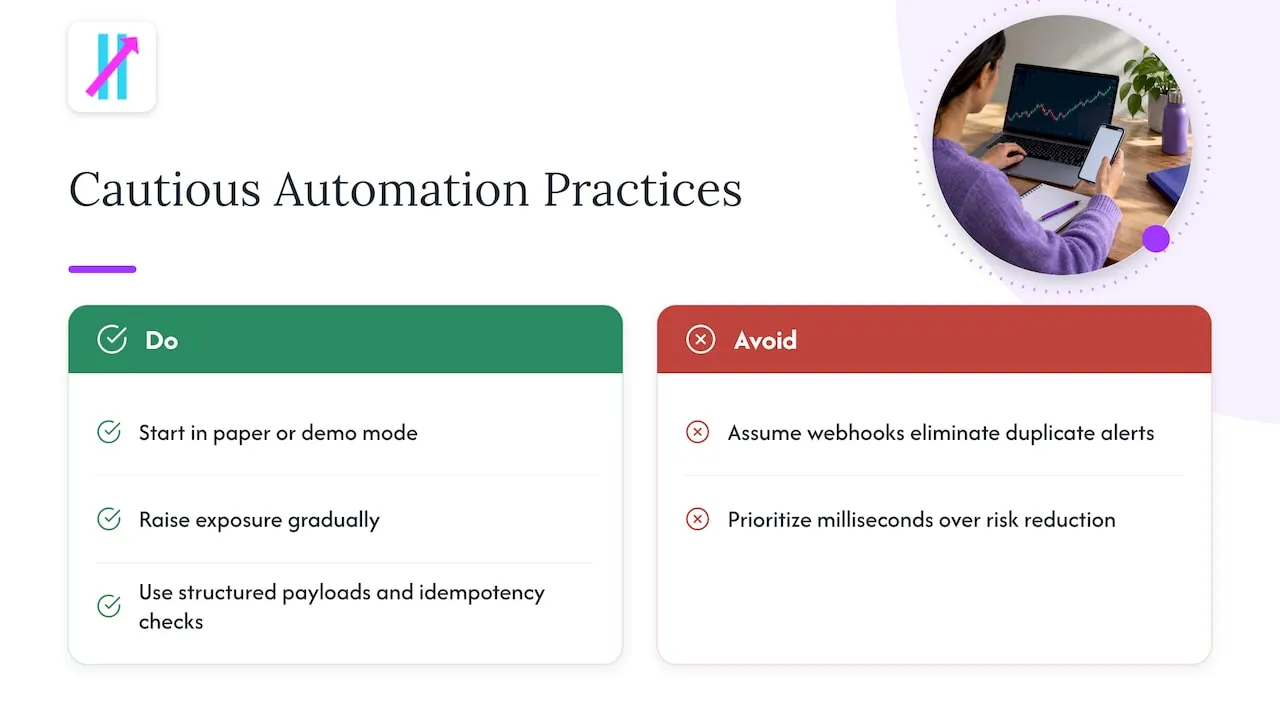
Treating automation as something you ease into, rather than switch on, is the difference between a system that survives a bad week and one that compounds a single bug into real losses.
Start in paper or demo mode and raise exposure gradually. Expect duplicate alerts, false positives, and moments where you need to step in manually, because no webhook setup eliminates those entirely. Structured payloads and solid idempotency checks reduce operational risk far more than shaving milliseconds off execution speed ever will.
— Steven Hartwell
Another Option: Signals Built for Automation
Writing the server, handling retries, and getting the payload structure right takes real time, and not every trader wants to own that work. Our Big Move Algo indicator generates structured Long, Short, and Exit signals directly inside TradingView, with AUTO Mode handling most of the setup and Manual Mode available for traders who want more control over timing and filters.

A Fake Trend Detector flags low-quality setups before they reach your alert feed, which pairs naturally with the bar-close and idempotency practices covered above.
- Read our automation setup guide for integration steps specific to our indicator.
- Check our account connection guide if you need to link or switch a TradingView account.
- Compare plans and start a subscription on our main plans page when you are ready to move from manual alerts to structured signals.
This article is general information, not a substitute for advice from a qualified financial advisor. Consult a qualified financial professional about your own circumstances before acting on anything here.
FAQ
Can TradingView send JSON alerts?
Yes. TradingView sends a webhook request as application/json when the alert message is valid JSON, and falls back to text/plain otherwise, according to TradingView’s own documentation. You control the message format directly in the alert setup or through a Pine Script alert() call.
Does TradingView allow bot trading?
TradingView does not execute trades itself, but it supports sending webhook alerts to external servers, automation platforms, or executors that can place trades on your behalf. Whether the resulting bot trading is permitted depends on your broker’s or exchange’s own terms and your local trading regulations, so check those directly rather than TradingView’s policies alone.
Are trading bots illegal?
Trading bots themselves are not illegal in most jurisdictions, but using one still means following the same securities, commodities, or exchange rules that apply to manual trading in your market. Whether a specific automated strategy is permitted depends on your broker’s terms and your jurisdiction’s regulations, so confirm with your broker or a qualified professional before connecting real funds.
Is there a free bot for TradingView?
TradingView itself does not sell or host trading bots, but several automation platforms, including Zapier and Pipedream, offer free tiers that can forward webhook alerts to a bot or notification service. Whether a free tier covers your needs depends on your alert volume and how much payload transformation you need, since most free plans cap the number of monthly tasks.
Sources
- How to configure webhook alerts — TradingView
- Webhook authentication — TradingView
- Webhook resubmission — TradingView
- Webhook delivery guarantees — Hookdeck
Key Docs and Links to Read Next
Before building a production integration, read TradingView’s webhook configuration and Pine Script alerts docs, then review webhook authentication and delivery guarantees for the idempotency patterns covered above. For webhook-versus-polling tradeoffs at scale, see this engineering breakdown of webhook design.