TradingView Alert Routing: No Developer Needed for Retail Traders

The main routing choices for TradingView alerts are app push, desktop pop-up, email, and webhook delivery, plus chat apps, SMS, and broker bridges built on top of webhooks through middleware. Use app push or pop-up for fast manual reactions, and use webhooks paired with a small receiving service when you want automated execution. Big Move Algo, our TradingView indicator, outputs structured alert messages built for this kind of routing.
TL;DR:
- Data series alerts ignore chart intervals, but indicator, strategy, and drawing alerts depend on the selected interval and may retain old settings after parameter changes.
- Webhook receivers must use HTTPS on port 80 or 443, avoid IPv6, and acknowledge requests within about three seconds or TradingView may cancel delivery.
- TradingView stops a regular alert after roughly 15 triggers in 3 minutes, while watchlist alerts share a roughly 1,000 trigger cap over the same period.
- Notification schedules mute delivery without stopping triggers, so check the alert log outside active hours and use a fallback email for delivery failures.
- Test webhook payloads on a demo endpoint or account, log response codes and latency, and store credentials on your server, never in alert messages.
Table of Contents
- Which TradingView alert channels should you use?
- What are the technical requirements for webhook alerts?
- How do scheduling and rate limits affect alert delivery?
- How do you choose the right routing strategy for your trading style?
- How do you test and implement your alert routing setup?
- What we’ve learned about routing alerts reliably
- Get alert routing built for automation with Big Move Algo
- FAQ
Which TradingView alert channels should you use?
Every routing decision starts with knowing what TradingView actually supports. TradingView lets you send alerts through app push notifications, desktop pop-ups, email, and webhook URLs, and you can attach these to data series, indicators, strategies, or drawing objects. Each channel fits a different job.
- App push and pop-up: best for instant manual reaction when you’re watching the market and want to act yourself within seconds.
- Email: simple to set up and useful for record-keeping or alerts that don’t need an immediate response.
- Webhook: the entry point for automation, since it can hand off a signal to a trading bot, a broker bridge, or a third-party service.
- Watchlist alerts: let you apply one rule across many symbols at once, useful for scanning a sector or basket of assets.
- Chat apps and SMS: Telegram, Slack, and text messages reach you through middleware services that relay the webhook payload, which helps when you want alerts shared with a group or sent straight to your phone.
- Broker or exchange integration: routes a signal into a live order through a middleware layer that sits between TradingView and your brokerage.
One detail worth knowing: alerts on data series fire independent of time interval, but alerts tied to a study, strategy, or drawing depend on the interval and can trigger using the indicator’s old settings if you change parameters after creating the alert. That matters if you’re tuning Big Move Algo’s inputs and expect the alert to reflect the latest settings automatically.
What are the technical requirements for webhook alerts?
Webhooks carry the heaviest technical load of any routing option, so getting the specifics right determines whether automation actually works.
- TradingView sends alerts as an HTTPS POST request, and only ports 80 and 443 are accepted; IPv6 endpoints are not supported.
- If your alert message is valid JSON, TradingView sends it with an
application/jsoncontent type header; otherwise it arrives astext/plain. - Your receiving server needs to respond quickly, generally within about three seconds, or TradingView cancels the request, and retries are limited to certain server-side errors.
- Never embed passwords, API keys, or other credentials directly in a webhook URL or message body; route authentication through server-side secrets and authenticated endpoints instead.
- Turn on two-factor authentication on your TradingView account, since TradingView requires it for webhook alerts.
Pro Tip: Build your receiving endpoint to acknowledge the request first and process the payload afterward, so you never risk missing the response window.
Security here isn’t optional. A webhook URL that leaks into logs or a public repository exposes anything embedded in it, so keep validation and signing logic on your server rather than in the alert message itself.
How do scheduling and rate limits affect alert delivery?
Notification schedules and trigger limits shape whether your routing setup actually delivers signals when you need them. TradingView’s notification schedule controls delivery windows, such as 24/7, weekdays only, standard working hours, or a custom range, but it does not stop an alert from triggering. The event still lands in your alert log even when delivery is muted.
- Alerts can fire once and stop, or repeat on every trigger, and you can set an expiration timer so an alert turns itself off after a set period.
- Regular alerts are capped at roughly 15 triggers in 3 minutes, and watchlist alerts share an aggregate cap of about 1,000 triggers in 3 minutes before TradingView stops them, according to TradingView’s support documentation.
- Your TradingView plan sets a ceiling on total active alerts, which limits how many routing rules you can run simultaneously.
- To avoid hitting these caps, tighten your trigger conditions, shrink the watchlist size, or consolidate several symbols into fewer, more selective alerts.
A single alert hitting roughly 15 triggers in 3 minutes gets automatically stopped, so a noisy condition on a volatile symbol can silently shut off your routing without warning.
How do you choose the right routing strategy for your trading style?
Picking a routing method comes down to matching the channel to what you’re actually trying to accomplish.
- Define your goal first: do you need a manual heads-up, a passive notification log, or fully automated execution?
- Match the channel to that goal: app push for manual decisions, webhook for automation, email for archival records.
- Weigh your latency tolerance, technical skill, and budget, since a webhook plus middleware takes more setup than a push notification but opens the door to automation with real-time data.
- Test with a demo endpoint before going live, measure response times, and add monitoring so you know immediately if delivery fails.
- If you’re using Big Move Algo, lean on AUTO Mode and the indicator’s structured alert messages, which cut down the setup work needed to wire a webhook to a bot or broker bridge.
Pro Tip: Run your automated routing setup on a demo account for at least a few sessions before connecting it to live capital, so you can confirm the payload format and response timing under real market conditions.
Budget and skill level often decide more than strategy preference does. A trader comfortable with a hosted automation tool can skip building a custom server, while a developer-minded trader might prefer full control over a lightweight receiving script.
How do you test and implement your alert routing setup?
A short test cycle catches most routing problems before they cost you a trade.
- Create a test alert in TradingView, point the webhook at a free testing endpoint like webhook.site, and confirm it arrives.
- Check the response time and content type (JSON versus plain text) against what your production server expects, then inspect the TradingView alert log to confirm the trigger fired correctly.
- Use a simple payload structure with placeholder values for price, symbol, and action, and never place credentials inside that payload.
- Log every response code your server returns, track median latency as a baseline, and set up a fallback notification (like email) in case the primary channel fails.
For broker-specific routing, our developer guide for sending alerts to a broker walks through structuring payloads safely. If you’re routing to a chat app instead, see how to send TradingView alerts to Telegram, and for indicator-based signals, our guide on bar-close alerts explains how to avoid repaint-related false triggers.
What we’ve learned about routing alerts reliably
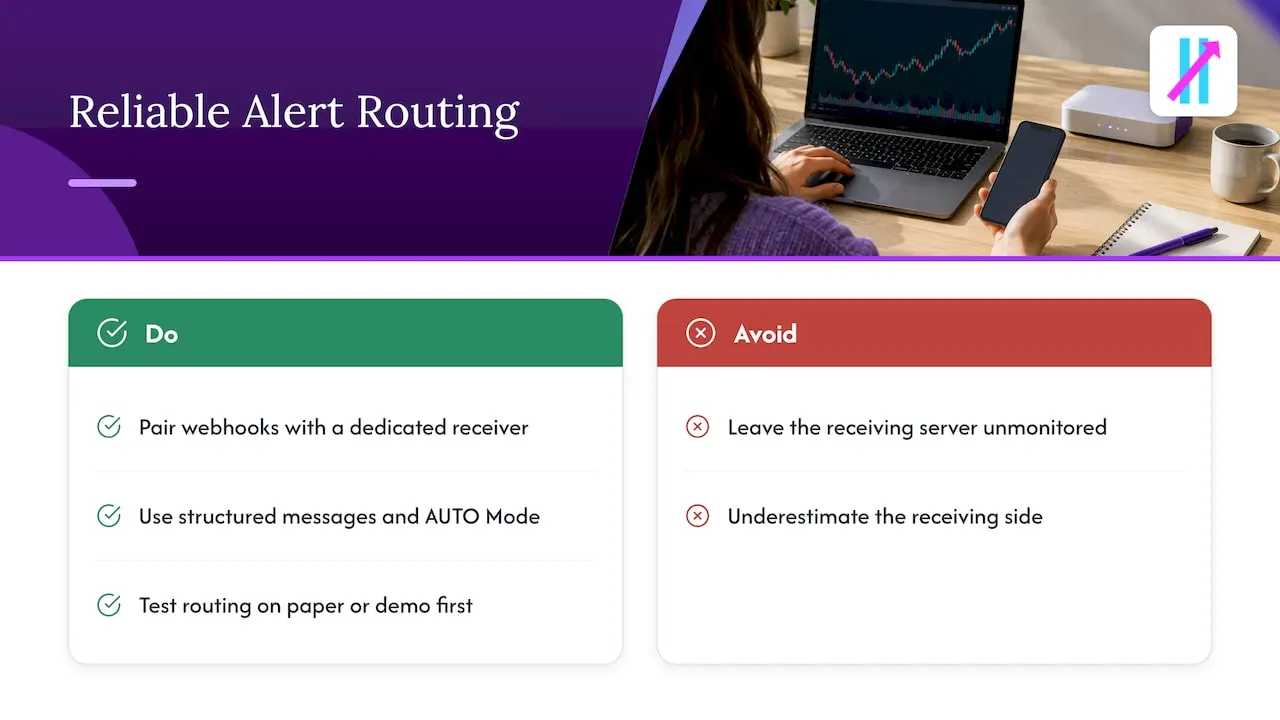
Webhooks paired with a small, dedicated receiving service remain the most dependable path to automation, while app push still wins for traders who want to stay in the decision loop. The mistake most retail traders make isn’t picking the wrong channel, it’s underestimating how much the receiving side matters: a slow, unmonitored server breaks automation just as fast as a bad trading signal does.
Structured alert messages and a straightforward AUTO Mode cut down the time it takes to wire a signal into a working pipeline, which is why we built Big Move Algo’s alerts the way we did. Before connecting any routing setup to live capital, run it on a paper or demo account first. Timing and payload format matter more than most traders expect until something goes wrong.
— Steven Hartwell
Get alert routing built for automation with Big Move Algo
We built Big Move Algo’s alert messages to work with webhooks from the start, so you’re not reverse-engineering a payload format before you can automate anything. AUTO Mode handles the signal logic for you, which means less setup time between seeing a Long, Short, or Exit signal and routing it where you need it.
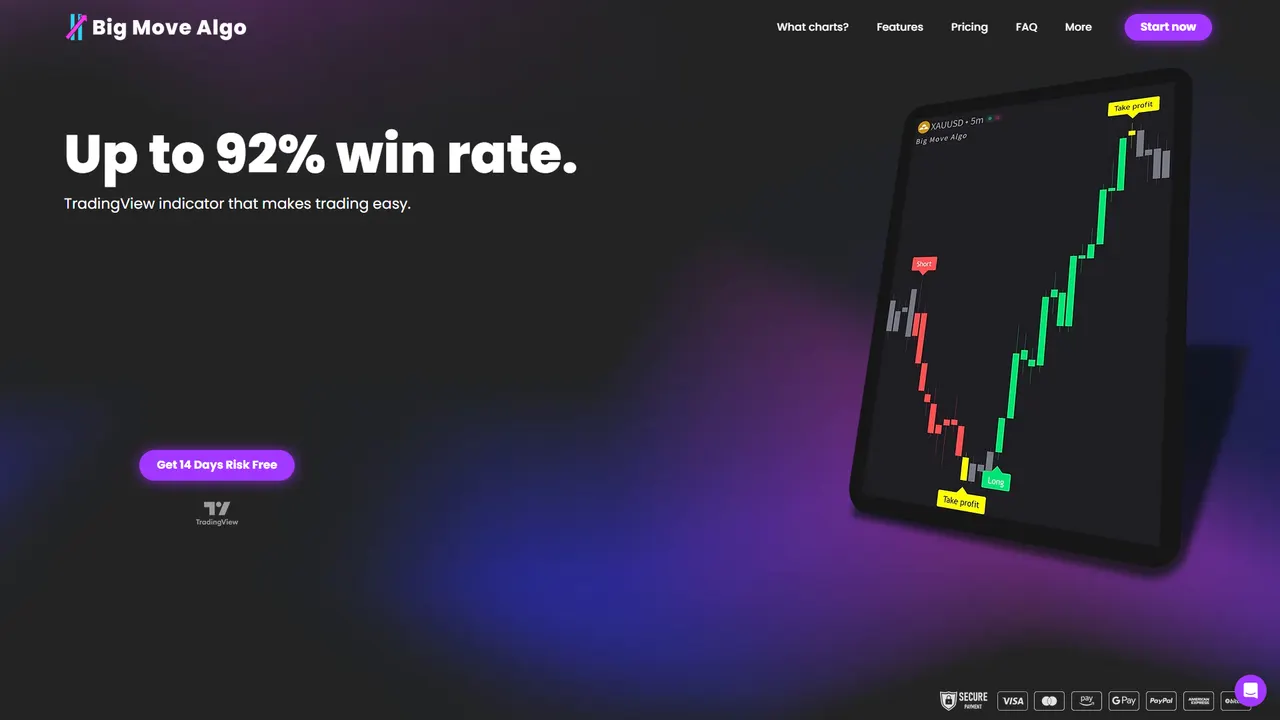
- Structured, automation-ready alert messages that plug into a webhook receiver, broker bridge, or chat bot without custom parsing.
- AUTO Mode for traders who want working signals fast, with Manual Mode available once you’re ready to customize.
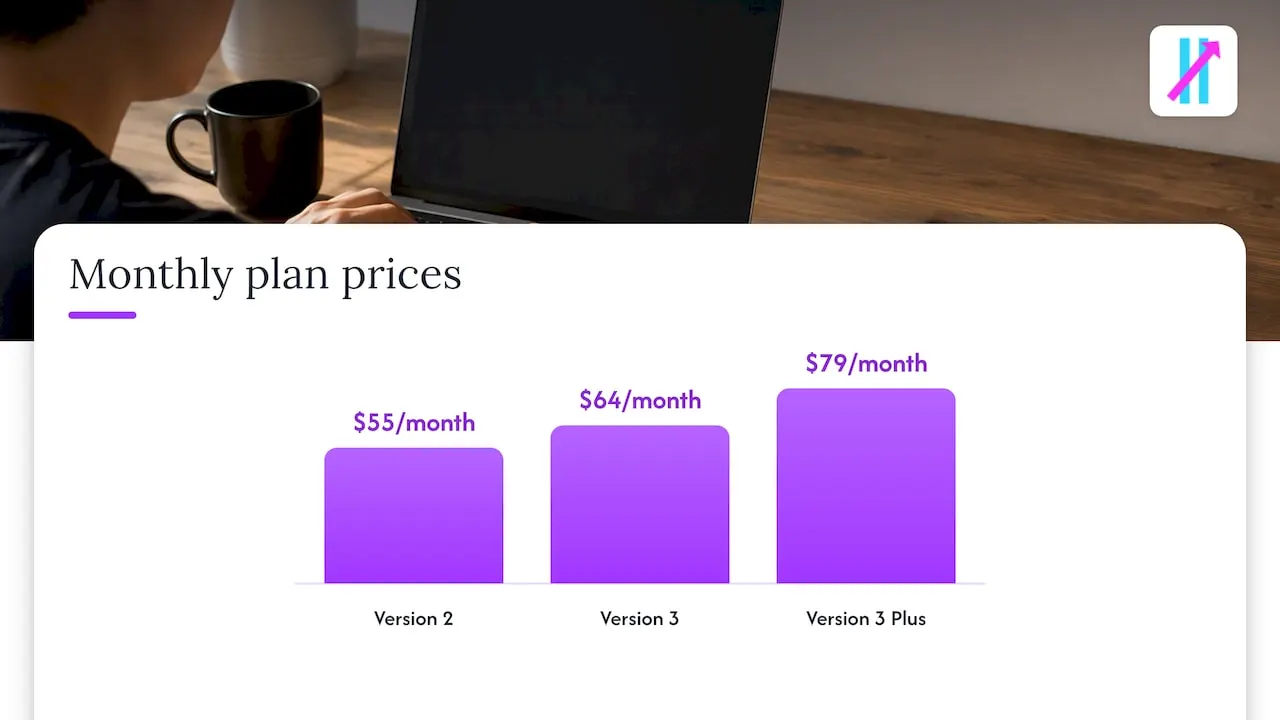
- Plans priced at $55 per month or $660 per year for Version 2, $64 per month or $768 per year for Version 3, and $79 per month or $948 per year for Version 3 Plus.
If you’re switching TradingView accounts or updating a webhook endpoint, our account change guide walks through it. Check our plans and pricing to find the version that matches your routing setup and get instant access after signing up.
This article is general information, not a substitute for advice from a qualified financial advisor. Consult a qualified financial professional about your own circumstances before acting on anything here.
FAQ
What is the fastest way to route TradingView alerts manually?
App push or desktop pop-up notifications deliver the fastest manual routing, since they appear on your phone or desktop the moment TradingView triggers the alert. Email works too, but it typically lags behind push notifications and suits logging more than split-second decisions.
Can TradingView send alerts directly to a broker?
Not directly. TradingView sends a webhook payload to a server you control, and that server (or a middleware service) translates the payload into an order and submits it to your broker, as outlined in TradingView’s webhook configuration guide.
Why did my TradingView alert stop triggering?
TradingView automatically stops an alert that fires too often, with a limit of roughly 15 triggers in 3 minutes for a single alert and a higher aggregate cap for watchlist alerts. Tightening your trigger condition or reducing watchlist size usually resolves it.
Does a notification schedule stop an alert from firing?
No. A notification schedule only controls when you receive a delivery, not whether the alert triggers, so the event still appears in your alert log outside active hours.
Is Big Move Algo compatible with webhook-based automation?
Yes, Big Move Algo generates structured alert messages designed to work with webhook delivery, and AUTO Mode reduces the setup needed to connect a signal to a bot or broker bridge.