Best All-in-One Indicators for TradingView in 2026

The best all-in-one indicator is the one that folds trend, momentum and signal filtering into a single chart overlay you can read in seconds, and that you can check against your own rules. For most U.S. retail traders on TradingView, that means Big Move Algo for clear Long, Short and Exit signals with minimal setup. LuxAlgo and Market Cipher are the other paid suites worth knowing, and free community scripts that bundle MA, MACD, Stochastic and RSI are a way to see what “all-in-one” means before you pay for anything.
Below: what these tools actually combine, how the main options compare on price and features, how crypto buy and sell signals get generated, and how to test any signal before real money rides on it.
TL;DR
- An all-in-one indicator merges several classic tools (trend, momentum, volatility, support and resistance) into one script so you read one set of signals instead of five panes.
- Big Move Algo is our pick for traders who want Long, Short and Exit signals, an AUTO Mode for fast setup and a Fake Trend Detector that flags low-quality conditions.
- Paid suites range from $39.99 a month on annual billing at LuxAlgo to $600 a year at Market Cipher. Big Move Algo runs from $55 to $79 a month, or $660 to $948 a year.
- No indicator is a guarantee. Forward test, cap risk per trade, and check the higher-timeframe trend before acting on any buy or sell signal.
Table of Contents
- What an all-in-one indicator combines
- What to look for before you pick one
- The best all-in-one indicators compared
- How crypto buy and sell signals are generated
- What to check before acting on any signal
- Do indicators work? What the evidence says
- How to test an all-in-one indicator before you trust it
- Perspective
- Try Big Move Algo on your own charts
- FAQ
- Sources
What an all-in-one indicator combines
A classic TradingView layout stacks separate tools: a moving average on the price chart, RSI under it, MACD under that, maybe volume and a volatility band. Each answers a different question. An all-in-one indicator puts those answers in one script.
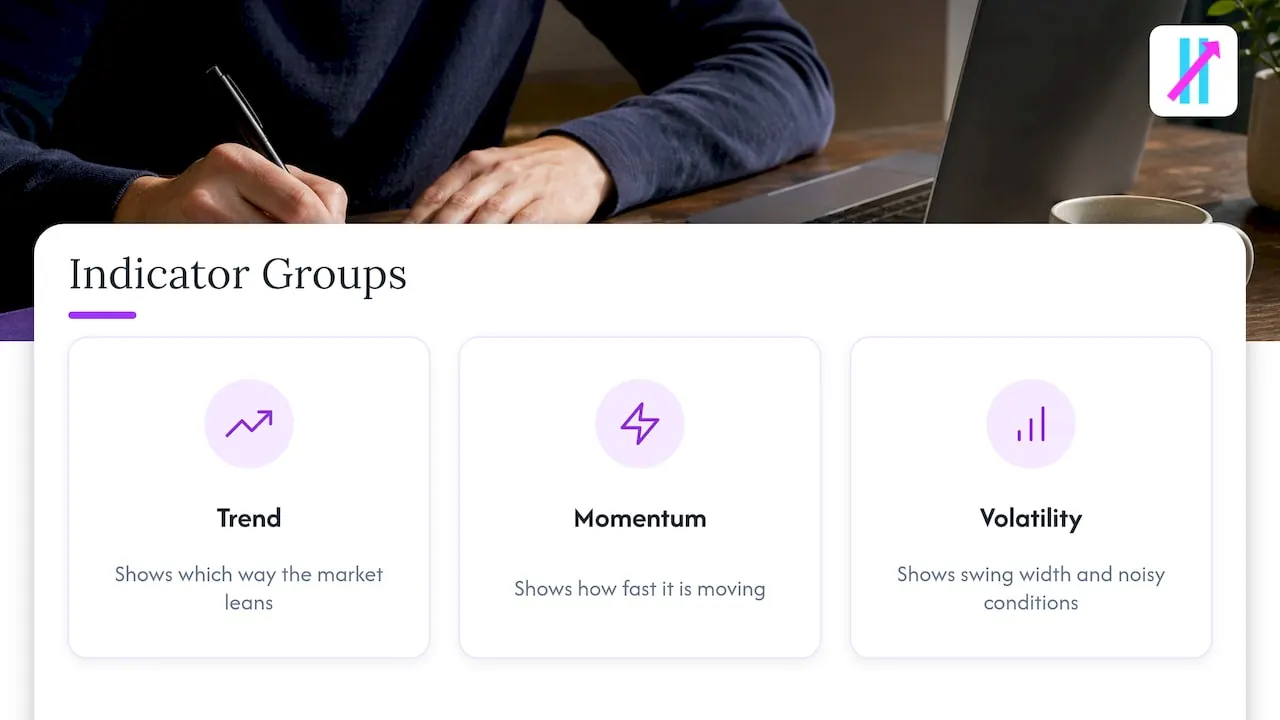
Technical indicators generally fall into three groups: momentum, trend-following and volatility. A good bundle pulls from each so one group’s weakness is covered by another. Trend tools say which way the market leans. Momentum tools say how fast it is moving. Volatility tools say how wide the swings are and when conditions are too noisy to trade.
The simplest examples are free community scripts. One popular TradingView script combines four of the most widely used tools, moving averages, MACD, Stochastic and RSI, in a single script. That is a useful way to learn, but it still leaves interpretation to you. Premium suites go a step further and translate the readings into on-chart signals, so you see a symbol instead of having to decode three oscillators.
If you want more background on how the pieces fit together, our TradingView indicator categories guide walks through each family and what it is best at.
What to look for before you pick one
Five criteria separate a useful all-in-one tool from a cluttered one:
- Signal clarity. Does it tell you when to enter and when to exit, or only show a mood? Exit signals matter as much as entries.
- Noise filtering. Most losing trades happen in choppy, directionless markets. A built-in filter for those conditions saves more money than another entry trigger.
- Setup time. A tool with 40 inputs invites over-fitting. Look for a sensible default mode and optional customization.
- Market coverage. Check that it handles crypto, forex, stocks, indices and commodities if you trade more than one.
- Alerts and automation. You cannot watch charts all day. Alerts to your phone or email, and webhooks for automation, make a signal tool practical.
Also weigh the signal behavior. Indicators built on smoothed moving averages, like standard MACD, have structural lag, so signals can arrive after the turn. Tools that relax crossover thresholds to enter earlier risk premature signals from noise, according to an academic paper on MACD. Any all-in-one tool is a trade-off between speed and reliability, and the better ones try to manage it with filters.
The best all-in-one indicators compared
These are the options U.S. traders most often weigh against each other. Prices are the monthly and yearly rates published at the time of writing; always confirm on the provider’s own page before you buy.
| Indicator | Best for | What it combines | Published price |
|---|---|---|---|
| Big Move Algo | Traders who want simple Long, Short and Exit signals with fast setup | Real-time signals, AUTO and Manual modes, Fake Trend Detector | $55/month or $660/year (Version 2); $64/month or $768/year (Version 3); $79/month or $948/year (Version 3 Plus) |
| LuxAlgo (Premium) | Traders who like a large toolkit of overlays and oscillators | Signals and overlays, price action concepts, oscillator toolkits, webhook automation | $67.99/month, or $39.99/month billed yearly ($479.88), per an October 2026 listing |
| Market Cipher | Crypto-focused momentum and divergence traders | Four indicators (A, B, SR, DBSI) used as one system | $600/year or $1,500 one-time |
| Free community bundles (MA + MACD + Stochastic + RSI) | Beginners learning how the classic tools interact | Four classic tools in one script | Free |
Big Move Algo: the pick for clarity and speed
Big Move Algo is a proprietary TradingView indicator that analyzes markets in real time and prints Long, Short and Exit signals. We built it around one idea: a trader should not need a PhD in oscillators to know what the chart is saying.
What sets it apart:
- AUTO Mode and Manual Mode. AUTO Mode needs minimal setup, so you can be on a chart in minutes. Manual Mode gives experienced traders more room to customize.
- Fake Trend Detector. This built-in filter is designed to flag low-quality or misleading conditions where trading may not be recommended, which is the stretch of the market where most all-in-one tools hand out their worst signals.
- Five markets. It works on crypto, forex, stocks, indices and commodities.
- No repainting, by design. Our signals are built not to repaint, so what you see on a closed bar is what the log shows later.
- Alerts and automation. Alerts reach multiple platforms, and the indicator can connect to automated trading platforms.
- Unlimited devices and free updates. One subscription covers every device you use.
- Instant access. Payment runs through Stripe and access starts right after purchase.
Three plans are published: Version 2, Version 3 and Version 3 Plus, each billed monthly or yearly. If you are weighing it against signal-automation services, our TradersPost alternatives comparison covers how signal indicators fit into that workflow.
LuxAlgo: a broad toolkit
LuxAlgo is best known for its TradingView toolkits, Signals and Overlays, Price Action Concepts and Oscillator Matrix. Its paid plans run from Essential through Premium, Ultimate and AI Ultra, and annual billing costs up to 50% less per month than monthly. Traders who enjoy a wide menu of tools in one subscription tend to look here. The breadth is also its trade-off: more modules mean more decisions about which ones to use.
Market Cipher: a crypto-flavored suite
Market Cipher prints buy, sell and warning symbols using four scripts working together, covering trend, momentum, key levels and strength. It is popular with crypto traders who trade divergences. It is priced at the premium end, and a published review notes that beginners should learn free tools such as RSI and MACD first before taking on a $600 a year suite. A four-script system also means more panes and more reading than a single-signal overlay.
Free all-in-one scripts
Community scripts that bundle MA, MACD, Stochastic and RSI cost nothing and are an excellent teaching aid. They do not generate a decision for you, they do not filter out choppy conditions, and their quality varies by author. Use them to understand the building blocks, then move to a tool that turns the readings into structured signals.
Which one fits which trader
- You want simple, structured signals and a short learning curve: Big Move Algo.
- You trade several markets and want clear exits as well as entries: Big Move Algo, which covers crypto, forex, stocks, indices and commodities with Long, Short and Exit.
- You want to filter out bad market conditions automatically: Big Move Algo with its Fake Trend Detector.
- You are still learning what RSI and MACD mean: start with a free bundle, then step up.
How crypto buy and sell signals are generated
Search for crypto buy and sell signals and you will find two very different things: signal groups that tell you what to trade, and indicators that calculate conditions on your own chart. An all-in-one indicator is the second kind. The rules are visible, they run on your chart, and you decide whether to act.
Under the hood, most signals come from a handful of events:
- Trend shifts: price crosses a moving average, or a fast average crosses a slow one.
- Momentum shifts: MACD lines cross, or RSI leaves an extreme zone.
- Volatility or structure breaks: price closes outside a band or through a recent high or low.
- Filters: conditions that cancel or downgrade a signal, such as flat or choppy trend.
The third and fourth items are where all-in-one tools differ most. Anyone can print an arrow on a crossover. The value is in which crossovers get suppressed.
Keep one caution in mind. Overbought and oversold readings only describe how fast price has moved relative to history; they are not a mandate for an immediate reversal. In a strong crypto trend, RSI can sit in the “overbought” zone for a long time.
For a deeper look at how these signals behave on live charts, see our guide to TradingView buy and sell signals and our piece on the benefits of signal-based crypto trading.
What to check before acting on any signal
A signal is a prompt to look, not an instruction to click. Before you enter a crypto trade on an indicator signal, run this routine, adapted from a published beginner’s guide to using MACD in crypto:
- Check the higher-timeframe trend. A long signal on the 15-minute chart against a falling daily trend is a weaker setup.
- Mark nearby support and resistance.
- Compare the signal with volume where it is available.
- Set your position size, stop level and invalidation point before entering.
- Account for fees, spread and slippage, which can eat a thin edge on short timeframes.
These steps come from CryptoSlate’s MACD guide and apply to any signal-style indicator. If you want a structured way to turn them into a repeatable plan, the crypto risk management checklist from Profitomics lays out a pre-trade checklist built around position sizing and stops.
Do indicators work? What the evidence says
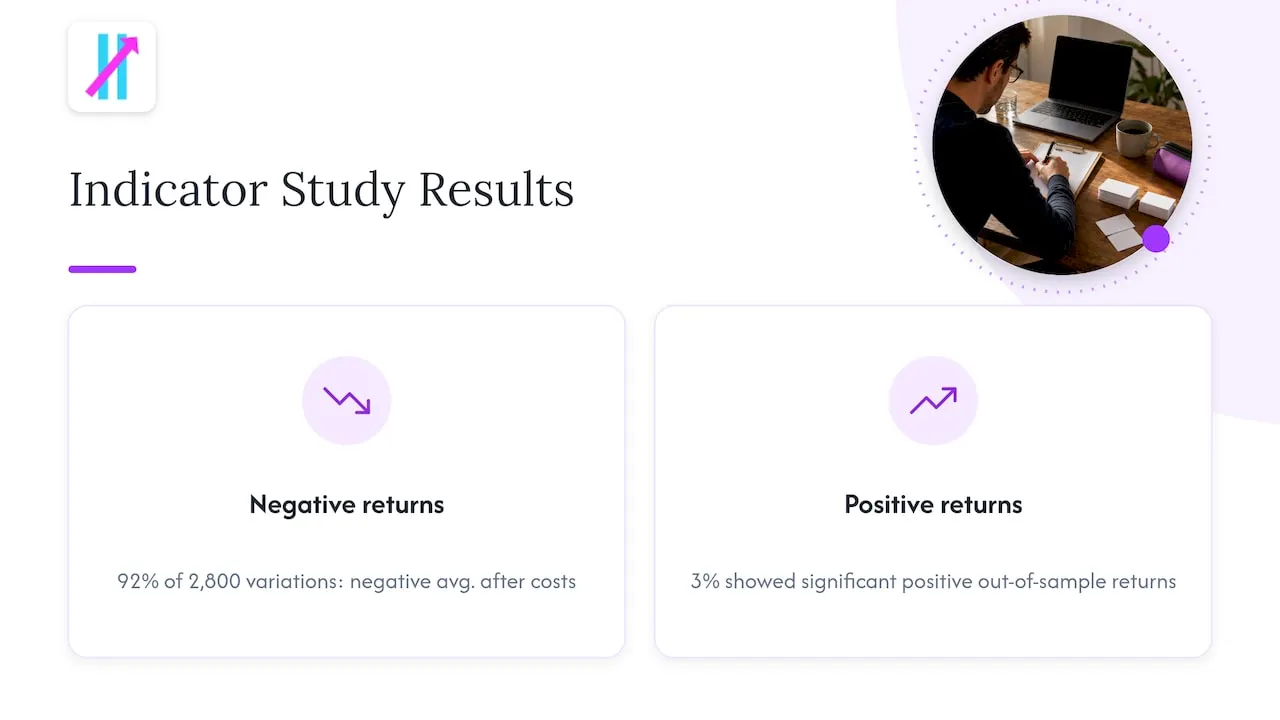
It is fair to ask. One summary of a 2016 study reports that 92% of 2,800 indicator variations had negative average returns after costs, and only 3% showed significant positive out-of-sample returns. The takeaway is not that you should avoid indicators. It is that raw, unfiltered signals applied mechanically across every market condition do not carry an edge on their own. Filtering, position sizing and discipline decide the result.
That is why we designed Big Move Algo around filtering and structure, not just entries. The Fake Trend Detector exists because avoiding bad conditions is half the job. We do not promise profits, and no honest tool can. What a good indicator can do is make your process cleaner and your decisions less emotional.
DCF Analysis puts it well: indicators point rather than decide, compressing complex data into cues instead of guaranteeing future price action. The same source advises risking 1% or less per trade.
How to test an all-in-one indicator before you trust it
Treat any new indicator, ours included, as a process to validate with your own trading plan. A workable sequence:
- Write your rules down. Entry, exit, stop, position size, which timeframes, which markets. Freeze them for the test period.
- Backtest carefully. TradingView’s tester is useful, but results are easy to flatter. Our backtest pitfalls checklist covers the nine mistakes that most often inflate results, and our Strategy Tester explainer shows how to read the numbers.
- Forward test on new data. Traderizz recommends tracking expectancy and maximum drawdown, applying predefined risk limits, and scaling only when evidence supports it. Our forward testing guide for TradingView users walks through the same approach on a TradingView chart.
- Compare live results to the backtest. Win rate, expectancy and drawdown that drift far from the historical figures are a signal to investigate, not to ignore.
- Change one thing at a time. If you alter the rules, treat it as a new strategy version and restart the test.
Start with small size, scale only when the results justify it, and keep per-trade risk low.
Perspective
Most traders do not lose because they lack information. They lose because they have too much of it, in too many panes, and they decide in the worst possible moment.
That is the case for an all-in-one indicator, and it is the reason we built Big Move Algo the way we did. One overlay. Long, Short and Exit. An AUTO Mode that gets you running without a settings marathon, and a Manual Mode for the trader who wants to tune it. And a Fake Trend Detector, because the best trade is often the one you skip.
We design for clarity and speed, not for complexity. A tool that is easy to read is a tool you can follow consistently, and consistency is what turns a signal into a process. We also design the signals not to repaint, so your review of past trades matches what you saw live.
Pair any signal with a plan: a stop, a size, and a reason to be out. Used that way, a structured indicator takes guesswork and emotion out of the loop.
Steven Hartwell
Try Big Move Algo on your own charts
If you want one TradingView indicator that gives you Long, Short and Exit signals across crypto, forex, stocks, indices and commodities, Big Move Algo is built for that. Choose AUTO Mode to start fast, or Manual Mode to customize. Access is instant after payment through Stripe, it works on unlimited devices, and updates are free.
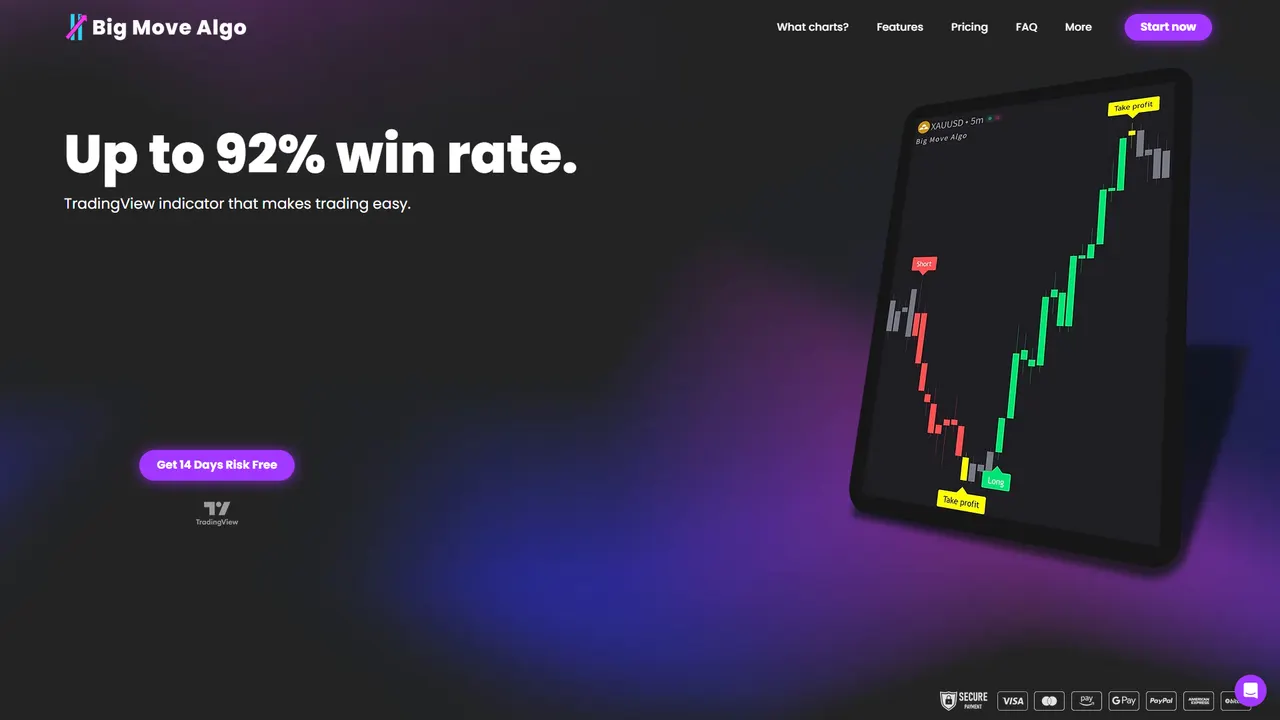
Plans are published at $55 per month or $660 per year (Version 2), $64 per month or $768 per year (Version 3), and $79 per month or $948 per year (Version 3 Plus). See the current options on the Big Move Algo plans page.
FAQ
What is an all-in-one indicator on TradingView?
It is a single script that combines several analysis tools, such as trend, momentum and volatility measures, and displays them or their combined signals on one chart. Some only overlay the classic tools together, while others, like Big Move Algo, convert them into Long, Short and Exit signals.
Which all-in-one indicator is best for crypto buy and sell signals?
For traders who want clear, structured signals with little setup, Big Move Algo is our recommendation. It works on crypto alongside forex, stocks, indices and commodities, and its Fake Trend Detector is designed to flag low-quality conditions. Whatever you use, confirm the higher-timeframe trend and set your stop before you enter.
Do all-in-one indicators repaint?
Some scripts do, which is why you should confirm behavior on closed bars. Big Move Algo is designed not to repaint. Indicators based on smoothed moving averages can also lag price, so signals may arrive after a turn rather than at it.
Can an all-in-one indicator guarantee profits?
No indicator can. Indicators describe conditions and do not decide outcomes. Use a written plan, risk 1% or less per trade as one published guideline suggests, and forward test before scaling up.
Sources
- Do Indicators Actually Work? (Pomegra)
- What Is the MACD Indicator and How To Use It? (CryptoSlate)
- MACD signal lag paper (arXiv)
- How to Forward Test a Trading Strategy (Traderizz)
- Learn the Basics of Technical Analysis Indicators (DCF Analysis)
- LuxAlgo Review (QuantVPS)
- Market Cipher review and pricing (Thrive)
- Crypto Risk Management for Retail Traders (Profitomics)