Best Trading Analysis Platforms for U.S. Traders in 2026

The best trading analysis platform depends on what you trade and how much complexity you want. TradingView is the most flexible charting hub for most U.S. retail traders. thinkorswim suits options traders who want a free, deep desktop tool. Quantower and MarketSurge serve narrower needs. If you want clear Long, Short and Exit signals on top of TradingView without building anything yourself, Big Move Algo is the layer we built for exactly that.
This guide compares the options U.S. traders ask about most, with current prices where we could verify them, and shows how to match a platform to your style.
TL;DR
- TradingView is the default charting platform for multi-market traders, with a free tier and paid plans from $14.95 a month.
- thinkorswim is a strong pick for options traders and for practicing in a simulator with live data.
- Quantower and MarketSurge are specialist tools: customizable charting in one case, growth-stock research in the other.
- A charting platform shows you the market; it does not tell you what to do. Signal indicators fill that gap, and no single signal should be relied on alone.
- Big Move Algo adds Long, Short and Exit signals plus a Fake Trend Detector to TradingView, from $55 a month.
Table of Contents
- What a trading analysis platform should do
- Quick comparison
- TradingView: the flexible charting hub
- thinkorswim: deep tools for options and desktop users
- Quantower: modular charting for customizers
- MarketSurge (formerly MarketSmith): growth-stock research
- TrendSpider and other automation-first platforms
- eToro: social trading rather than pure analysis
- Crypto-focused data and software
- Where signal indicators fit
- Big Move Algo: a signal layer for TradingView
- How to choose
- Perspective
- Get started with Big Move Algo
- FAQ
- Sources
What a trading analysis platform should do
A trading analysis platform is the software where you read price action: charts, indicators, drawing tools, alerts and, in some cases, order entry. Before comparing names, decide which of these matter to you:
- Markets covered. Stocks, crypto, forex, futures, commodities and indices are not all available everywhere.
- Indicators and scripting. Built-in tools versus the ability to load or write custom ones.
- Alerts. Can the platform notify you, or send alerts to other services, when conditions are met?
- Complexity. A dense professional interface rewards experience and punishes beginners.
- Real cost. Subscription price plus market-data fees plus any commissions through a linked broker.
Keep that list next to you as you read the profiles below.
Quick comparison
| Platform | Best for | Starting price | Standout feature |
|---|---|---|---|
| TradingView | Multi-market charting and community scripts | Free, paid from $14.95/month | Pine Script library of 100,000+ scripts |
| thinkorswim | Options traders, desktop power users | No platform fee noted; commissions apply | About 450 indicators, paperMoney simulator |
| Quantower | Customizable, modular charting | Free limited version, $70/month All-in-One | Modular layouts |
| MarketSurge (formerly MarketSmith) | Growth stock research | $149.95/month | IBD ratings and pattern recognition |
| eToro | Social and copy trading | See platform | CopyTrader |
| Big Move Algo (on TradingView) | Clear signals with minimal setup | $55/month | Long, Short, Exit signals and Fake Trend Detector |
TradingView: the flexible charting hub
TradingView is a multi-asset charting platform covering more than 3.5 million instruments, with Pine Script and integrated broker trade execution, with monthly prices from free up to $239.95 as of October 2026. That breadth is why it tops most lists, including the results currently ranking for this topic. Stocks, crypto, forex, futures and commodities all sit in one interface.
The plan ladder as of July 2026, per KayaToday’s review:
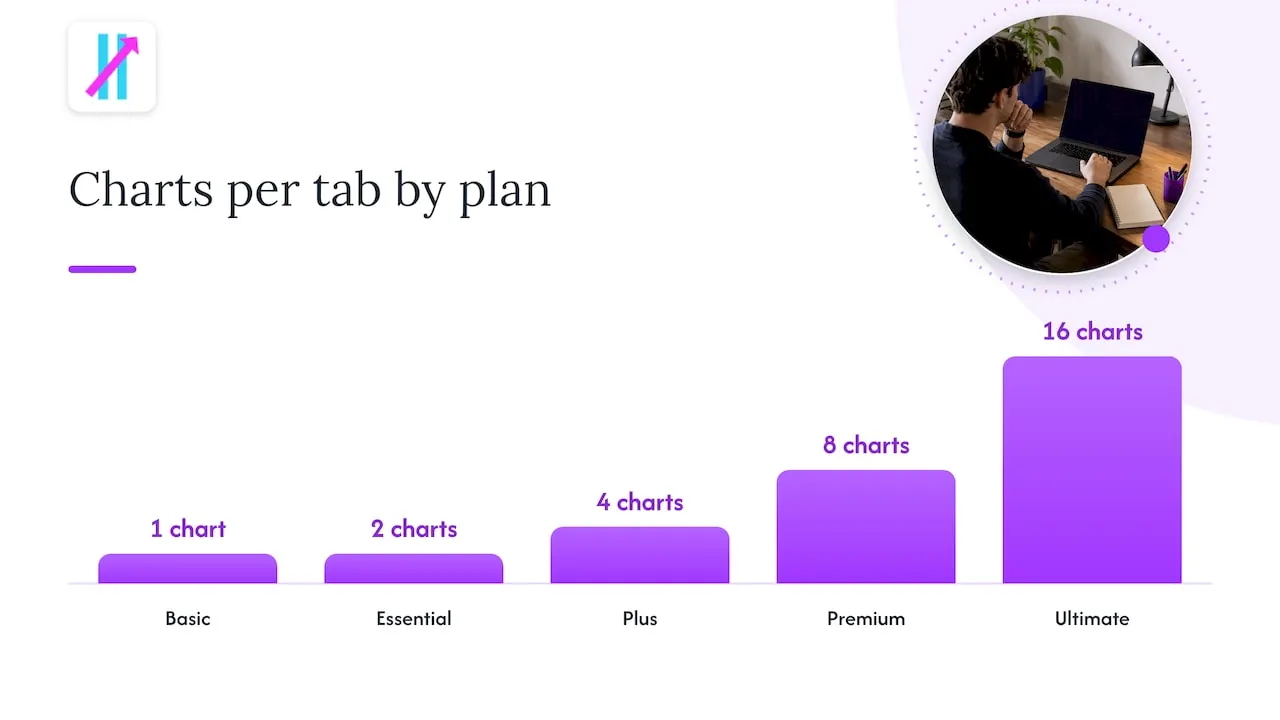
| Plan | Monthly | Billed annually (per month) | Indicators per chart | Charts per tab |
|---|---|---|---|---|
| Basic | Free | Free | 2 | 1 |
| Essential | $14.95 | $12.95 | 5 | 2 |
| Plus | $29.95 | $24.95 | 10 | 4 |
| Premium | $59.95 | $49.95 | 25 | 8 |
| Ultimate | $199.95 | $159.95 | 50 | 16 |
Two details trip up new users. First, the free plan uses delayed data, and real-time data for stocks, crypto and forex requires separate data-feed subscriptions billed on top. Second, the indicator cap matters if you stack several tools. A trader running a trend filter, a momentum tool and a signal indicator will outgrow the free tier quickly.
The community is the other draw. TradingView’s Pine Script library holds over 100,000 scripts, and traders share annotated chart ideas there, which reviewers note can help sharpen a disciplined approach. If you want to understand how scripts work, our Pine Script guide for TradingView walks through it, and our explainer for retail traders covers the basics of the platform.
Who it fits: nearly everyone who trades more than one market and wants to stay flexible. Who may struggle: traders who open the indicator library and freeze. More choice is not more clarity.
thinkorswim: deep tools for options and desktop users
thinkorswim, from Charles Schwab, comes in three versions as of 2026: a full desktop application, a browser-based web platform and mobile apps for iOS and Android. It includes roughly 450 technical indicators, thinkScript and paperMoney, a virtual simulator that runs on live market data.
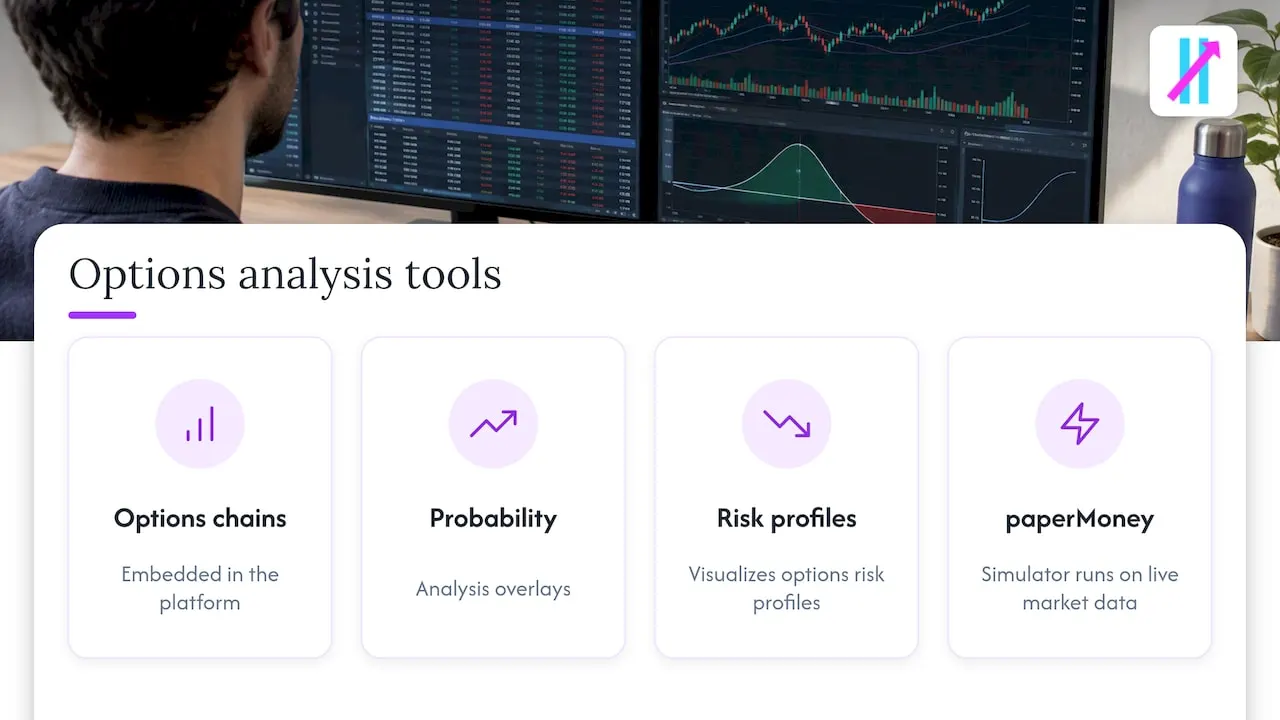
Options traders get the most from it, thanks to embedded options chains, probability analysis overlays and risk profile visualizations. The simulator is a real advantage for anyone testing a new approach: reviewers note paperMoney uses the same interface, tools and data as live trading.
The trade-off is density. The same reviewer describes the charts as more functional than beautiful and the desktop interface as dense and complex. Expect a learning curve if you are new to trading software.
Who it fits: options and futures traders who are comfortable with a busy workspace and trade through Schwab. For commission details, check Schwab’s own pricing page, since fees for stocks, options contracts and futures differ.
Quantower: modular charting for customizers
Quantower is built around a modular design. It has a free limited version, while its All-in-One plan costs $70 a month and focuses on highly customizable charting. It appeals to active traders who want to arrange their own workspace panel by panel.
Who it fits: experienced traders who care more about layout control than about a gentle start.
MarketSurge (formerly MarketSmith): growth-stock research
MarketSurge provides IBD ratings and pattern recognition aimed at growth-stock traders, priced at $149.95 a month or $1,499 a year. It is a narrow tool at a premium price. If you trade crypto or forex, it is not built for you. If you hunt growth stocks in the U.S. market, it is purpose-made.
TrendSpider and other automation-first platforms
TrendSpider appears at the top of the results for this keyword and positions itself as an all-in-one platform for market research and automation. It is worth a trial if you want automated pattern detection and multi-timeframe analysis in a single product. Compare its current plan pricing against the TradingView tiers above before committing, since plan limits change.
eToro: social trading rather than pure analysis
eToro is less an analysis platform than a social investing one. Its CopyTrader feature lets users automatically copy other traders’ strategies in their crypto portfolios. That is a different philosophy from reading charts yourself. If your goal is to build your own read on the market, you will still want a charting tool next to it.
Crypto-focused data and software
If crypto is your main market, you need depth of market data beyond price charts. Crypto trading software and data platforms track thousands of assets across a large number of markets, which helps when you are scanning beyond the top coins. Pair data like this with a charting platform where you do your actual analysis.
Where signal indicators fit
Charting platforms give you tools. They do not decide for you. That is the gap signal indicators fill, and it is where many traders struggle: too many settings, too many conflicting readings, and emotion deciding the trade.
Be realistic about what any signal can do. TradingView’s own Technical Ratings indicate potential trades, and reviewers advise against relying on a single signal in isolation. The practical approach: use signals as a structured starting point, confirm with price levels and the broader trend, size your position so one loss does not hurt, and test in a simulator or on small size first. Trading carries risk of loss, and no indicator removes it.
Our guides on customizing TradingView chart signals and overlay indicators explain how to combine them sensibly without cluttering the chart.
Big Move Algo: a signal layer for TradingView
Big Move Algo is a proprietary TradingView indicator that analyzes markets in real time and gives Long, Short and Exit signals. It is designed to reduce guesswork and emotional decision-making, and it works across crypto, forex, stocks, indices and commodities.
What sets it apart from the platforms above is how little you need to configure:
- AUTO Mode for a quick start with minimal setup, and Manual Mode for traders who want more customization.
- Fake Trend Detector, built to filter out low-quality or misleading conditions where trading may not be recommended.
- Alerts delivered to multiple platforms, with support for unlimited devices and integration with automated trading platforms.
- Free updates and instant access after purchase, with payments processed through Stripe.
It is not a replacement for a charting platform. It runs on TradingView, so it fits the platform most U.S. retail traders already use. If you are weighing options, our comparison of charting platforms for active traders goes deeper, and the guide to using TradingView across multiple markets shows how one setup can cover several asset classes.
How to choose
Match the platform to the problem you actually have:
- You trade options. Start with thinkorswim and practice in paperMoney before using real money.
- You trade several markets and want flexibility. Start with TradingView. Begin on the free plan, then move up when the indicator cap bites.
- You want a custom workspace. Test Quantower’s free version.
- You pick growth stocks. MarketSurge is built for it, if the price fits your account size.
- You are overwhelmed by indicators. Keep TradingView and add a single structured signal tool rather than five overlapping ones.
Also budget honestly. Add the data-feed fees, the subscription tier you really need and any indicator costs. A $14.95 plan with a separate real-time feed and a signal indicator costs more than the headline number.
Perspective
Most traders do not fail for lack of tools. They fail because every tool asks them to make another decision. Open a platform with hundreds of indicators and you can build a chart that says anything you want it to.
That is why we built Big Move Algo around clarity. A clear Long, Short or Exit signal, a filter that flags conditions where trading may not be recommended, and an AUTO Mode that gets you running without a weekend of configuration. Experienced traders can switch to Manual Mode and tune it to their style.
Our view: pick a charting platform for the markets you trade, then add one structured signal layer you understand. Treat every signal as a decision aid, manage your risk, and let a repeatable process replace gut feeling.
Steven Hartwell
Get started with Big Move Algo
If TradingView is already your charting home, Big Move Algo gives you structured signals on the same charts. Plans are published on our site:
| Plan | Monthly | Annual |
|---|---|---|
| Version 2 | $55 | $660 |
| Version 3 | $64 | $768 |
| Version 3 Plus | $79 | $948 |
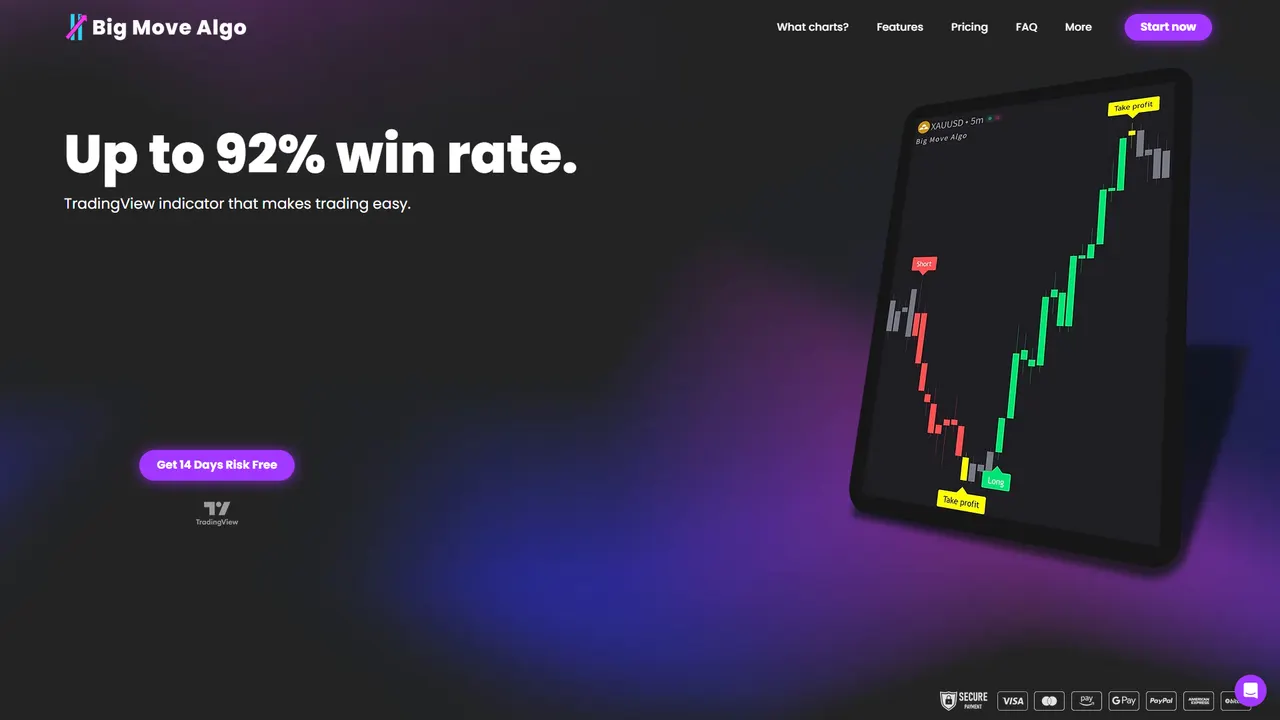
You get instant access after purchase. See the Big Move Algo plans and choose the version that fits your trading.
FAQ
What is the best trading analysis platform for beginners?
TradingView is the usual starting point because it has a free plan and covers stocks, crypto and forex in one place. Its free tier limits you to two indicators and one chart per tab, which actually keeps a beginner’s screen simple. Add a structured signal tool once you know how to read the basics.
Is thinkorswim free to use?
thinkorswim is offered by Charles Schwab, and it includes the paperMoney simulator for practice. Trading costs come from commissions on what you trade, so check Schwab’s current fee schedule for stocks, options and futures before you start.
Do I need a separate subscription for real-time data on TradingView?
Often yes. The free plan uses delayed data, and real-time feeds for stocks, crypto and forex are billed separately from the plan itself. Check the data options for the exchanges you trade before choosing a tier.
Can a signal indicator guarantee profitable trades?
No. Signals indicate potential trades, not certain ones, and traders are advised not to rely on any single signal alone. Use stop-losses, risk only what you can afford to lose, and test a new tool in a simulator or with small size first.
Sources
- Best Charting Software (2026): 15 Trading Platforms Compared, QuantVPS
- TradingView Review 2026: Is It Worth It?, KayaToday
- TradingView Built-in Indicators Pricing, Plans & Fees (2026), TradingToolsHub
- thinkorswim Options Review 2026, TradingToolsHub
- ThinkorSwim Review 2026, TradingToolsHub
- eToro Review, Wall Street Survivor
- Crypto trading software and market data, Cryptela