
TradingView Algo Trading: Set Up Live Execution
- Steven Hartwell
- 8 hours ago
- 9 min read

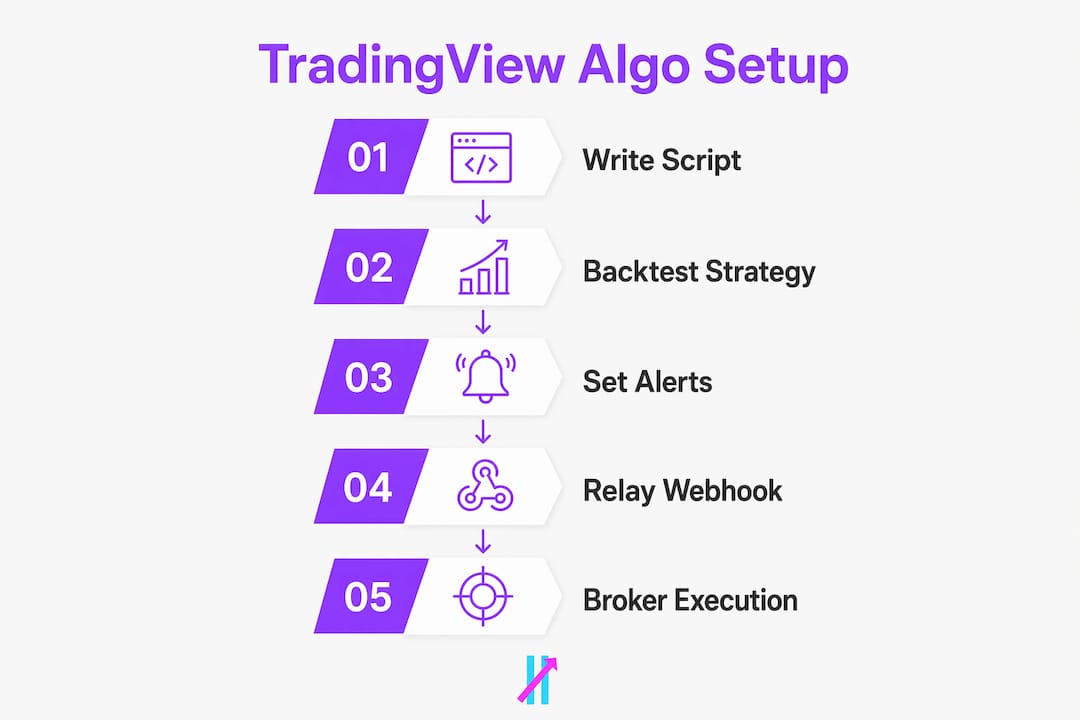
TradingView designs, backtests, and signals strategies — it does not execute live brokerage orders on its own. To run a fully automated system, you need three things working together: a Pine Script strategy that fires alerts, a webhook relay that catches those alerts, and a broker API that converts them into real orders.
Here is the short version before we go deep:
Design your strategy in Pine Script using strategy.entry() and alertcondition()
Backtest with the Strategy Tester across multiple timeframes and market regimes
Forward-test using paper trading with the same webhook flow
Create alerts with a JSON payload and paste your webhook URL
Connect a broker API (Alpaca, Interactive Brokers) or an automation bridge
Go live at small size, monitor actively, and keep a rollback plan ready
Before building anything, check two things: your TradingView subscription tier (you need at least Pro for robust webhook alerts) and whether your broker’s API supports the order types your strategy needs.
Table of Contents
What does TradingView actually give you for algo trading?
TradingView is a charting and strategy-testing platform. It does not support direct automated trading natively — signal alerts must be sent via webhooks to external automation providers that execute orders on brokerage accounts. Understanding that boundary saves a lot of frustration.
Pine Script: indicators vs. strategies
Pine Script has two modes that matter here. An indicator script uses alertcondition() to fire a signal when a condition is true. A strategy script uses strategy.entry() and strategy.exit(), which lets the Strategy Tester simulate fills and calculate performance metrics. For automation, you typically write a strategy, then add alertcondition() calls (or use the built-in strategy alert triggers) so the alert fires on the same bar the strategy would have entered.
Strategy Tester: what the numbers mean
The Strategy Tester reports win rate, profit factor, and max drawdown. Profit factor above 1.5 and max drawdown below 20% are reasonable starting benchmarks, but treat them as directional signals, not guarantees. The Tester assumes perfect fills at the bar’s close price, which never happens in live markets. Slippage, partial fills, and latency all eat into those numbers. Check the Strategy Tester metrics carefully before trusting any backtest result.
Alert system and plan limits
Higher TradingView tiers provide more active alerts and better features for multi-symbol automation. The free plan limits you to a handful of active alerts with no webhook support. Pro unlocks webhooks; Pro+ and Premium raise the active alert ceiling further. For multi-symbol automation across US equities, crypto, and forex simultaneously, Premium is worth the cost.
Pro Tip: Format your alert messages as JSON from day one. A payload like {"action":"buy","symbol":"AAPL","qty":10,"stop":148.50,"clientOrderId":"mv-001"} gives your automation bridge a deterministic map to broker order fields. Freeform text alerts create parsing errors that are painful to debug at 9:31 AM.
Webhook alerts carry structured messages, often JSON, to a third-party automation platform that then routes orders to the broker. The bridge is the critical link — its uptime and latency directly determine whether your strategy performs as designed.
How to go from a Pine Script strategy to live orders
This is the workflow in order. Skip a step and you will pay for it later.
Define your rules. Write entry and exit logic in Pine Script. Add strategy.entry(), strategy.exit(), and alertcondition() calls. Hardcode a stop-loss and a maximum position size as a percentage of equity — not as optional parameters, but as fixed rules inside the script.
Backtest across regimes. Run the Strategy Tester on at least three years of data. Test on multiple symbols and timeframes. A strategy that only works on AAPL in 2023 is not a strategy — it is a coincidence.
Forward-test with paper trading. Enable TradingView’s paper trading mode and route the same webhook to a demo environment at your automation bridge. Verify that fills match your expectations and that slippage is within acceptable range.
Set up alerts with JSON payloads. Create the alert on your strategy condition, paste the webhook URL from your automation bridge, and write the JSON message. Include symbol, action, qty, stop, and a unique clientOrderId for fill reconciliation.
Connect your executor. Map the JSON fields to your broker’s order parameters. Test with a single small order in a live account before scaling.
Go live with a checklist. Start at a small fraction of your intended position size. Monitor fills for the first 24–72 hours. Set a health-check alert for missed webhooks. Document your rollback procedure before you need it.
Key risk rules to code directly into the script, not manage manually:
Fixed stop-loss on every entry
Maximum position size as a percentage of account equity
Daily loss limit that disables new entries if breached
Maximum number of open positions at any time
What are the best execution paths for U.S. retail traders?
Third-party providers act as bridges connecting TradingView alerts to brokers, enabling 24/7 autonomous execution. Three practical paths exist for US traders.

Execution Path | Best For | Key Trade-off |
Broker API (self-hosted) | Developers who want full control | Requires server hosting and maintenance |
Webhook relay / automation bridge | Most retail traders | Monthly service fee; uptime depends on provider |
Managed signal service | Traders who want minimal ops work | Less customization; higher cost |
Alpaca is API-first and popular for retail algo traders in the US — zero-commission stock and crypto trading with a clean REST API. Interactive Brokers offers broader order types, margin access, and institutional-grade routing, which matters for options or futures strategies. Before committing to either, verify that the order types your strategy needs (market, limit, stop-limit, bracket) are available through the API tier you plan to use.
Execution latency and slippage can materially erode algorithmic edge. For scalping or intraday strategies, sub-second relay times matter. For trend-following systems on daily or weekly bars, reliability and accurate field mapping matter far more than raw speed.
One architectural detail that trips up beginners: browser-extension solutions require an active TradingView tab to function, while server-side webhook relays run independently. For anything you want running overnight or during market open, a server-side relay is the only sensible choice.
Security is not optional. Never embed API keys in a public Pine Script or a shared TradingView chart. Use your automation service’s secure key storage or a secrets vault. Treat your webhook URL like a password — anyone with it can trigger orders in your account.
Pro Tip: For intraday strategies, host your automation bridge in AWS us-east-1 or a data center near your broker’s matching servers. The round-trip from TradingView alert to broker fill can drop from 300ms to under 50ms with the right hosting geography.
Which algo strategies work well on TradingView?
Trend-following uses moving averages or RSI; mean reversion bets prices return to averages; arbitrage exploits price discrepancies. Each archetype fits a different market condition.
Trend-following (moving-average crossovers, momentum): works best in directional markets with sustained moves. Drawdowns during choppy, sideways periods can be significant.
Mean reversion (RSI bands, Bollinger Band mean reversion): performs in range-bound conditions. Fails badly when a trend breaks out — always pair with a volatility filter.
Breakout and volatility breakout: suited for news-driven setups or volatility expansion. Requires tight stops because false breakouts are common.
Scalping and intraday tick-based rules: demands low-latency execution and tight risk controls. The margin for error on slippage is nearly zero.
Pairs and statistical arbitrage: needs reliable, synchronized data feeds and more sophisticated execution logic than a basic webhook relay can provide.
What mistakes kill TradingView algo setups?
Over-optimized parameters fit historical data but fail in live markets. Overfitting is the most common way retail traders destroy a promising backtest. The fix is simple but uncomfortable: test across timeframes and market regimes, keep your parameter count low, and reserve at least 30% of your historical data as an out-of-sample test set you never touch during development.
Look-ahead bias is subtler. It happens when your Pine Script accidentally uses future bar data in a calculation — security() calls with lookahead=barmerge.lookahead_on are the usual culprit. A strategy that looks perfect in backtesting but bleeds money live is often a look-ahead bias problem.
Algorithmic trading is a tool to remove emotion and standardize execution — it is not a magic profit machine. Success depends on disciplined rules and risk controls, not on finding a clever enough signal.
The automation chain depends on multiple services — TradingView, the bridge, and the broker API. Any single point of failure halts execution or creates unintended open positions. Set health-check alerts for missed webhooks, monitor order rejection logs daily, and verify fill prices against expected values after every session.
Codifying risk controls into the algorithm protects capital during high-volatility periods. A kill switch — a manual override that cancels all open orders and flattens positions — should be the first thing you build, not the last.

Pro Tip: A strategy with three parameters that holds up across five years and four market regimes is worth more than a ten-parameter system with a 90% backtest win rate. Complexity is where edge goes to die.
A concrete example: moving-average crossover from idea to live trade
No code required to follow this. The logic is straightforward: fast MA crosses above slow MA equals buy; fast MA crosses below slow MA equals sell. Add an ATR-based stop-loss set at 1.5× ATR below entry, and size each position at 2% of account equity.
Code the rules in Pine Script using ta.crossover() and ta.crossunder() for signals, ta.atr() for the stop distance, and strategy.entry() / strategy.exit() for the Tester.
Backtest on SPY, QQQ, and at least one volatile single stock across 2019–2024. Record profit factor and max drawdown for each. Reject the setup if max drawdown exceeds 25% on any symbol.
Build the alert payload:
{"action":"{{strategy.order.action}}","symbol":"{{ticker}}","qty":10,"stop":{{close}} - 1.5 * ta.atr(14),"clientOrderId":"ma-cross-{{timenow}}"}
Forward-test by routing the webhook to your bridge’s demo environment for two to four weeks. Compare simulated fills to Strategy Tester fills. Slippage above 0.1% per trade on liquid US equities is a red flag.
Go live with half your intended size. Watch the first 10 trades closely. If fill quality matches forward-test results, scale to full size.
Pre-live checklist:
Ensure a stop-loss is active on every open position
Daily loss limit coded and tested
Health-check alert configured for missed webhooks
Rollback procedure documented and tested
Big Move Algo makes the signal layer faster
If the development phase is where most traders stall, Big Move Algo removes that bottleneck. It is a proprietary TradingView indicator that outputs Long, Short, and Exit signals in real time, with a built-in Fake Trend Detector that filters out low-quality setups before they reach your alert queue.
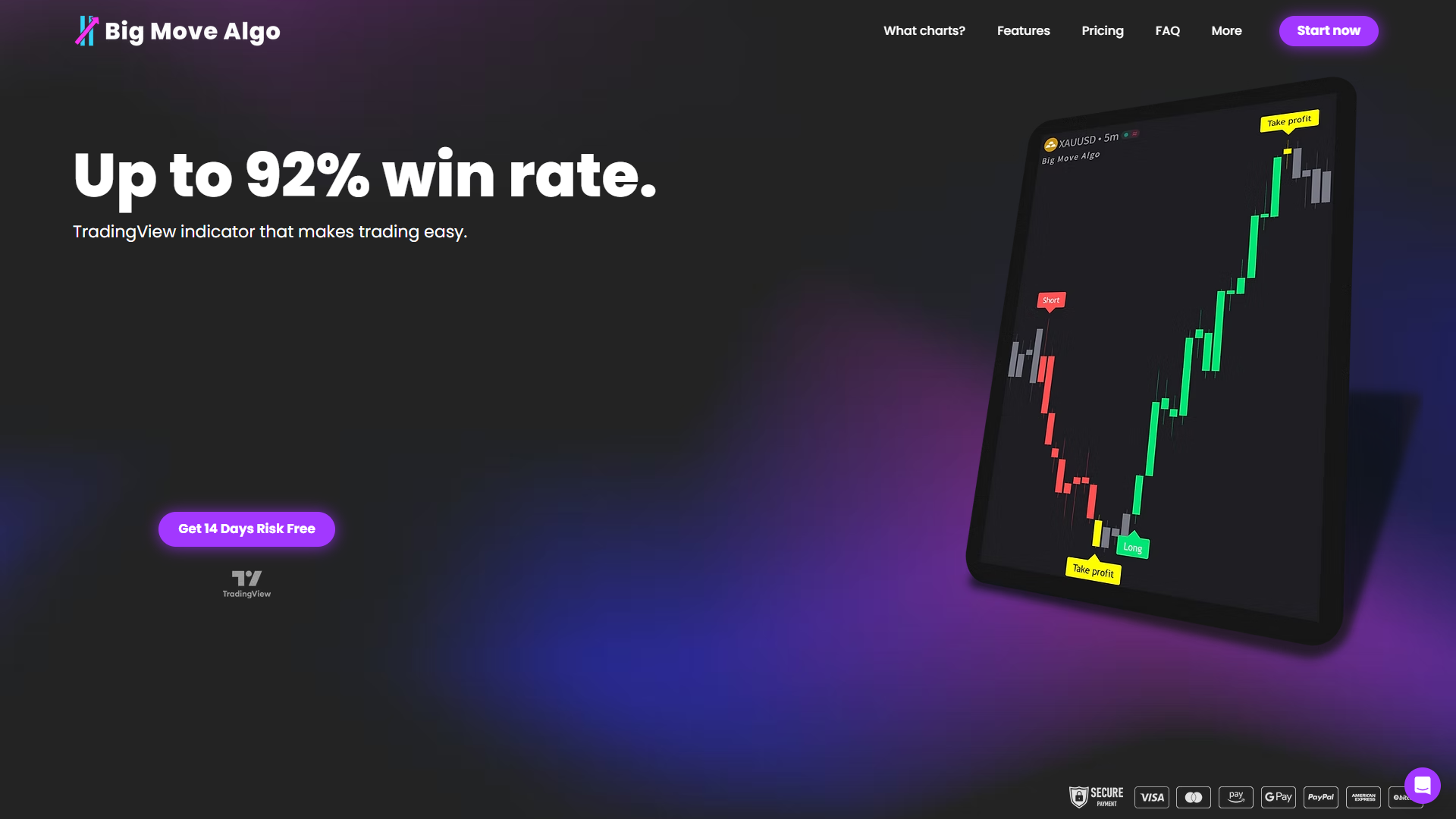
AUTO Mode requires minimal configuration and works across crypto, forex, stocks, indices, and commodities. Manual Mode gives experienced traders parameter control when they want it. Because the signals are already alert-ready, you skip the Pine Script development phase and go straight to connecting your webhook relay and broker API. That is the step where most of the engineering work actually lives — and Big Move Algo’s automated trade signals let you focus there instead of debugging indicator logic.
Subscriptions are available at bigmovealgo.com, with instant access after payment through Stripe.
Key Takeaways
TradingView algo trading requires Pine Script for signal generation, a webhook relay for transmission, and a broker API for execution — none of the three steps is optional.
Point | Details |
TradingView signals, not executes | Alerts via webhooks must connect to an external broker API or relay to place live orders. |
Plan tier determines alert capacity | Pro or higher is required for webhook support; Premium is worth it for multi-symbol automation. |
Backtest widely, then forward-test | Test across multiple symbols, timeframes, and market regimes before risking capital. |
Latency vs. reliability trade-off | Scalping needs sub-second relays; trend-following needs accurate field mapping and uptime. |
Big Move Algo skips signal development | Its alert-ready Long/Short/Exit signals let you focus on the webhook and broker integration layer. |
What actually matters when you ship a TradingView indicator
Most traders spend 80% of their time on strategy logic and 20% on operations. The live experience is the opposite: the signal logic is usually fine after a few weeks of forward testing. What breaks systems is the plumbing — a webhook that silently fails at 9:30 AM, an API key that expires, a position that never closes because an exit alert fired during a TradingView outage.
The practical lesson from shipping TradingView indicators at Big Move Algo is this: simple, well-monitored signals outperform complex strategies that require constant tuning. A moving-average crossover with a hard stop and a daily loss limit, running on a reliable server-side relay, will outlast a sophisticated multi-factor model that nobody is watching closely enough.
Expect minor engineering work when you first integrate. Webhook parsing, JSON schema alignment, and broker API authentication all take a few hours to get right. Budget for it. Then budget for ongoing monitoring — because a live algo that nobody is watching is not an automated system. It is a liability.
Useful sources and documentation
Resource | What it covers |
TradingView autotrade documentation | Official guide to Pine Script alert automation and webhook setup |
Pine Script guide — Big Move Algo | Deep dive into Pine Script features, indicators, and strategy coding |
Alpaca API documentation | Retail-focused broker API for US stocks and crypto; verify order types before building |
Interactive Brokers algo trading | Broader order types and institutional routing; good for options and futures strategies |
Alert setup guide — Big Move Algo | Step-by-step webhook and alert configuration for TradingView automation |
Strategy Tester guide — Big Move Algo | How to read backtest metrics and avoid common interpretation errors |
Algorithmic trading strategies — Investopedia | Accessible overview of trend-following, mean reversion, and arbitrage archetypes |
This article is general information, not financial or investment advice. Confirm current regulations, broker API terms, and platform capabilities with the relevant primary sources or a qualified professional before deploying capital.
Recommended