
Best LuxAlgo Alternatives for Active Traders in 2026
- Steven Hartwell

- 2 hours ago
- 12 min read

If you’re leaving LuxAlgo, start by installing free Pine Script indicators on TradingView for zero-cost proof-of-concept, then layer in a paid indicator suite or automation platform that matches your actual bottleneck. For most retail traders who want a TradingView-native replacement with clear Long/Short/Exit signals and a built-in filter for low-quality setups, Big Move Algo is the recommended next test.
Here’s the short shortlist:
Big Move Algo — TradingView-native indicator with Long/Short/Exit signals, Fake Trend Detector, AUTO and MANUAL modes, and multi-asset coverage across crypto, forex, stocks, indices, and commodities. The recommended replacement for traders who want clarity without a steep learning curve.
TradingView community scripts (LazyBear / Pine scripts) — free community indicators that replicate many LuxAlgo workflows at zero cost; the right starting point before spending anything.
AlgoPro — paid TradingView indicator suite with AI signal scoring; fits active traders who want more signal context than a basic script provides.
Quantzee / SMRT Algo / ChartPrime — paid indicator suites with varying automation depth; worth trialing if you need scanner integration or multi-timeframe confluence.
3Commas / HaasOnline — standalone automation platforms with broker connectivity; the right category if your bottleneck is execution, not signal discovery.
What to test next: Install one free Pine Script indicator from the TradingView community library this week and run it on your primary market for five sessions before spending anything on a paid alternative.
Table of Contents
How do the top LuxAlgo alternatives compare at a glance?
The table below maps each alternative to the dimensions that actually drive the buy decision. Pricing bands reflect published entry prices where sourced; ranges marked as estimates are based on comparative platform reviews.
Alternative | Price (entry) | Non-repainting claim | Platform type | Automation / connectivity | Markets | Best for | Trial / refund |
Big Move Algo | Subscription (see site) | Yes — Fake Trend Detector filters low-quality signals | TradingView indicator | Webhook / broker integration | Crypto, forex, stocks, indices, commodities | Beginners to intermediates wanting clear signals | Subscription; see site for refund terms |
TradingView Pine scripts | Free | Varies by script | TradingView indicator | Alert-only (no native execution) | All TradingView markets | Cost-free proof-of-concept | Free; no refund needed |
AlgoPro | Paid subscription | Claimed; verify independently | TradingView indicator | Alert-based | Crypto, forex, stocks | Active traders wanting AI scoring | Trial varies |
Quantzee | Paid subscription | Claimed | TradingView indicator | Alert-based | Crypto, forex | Swing and day traders | Trial varies |
SMRT Algo | Paid subscription | Claimed | TradingView indicator | Alert-based | Crypto, forex, stocks | Day traders and scalpers | Trial varies |
ChartPrime | Paid subscription | Claimed | TradingView indicator | Alert-based | Multi-asset | Traders wanting visual confluence | Trial varies |
3Commas | — | N/A (execution platform) | Standalone web app | Full bot / exchange API | Crypto | Systematic crypto traders | Free tier available |
HaasOnline | Higher-tier pricing | N/A (execution platform) | Standalone desktop/cloud | Full bot / exchange API | Crypto | Advanced bot builders | Trial available |
TradingView’s community script library is one of the largest in retail trading, which is why it appears at the top of nearly every “free alternative” list. That reach matters when you’re evaluating zero-cost options: the depth of available scripts means you can replicate most indicator workflows before committing to a paid tool.
How do you choose the right alternative for your trading style?
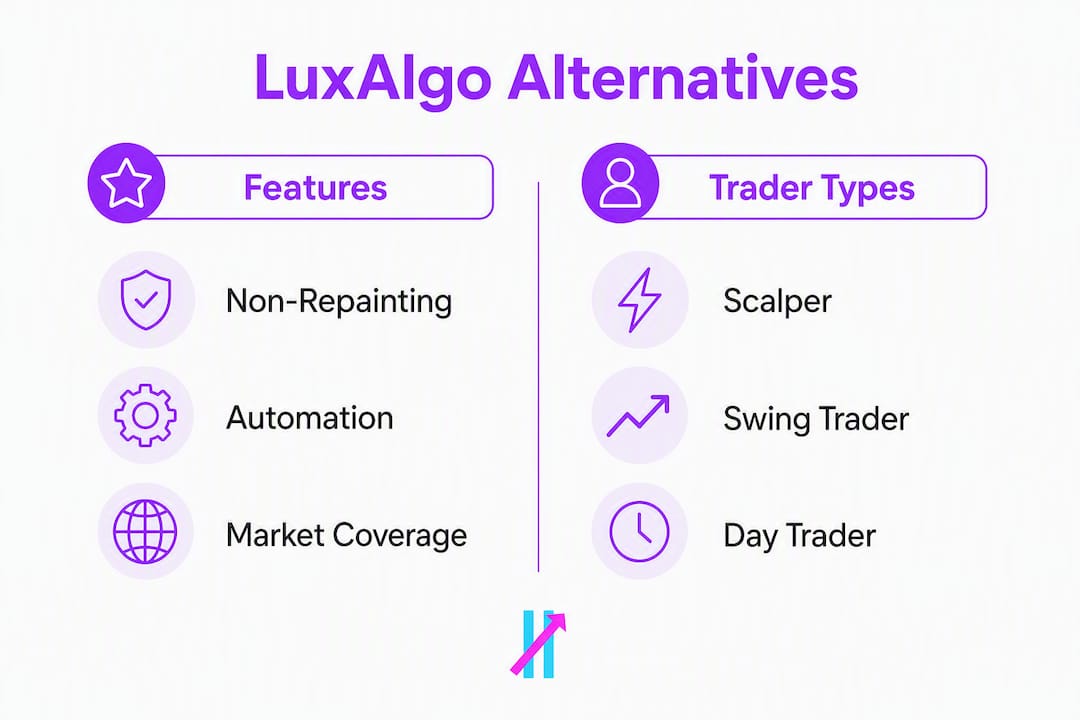
The “best” alternative depends entirely on your bottleneck, not on which platform has the most features. A scalper who needs fast, non-repainting signals on a 1-minute chart has a completely different problem than a systematic trader who needs auditable backtests and API-based execution.
Diagnostic questions to ask yourself
What is your primary bottleneck? Signal discovery, execution speed, backtesting depth, or automation?
Which markets do you trade? Crypto-only platforms won’t help forex or futures traders.
Do you need broker connectivity? If you want automated order placement, a TradingView indicator alone won’t get you there.
How important is backtest transparency? Demand downloadable backtest logs and time-stamped live trade records — not just equity curve screenshots.
What is your real budget? Entry prices range from free to $89/mo for most premium platforms; for example, TrendSpider starts around $53/mo, Trade Ideas at $89/mo (Basic), while ChartingLens offers a free tier and premium around $9.99/mo.
Do you need mobile alerts? Verify alert delivery on your phone before committing.
What is the refund or trial policy? Never pay for a tool you cannot exit within 30 days if it doesn’t perform.
Red flags to watch during trials
Signals that appear on historical bars but disappear or shift after bar close (repainting).
Backtest results with no disclosed methodology or sample period.
No API or broker connector when the vendor claims “automated trading.”
No refund window or trial period.
Data delays that aren’t disclosed upfront.
Trader type to tool category map
Trader type | Start with |
Scalper | TradingView indicator with non-repainting signals + alert webhook |
Day trader | Indicator suite with order-flow context + separate execution broker |
Swing trader | Paid indicator suite (Big Move Algo, AlgoPro, ChartPrime) |
Systematic builder | Standalone automation platform (3Commas, HaasOnline) + TradingView for discovery |
Pro Tip: Run any new indicator in paper-trading mode on TradingView alongside your current setup for at least five sessions before going live. Keep your analysis environment (TradingView) separate from your execution environment (broker or bot platform) so you can isolate whether a bad trade came from a bad signal or a bad fill.
Why are traders leaving LuxAlgo?
The most common drivers are repainting concerns, rising subscription costs, and a desire for tighter execution integration. None of these complaints are unique to LuxAlgo — they surface across most indicator-suite platforms — but they do point to real tradeoffs worth understanding before you pick a replacement.
Repainting and signal trust
Repainting happens when a signal drawn on a historical bar changes or disappears after the bar closes. It’s not always intentional, but it makes backtests look far better than live performance. When testing any alternative, compare signals on historical bars to signals present after bar close and require vendors who claim “non-repainting” to disclose their detection method. A vendor who can’t explain how they prevent repainting almost certainly hasn’t solved it.
Community feedback on Reddit and TradingView forums consistently surfaces the same frustration: traders discover that a signal looked great in hindsight but was never actually tradeable in real time. One pattern that appears repeatedly in TradingView comment threads is traders noting that signals “looked perfect on the chart” until they ran a bar-replay test and found the entries had shifted. That’s the repainting problem in practice.
Cost and value
LuxAlgo’s subscription pricing sits in the mid-to-upper range for retail indicator suites. When traders feel the signal quality doesn’t justify the cost, they start looking at free Pine Script alternatives or lower-cost paid suites. Free community indicators can replicate many LuxAlgo workflows at zero cost, which makes the cost argument harder to sustain unless the paid platform offers something genuinely differentiated.
Execution integration
A growing segment of retail traders wants more than signals. They want those signals to trigger actual orders. LuxAlgo, like most TradingView indicator suites, is analysis-only. Traders who need execution often split their setup: TradingView for discovery and alerts, then MT5 or a dedicated bot platform for order placement. That split is actually more robust than a single-platform solution, but it does add complexity.
Detailed profiles: what does each alternative actually offer?
Big Move Algo
Big Move Algo is a TradingView-native indicator built for retail traders who want clear, fast signals without a complex setup. It generates Long, Short, and Exit signals in real time across crypto, forex, stocks, indices, and commodities. The Fake Trend Detector filters out low-quality market conditions before a signal fires, which directly addresses the repainting-adjacent problem of signals appearing in choppy, untradeable markets.

Standout features: AUTO Mode for quick activation with minimal configuration; MANUAL Mode for traders who want to tune parameters; multi-asset support; webhook-based alerts for broker integration; unlimited devices.
Pros: Fast setup, clear signal logic, built-in trend filter, broad market coverage. Cons: Requires a TradingView subscription to run; execution still needs a separate broker or automation layer.
Best for: Beginner-to-intermediate traders who want a structured, low-noise signal feed on TradingView.
First 7 days: Activate AUTO Mode, run it on your primary market, and compare signal timing against your existing setup using bar replay.
TradingView community scripts (LazyBear / Pine scripts)
The TradingView Pine Script library contains thousands of free community indicators, including classics like LazyBear’s Squeeze Momentum and dozens of trend-following and oscillator scripts that overlap with LuxAlgo’s core functionality. Zero cost, instant access, and no commitment.
Pros: Free, massive variety, no subscription risk. Cons: Quality varies enormously; no support, no guarantee of non-repainting behavior, and no unified signal logic across scripts.
Best for: Traders who want to validate a signal concept before paying for a polished indicator suite.
First 7 days: Install two or three scripts that match your strategy type (trend-following, mean-reversion, or momentum) and run bar replay on 20 historical setups to check for repainting.
AlgoPro
AlgoPro is a paid TradingView indicator suite that layers AI-based signal scoring on top of standard technical analysis. It targets active traders who want more context around each signal than a basic script provides.

Pros: AI scoring adds a layer of signal confidence; TradingView-native, so no platform switch required. Cons: Pricing and backtest transparency vary; verify non-repainting claims independently before committing.
Best for: Active traders already comfortable on TradingView who want scored signals rather than binary buy/sell outputs.
Quantzee
Quantzee is a paid indicator suite with a focus on swing and day trading setups, primarily in crypto and forex. It offers multi-timeframe confluence signals and scanner-style alerts.
Pros: Multi-timeframe approach helps filter noise; scanner alerts reduce manual chart-watching. Cons: Crypto and forex focus limits utility for stock or futures traders.
Best for: Swing traders in crypto or forex who want confluence-based entries.
SMRT Algo
SMRT Algo targets scalpers and day traders with fast signal generation and a clean TradingView interface. It emphasizes speed and simplicity over deep customization.
Pros: Clean interface, fast signals, suited to short timeframes. Cons: Less useful for swing or position traders; verify repainting claims with a bar-replay test.
Best for: Scalpers and day traders who need quick, low-clutter signal output.
ChartPrime
ChartPrime offers a visual-first approach with confluence indicators, order block detection, and multi-layer signal overlays. It appeals to traders who use multiple confirmation layers before entering.
Pros: Visual confluence tools; order block and liquidity zone overlays add context. Cons: More complex setup than single-signal indicators; steeper learning curve for beginners.
Best for: Traders who use price action and structure analysis alongside indicator signals.
3Commas
3Commas is a standalone crypto automation platform with exchange API connectivity, bot templates, and portfolio management tools. It is not a signal indicator — it’s an execution layer. Pair it with a TradingView indicator (via webhook) to automate order placement.
Pros: Direct exchange connectivity; bot templates lower the barrier to automation; free tier available. Cons: Crypto-only; no native signal generation — you need a separate analysis tool.
Best for: Systematic crypto traders who have a signal source and need automated execution.
HaasOnline
HaasOnline is a more advanced bot-building platform with scripting capabilities (HaasScript), backtesting, and multi-exchange support. It sits at the higher end of complexity and cost among retail automation tools.
Pros: Deep customization; auditable backtesting; multi-exchange support. Cons: Steep learning curve; higher cost; overkill for traders who just need cleaner signals.
Best for: Systematic builders who want to code and test their own strategies with full execution control.
Pro Tip: For 3Commas and HaasOnline, connect your TradingView indicator alerts via webhook before running any live capital. Test the webhook-to-order pipeline in paper mode for at least three days to confirm latency and fill accuracy.
Why Big Move Algo stands out as the top TradingView replacement
For active retail traders who want a TradingView-native indicator with clear signal logic and fast activation, Big Move Algo addresses the three most common complaints traders have when leaving LuxAlgo: signal noise, setup complexity, and lack of a trend quality filter.
The Fake Trend Detector is the feature that separates it from most alternatives in its category. Most indicator suites fire signals in any market condition, including choppy, low-conviction ranges where the probability of a clean follow-through is low. Big Move Algo’s filter suppresses signals in those conditions, which means fewer trades but higher-quality setups. That’s a meaningful difference for traders who have been burned by indicators that generate constant noise.
Feature-to-need mapping:
Long/Short/Exit signals — removes ambiguity; you know exactly what the indicator is telling you to do.
AUTO Mode — traders can be live within minutes of subscribing; no parameter tuning required to start.
MANUAL Mode — experienced traders can adjust sensitivity and conditions to match their strategy.
Multi-asset support — one subscription covers crypto, forex, stocks, indices, and commodities.
Webhook alerts — connects to automation platforms and broker APIs without leaving TradingView.
Unlimited devices — no per-device restrictions for traders who monitor across desktop and mobile.
Use cases where Big Move Algo fits particularly well: scalpers who need non-repainting, fast signals on short timeframes; swing traders who want clear entry and exit rules without manual interpretation; and traders who want TradingView-based automation via webhook without switching platforms.
For readers comparing signal-based trading tools, Big Move Algo’s combination of a built-in quality filter and simple activation path puts it ahead of most indicator suites in the same price range.
What does pricing actually look like across these alternatives?
Pricing across LuxAlgo alternatives spans a wide range, and the entry price rarely tells the full story.
Alternative | Price band | Trial / refund |
TradingView Pine scripts | Free | No cost; no refund needed |
Big Move Algo | Subscription (see site) | See site for current terms |
AlgoPro | Paid subscription | Trial terms vary; verify before purchasing |
Quantzee | Paid subscription | Trial terms vary |
SMRT Algo | Paid subscription | Trial terms vary |
ChartPrime | Paid subscription | Trial terms vary |
3Commas | — (published entry) | Free tier available |
HaasOnline | Higher-tier; not publicly listed at a single entry price | Trial available |
For context on the broader market: TrendSpider starts around $53/mo and Trade Ideas starts at $89/mo for its Basic plan, which gives you a useful anchor for what “mid-range” and “premium” look like in the AI-assisted charting space. Most TradingView indicator suites sit below those figures, which is part of their appeal.
What to verify during any trial: data latency (does the alert fire at bar close or with a delay?), API access (is it included or a paid add-on?), and alert reliability under high-volatility conditions. A tool that misses alerts during a fast-moving market is worse than no automation at all.
Pro Tip: Stage your trials sequentially, not simultaneously. Run one tool for two weeks on the same market, same timeframe, and same watchlist before switching. Parallel testing across multiple platforms makes it nearly impossible to isolate which tool is actually performing.
Key Takeaways
The right LuxAlgo alternative is the one that solves your specific bottleneck, whether that’s signal quality, execution automation, or cost.
Point | Details |
Start free, then pay | Install a free TradingView Pine Script first to validate your signal concept before committing to a paid suite. |
Non-repainting is non-negotiable | Run a bar-replay test on any indicator before going live; require vendors to disclose their detection method. |
Separate analysis from execution | Use TradingView for signal discovery and a dedicated broker or bot platform for order placement to reduce operational risk. |
Match tool to bottleneck | Scalpers and swing traders need indicator suites; systematic builders need automation platforms like 3Commas or HaasOnline. |
Big Move Algo as TradingView replacement | Big Move Algo’s Fake Trend Detector, AUTO Mode, and multi-asset coverage make it the recommended TradingView-native alternative for retail traders. |
A practical perspective on picking your next trading tool
The conversation around LuxAlgo alternatives tends to focus on features, but the real question is almost always simpler: what broke down in your last setup, and does this new tool actually fix that specific thing?
Most traders who switch platforms don’t switch because the old tool was bad. They switch because they were using it wrong. They were running a swing-trading indicator on a 1-minute chart, or relying on a TradingView indicator to handle execution it was never designed for. The tool gets blamed for a workflow problem.
The advice to separate your analysis environment from your execution environment sounds obvious, but most retail traders don’t do it until they’ve had a painful experience with a missed fill or a signal that fired during a data outage. Build that separation into your setup from day one, and suddenly the indicator’s job becomes much simpler: find the setup, fire the alert. Everything after that is the broker’s problem.
On repainting: the bar-replay test is the single most underused tool in a retail trader’s evaluation process. It takes 20 minutes and it will tell you more about an indicator’s real-world reliability than any vendor’s marketing page. If a vendor resists the idea of you running that test, that’s your answer.
The platforms that earn long-term trust are the ones that publish their methodology, show you time-stamped live trade records, and don’t hide behind equity curve screenshots. That standard applies to every tool on this list, including the one this article recommends.
Try Big Move Algo on TradingView today
Most traders who’ve tested multiple indicator suites land on the same conclusion: the tool that gets out of your way and gives you a clear answer wins. Big Move Algo does exactly that. Where other suites layer on settings, modes, and dashboards, Big Move Algo gives you three outputs: Long, Short, Exit. The Fake Trend Detector handles the filtering so you’re not manually second-guessing every signal in a choppy market.
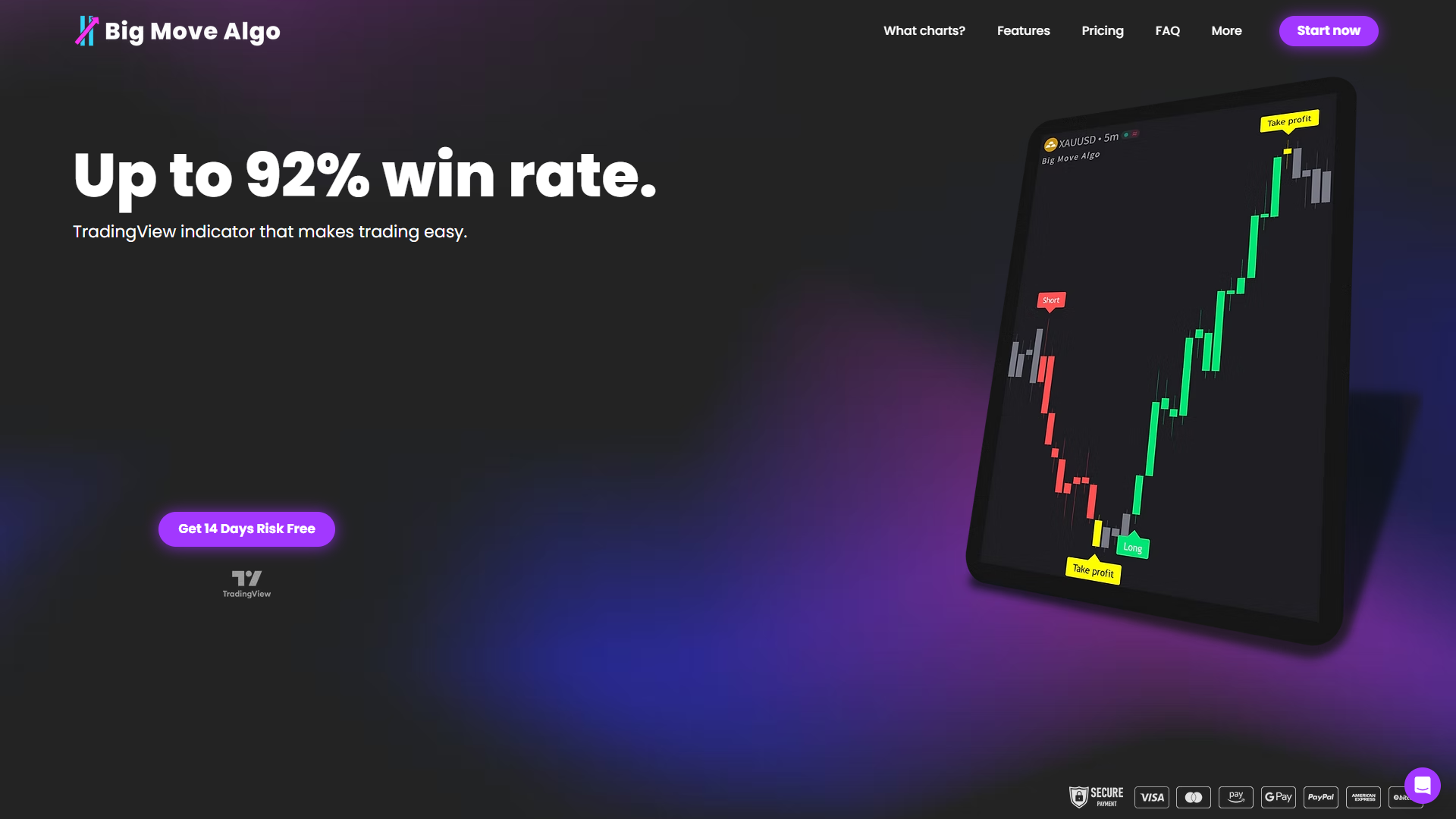
Activation takes minutes. Subscribe, add the indicator to your TradingView chart, and you’re live. Start in AUTO Mode to get a baseline read on how it performs on your primary market, then switch to MANUAL Mode if you want to tighten the parameters. Webhook alerts connect to most major automation platforms, so if you’re running a bot on 3Commas or a similar platform, the integration path is already there.
Visit the Big Move Algo product page to see current subscription pricing, trial terms, and activation steps. Testimonials and case studies are available on-site for traders who want to see how others have used it across different markets and timeframes.
Sources and further reading
Free Alternatives to LuxAlgo (2026) — Find My Moat — long-form comparison including free TradingView script options and zero-cost workflow replacements.
Big Move Algo — product page and trial — publisher’s TradingView-native indicator; subscription and activation details.
How buy and sell signals are calculated — Big Move Algo — technical explainer on signal calculation and non-repainting approaches.
How to verify a trading signal before entering a trade — Big Move Algo — step-by-step verification checklist for trialing any new indicator.
Benefits of automated trade signals — Big Move Algo — analysis of automation pros and cons for retail traders balancing signal discovery and execution.
Recommended
Comments