
Best StrategyQuant.com Alternatives for Every Workflow
- Steven Hartwell

- 1 day ago
- 13 min read

The best StrategyQuant alternatives in 2026 are Big Move Algo (TradingView-native signals), QuantConnect (code-first cloud research), Forex Tester Online (manual simulation), AmiBroker (desktop AFL scripting), MetaTrader 5 / Expert Advisors (MT5 deployment), Adaptrade Builder (no-code genetic generation), and QuantAnalyzer (post-trade robustness analysis). StrategyQuant itself requires a paid license and offers a 14-day trial; its core edge is automated strategy generation via genetic programming, which most alternatives do not replicate.
Here is the fastest way to match a platform to your workflow:
TradingView-native traders: Big Move Algo delivers real-time Long/Short/Exit signals with AUTO and MANUAL modes, a Fake Trend Detector, and zero desktop setup.
Code-first quant researchers: QuantConnect gives you a cloud-based LEAN engine, terabytes of pre-formatted data, and Python/C# backtesting.
Manual simulation fans: Forex Tester Online replicates market conditions tick by tick for hands-on scenario testing.
Desktop AFL scripters: AmiBroker is the fastest local backtesting engine for traders who write their own code.
MT5/EA deployers: MetaTrader 5’s Strategy Tester and MQL5 ecosystem remain the standard for broker-connected EA deployment.
No-code genetic generation: Adaptrade Builder automates strategy discovery without requiring programming skills.
Robustness auditors: QuantAnalyzer adds walk-forward analysis and Monte Carlo testing on top of any existing strategy.
Pro Tip: Before committing to any platform switch, confirm that your historical data source matches across platforms. Backtest sensitivity to data provenance — bid-ask spreads, liquidity gaps, and tick quality — means the same strategy can show wildly different results depending on where the data came from.
Table of Contents
How do these alternatives compare at a glance?
The table below maps each platform to the dimensions that matter most when choosing backtesting software alternatives.
Platform | Best for | Pricing shape | Coding required | Backtesting depth | Automation/broker | Markets | Data notes |
Big Move Algo | TradingView-native retail traders | Subscription (monthly/annual) | None (AUTO mode) | Signal-based, TradingView charts | TradingView alerts + automation integrations | Crypto, FX, stocks, indices, commodities | TradingView data feed |
QuantConnect | Code-first quant research | Free tier + paid cloud | Python/C# required | Walk-forward, multi-asset, optimization | Interactive Brokers, Alpaca, and others | Equities, FX, futures, crypto, options | Terabytes of pre-formatted cloud data |
Forex Tester Online | Manual simulation, FX-focused | One-time or subscription | None to minimal | Tick-by-tick simulation, manual replay | Limited live execution | FX, some CFDs | Requires quality tick data import |
AmiBroker | Desktop AFL scripters | One-time license (~$279+) | AFL scripting | Fast local walk-forward, optimization | Broker plugins (IB, others) | Stocks, FX, futures, crypto | User-supplied data feeds |
MetaTrader 5 / EAs | MT5 broker-connected EA deployment | Free platform; EA costs vary | MQL5 (or no-code EA builders) | Strategy Tester with optimization | Native MT5 broker connections | FX, CFDs, futures, stocks | Broker-supplied tick data |
Adaptrade Builder | No-code genetic strategy generation | Paid license | None | Walk-forward, Monte Carlo | Export to MT4/MT5, TradeStation | FX, futures, stocks | Requires external data import |
QuantAnalyzer | Post-trade robustness auditing | Free + Pro tier | None | Walk-forward, Monte Carlo, portfolio | Works with MT4/MT5 exports | Any (via import) | Imports trade logs, not raw price data |
Key trade-offs worth flagging before you go deeper:
Speed of experimentation vs. robustness depth: — TradingView-native tools and no-code builders let you test ideas in minutes. Platforms like QuantConnect or AmiBroker take longer to set up but give you far more control over walk-forward windows, slippage modeling, and multi-asset correlation.
Which platform fits your exact workflow?
Industry analysts consistently find that the best alternative depends strictly on the trader’s workflow. No single platform wins across all five use cases. Here are focused profiles for each.
Big Move Algo
Big Move Algo is a TradingView indicator that reads market conditions in real time and outputs clear Long, Short, and Exit signals. It does not generate strategies via genetic programming the way StrategyQuant does. Instead, it removes the research-to-signal gap entirely: you subscribe, load the indicator on any TradingView chart, and the signals appear.
Core capability: Real-time signal generation with AUTO mode (minimal setup) and MANUAL mode (parameter customization); built-in Fake Trend Detector filters low-quality setups.
Best for: Beginner-to-intermediate retail traders who want structured buy/sell signals without building or coding a strategy from scratch.
Markets: Crypto, forex, stocks, indices, and commodities.
Automation: Connects to TradingView alerts, which can route to third-party automation platforms for broker execution.
Pros: Zero installation, instant access after subscription, works on unlimited devices, multi-market coverage, no coding required.
Cons: Does not perform genetic strategy generation or walk-forward optimization in the StrategyQuant sense; relies on TradingView’s data feed.
Pricing: Subscription-based (monthly and annual plans); payments processed through Stripe.
Community/support: Direct support through the Big Move Algo platform; active user base across TradingView.
Pro Tip: If you are migrating from StrategyQuant and already use TradingView for charting, replacing complicated desktop tools with signal-driven indicators is often the fastest path to live trading without rebuilding your entire workflow.
QuantConnect
QuantConnect is an open-source, cloud-based algorithmic trading platform built around the LEAN engine. You write strategies in Python or C#, backtest against terabytes of pre-formatted financial data, and deploy live through broker APIs including Interactive Brokers and Alpaca.
Automation: Native live-trading deployment via broker APIs; supports Alpaca’s commission-free API and Interactive Brokers TWS.
Community/support: — Large open-source community on GitHub and the QuantConnect forums; extensive documentation.
Pro Tip: QuantConnect’s cloud research terminals attach directly to alternative data sets tagged to underlying securities — a capability that desktop generators like StrategyQuant do not match.
Forex Tester Online
Forex Tester Online is a browser-accessible market simulation tool that lets traders replay historical price action tick by tick. It is less about automated strategy generation and more about hands-on scenario testing: you control the replay speed, place manual trades, and measure outcomes.
Core capability: Tick-by-tick historical simulation with manual trade execution and performance reporting.
Best for: FX traders who want to practice discretionary or semi-systematic approaches before going live.
Markets: Primarily FX; some CFD coverage.
Automation: Limited; the platform is oriented toward manual simulation rather than live broker execution.
Pros: Intuitive interface, no installation for the online version, good for building pattern recognition.
Cons: Not a strategy generator; limited multi-asset walk-forward testing; live execution pathways are narrow.
Pricing: Free demo available; paid plans for full data access.
Community/support: Active user base; documentation and tutorials on the vendor site.
AmiBroker
AmiBroker is a desktop backtesting and charting platform that has been a staple for systematic traders for decades. Its AFL (AmiBroker Formula Language) is terse but powerful, and its local backtesting engine is notably fast compared to cloud-based alternatives.
Automation: — Broker plugins available (Interactive Brokers and others); not as turnkey as MT5 for live execution.
MetaTrader 5 / Expert Advisors
MetaTrader 5 is the dominant retail broker platform for FX and CFD trading. Its built-in Strategy Tester supports multi-currency backtesting and optimization, and the MQL5 language lets traders build or purchase Expert Advisors for automated execution directly through their broker.
Cons: — MQL5 coding is required for custom EAs; the Strategy Tester’s data quality depends on the broker’s tick feed; limited multi-asset portfolio testing compared to QuantConnect.
Adaptrade Builder
Adaptrade Builder automates strategy discovery using genetic programming, which is the closest workflow to StrategyQuant among the alternatives here. You define the market, timeframe, and performance targets; the software generates and tests candidate strategies without requiring you to write code.
Cons: — Requires external historical data import; fewer broker integrations than QuantConnect; smaller community.
QuantAnalyzer
QuantAnalyzer does not generate strategies. It analyzes them. If you already have a strategy running on MT4/MT5 or any platform that exports trade logs, QuantAnalyzer applies walk-forward analysis, Monte Carlo simulation, and portfolio correlation checks to tell you whether the strategy is robust or curve-fitted.
Core capability: Post-trade robustness analysis: walk-forward, Monte Carlo, portfolio analysis on imported trade logs.
Best for: Traders who have existing strategies and want a dedicated robustness audit tool rather than a full backtesting environment.
Markets: Any, via trade log import.
Automation: None; analysis only.
Pros: Free tier available, focused on robustness metrics that most backtesting platforms underserve, works with MT4/MT5 exports.
Cons: Not a strategy builder or live execution tool; depends entirely on the quality of the imported trade data.
Pricing: Free version with core features; Pro tier for advanced portfolio analysis.
Community/support: Active user base among systematic FX traders; documentation on the vendor site.
Pro Tip: Use QuantAnalyzer alongside any strategy you build in Adaptrade or StrategyQuant. Running Monte Carlo and walk-forward checks on the exported trade log is one of the fastest ways to catch over-optimized strategies before they go live.
How do you choose the right platform for your workflow?
The right choice comes down to four questions. Answer them honestly and the shortlist narrows fast.
Do you write code? If yes, QuantConnect or AmiBroker give you the most control. If no, Big Move Algo, Adaptrade Builder, or Forex Tester Online are the practical starting points.
Do you need automated strategy generation (genetic programming)? If yes, Adaptrade Builder is the closest no-code alternative to StrategyQuant. If you just need signals, Big Move Algo is faster to deploy.
Which broker and platform are you already using? MT5 traders should stay in the MT5 ecosystem for live execution. TradingView users should stay TradingView-native. Switching ecosystems multiplies operational risk.
What is your data situation? Platforms like AmiBroker and Adaptrade require you to supply historical data. QuantConnect and Big Move Algo handle data internally. Switching platforms often invalidates backtests when data sources differ in spread modeling and tick quality.
Must-have criteria before committing:
Walk-forward testing support (not just in-sample optimization)
Confirmed broker integration or execution path for your specific broker
Trial or free tier that lets you test with your own data
Transparent data provenance (know where the historical prices come from)
Active community or responsive vendor support
Nice-to-have:
Multi-asset portfolio testing
Monte Carlo simulation
Natural-language or visual strategy builder
Cloud-based access (no local install)
Red flags to watch for:
No forward-testing support at all (in-sample optimization only)
Opaque or unverifiable data sources
No live broker integration or only one narrow execution path
Community forums that have been inactive for more than a year
Pricing that requires a long-term commitment before you can run a meaningful trial
Pro Tip: During any trial, run the same strategy logic on the new platform and your current one using identical date ranges and data. If the results diverge significantly, the difference is almost always the data source, not the strategy. Resolve that before you migrate.
How we selected and compared these alternatives

The shortlist was built around one question: which platforms actually serve retail and algorithmic traders who are evaluating quantitative trading tools as alternatives to StrategyQuant?
Selection criteria applied:
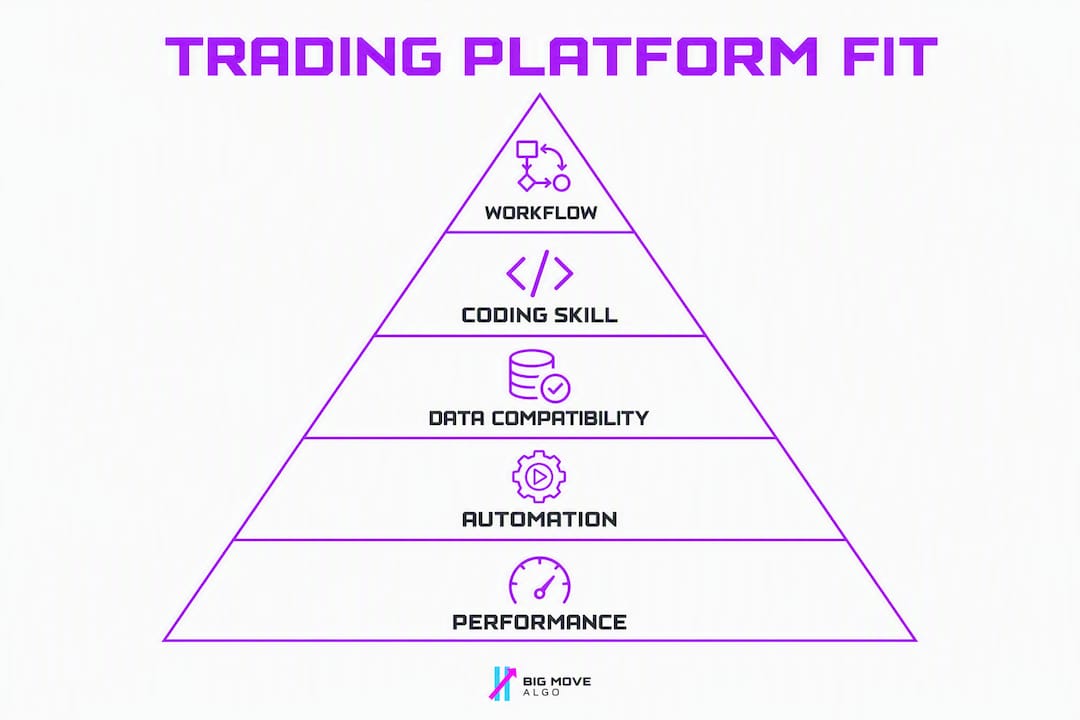
Workflow fit: Does the platform match at least one of the five trader workflows (TradingView-native, no-code generation, code-first, desktop simulation, robustness auditing)?
Backtesting depth: Does it support walk-forward testing, not just in-sample optimization?
Automation and broker support: Can strategies reach live execution, and through which brokers?
Data handling: Is data included, or does the trader need to source and import it?
Trial availability: Is there a free tier, demo, or trial period that allows meaningful testing?
Community and support: Is there an active user base, documentation, and responsive support?
Cost framing: Is pricing transparent and proportionate to the feature set for a retail trader?
Vendor documentation, independent platform reviews, and hands-on evaluation of trial environments informed each profile. The article deliberately favors workflow fit for retail traders over enterprise feature parity. Platforms built exclusively for institutional quant teams were excluded.
Why does a TradingView-native approach work for many retail traders?
The best alternative depends strictly on the trader’s workflow, and for a large share of retail traders, that workflow already lives inside TradingView. The practical advantages are real: your charts, alerts, and watchlists are already there; parameter testing happens on the same interface you use to monitor positions; and alert-based automation pathways connect TradingView to brokers without requiring a separate server or API infrastructure.
Three scenarios where TradingView-native tools outperform desktop generators:
Beginner using AUTO mode: A trader new to systematic approaches loads Big Move Algo, enables AUTO mode, and receives Long/Short/Exit signals on their existing TradingView charts within minutes. No data import, no scripting, no installation.
Intermediate Pine Script user: A trader already writing Pine Script strategies uses TradingView’s built-in strategy tester alongside Big Move Algo’s signals to validate setups, then routes alerts to a broker via a webhook.
Desktop generator migrant: A trader moving away from a heavy desktop generator like StrategyQuant uses Big Move Algo as a proof-of-concept layer. They validate signal quality on live charts before rebuilding complex logic elsewhere.
The one step that catches traders off guard is the live execution path. TradingView sends alerts; it does not execute trades directly. You need to verify that your broker or a third-party automation service (such as a webhook-to-broker connector) reliably receives and acts on those alerts before you go live.
Pro Tip: Before going live from TradingView, run a dry-run period where alerts fire but no real orders are placed. Confirm the full chain: TradingView alert fires, webhook receives it, broker API acknowledges it. Only then switch to live execution.
What security and data privacy features should you look for?
Security varies significantly across these platforms, and it matters more than most traders check before subscribing.
Cloud platforms like QuantConnect hold your strategy code and trade history on their servers. Check whether the platform encrypts data at rest and in transit, and review their data retention and deletion policies before uploading proprietary strategy logic. QuantConnect is open-source, so the LEAN engine’s code is publicly auditable.
TradingView-native tools like Big Move Algo operate within TradingView’s infrastructure. TradingView uses industry-standard HTTPS encryption and account-level access controls. Big Move Algo itself processes subscription payments through Stripe, which is PCI-DSS compliant, so payment data never touches the vendor’s own servers directly.
Desktop tools like AmiBroker and Forex Tester store data locally. That eliminates cloud exposure but shifts responsibility to the trader: local drive encryption, backup discipline, and keeping the software updated against known vulnerabilities.
For any platform that connects to a live broker via API, use a dedicated API key with the minimum permissions required (trade execution only, no withdrawal access). Rotate keys periodically and monitor for unauthorized activity through your broker’s access log.
How customizable and extensible are these platforms?
Customizability splits cleanly along the coding-required axis.

AmiBroker and QuantConnect sit at the high end. AmiBroker’s AFL language gives you full control over entry/exit logic, position sizing, and custom indicators. QuantConnect’s LEAN engine is open-source, meaning you can extend it, contribute to it, or fork it entirely. Both platforms support custom data feeds, which matters when you want to incorporate alternative data (earnings calendars, sentiment scores, economic releases) into your strategies.
MetaTrader 5 is extensible through MQL5 scripting and the marketplace. You can build custom indicators, EAs, and scripts, or purchase pre-built components. The platform also supports Python integration via the MetaTrader 5 Python package, which opens it to a broader developer audience.
Big Move Algo operates within TradingView’s Pine Script environment. MANUAL mode lets experienced traders adjust parameters and combine Big Move Algo’s signals with their own Pine Script indicators. The Fake Trend Detector is a built-in filter, not a user-configurable module, which keeps the interface clean but limits deep customization for advanced users who want to tune every variable.
Adaptrade Builder and QuantAnalyzer are the least extensible. Both are purpose-built tools with fixed workflows. Adaptrade exports strategies to MT4/MT5 or TradeStation, where further customization is possible, but the generation and analysis layers themselves are not open to modification.
How do these platforms hold up on stability and performance?
Performance benchmarks for backtesting software are rarely published by vendors in a standardized way, so the honest answer is: test it yourself with your own data volume before committing.
That said, a few patterns hold across the field. AmiBroker is consistently cited by its user community as the fastest local backtesting engine for single-machine setups. Its in-memory data handling means large portfolios backtest in seconds rather than minutes. QuantConnect’s cloud infrastructure scales horizontally, so compute-intensive walk-forward runs that would stall a desktop machine complete faster on paid cloud tiers.
MetaTrader 5’s Strategy Tester performance depends heavily on the broker’s tick data quality and the complexity of the EA being tested. Simple EAs on a single pair run quickly; complex multi-symbol EAs with tick-by-tick modeling can take hours.
TradingView’s platform stability is well-documented given its scale. Big Move Algo runs as an indicator within TradingView, so its performance is tied to TradingView’s infrastructure rather than a separate server. For real-time signal delivery, that is a meaningful advantage: TradingView’s uptime record is strong, and alerts fire reliably across devices.
Forex Tester Online’s browser-based version is convenient but can slow down on very large tick data sets. The desktop version handles larger data volumes more smoothly.
Key Takeaways
No single platform replaces StrategyQuant for every trader; the right choice maps directly to your workflow, coding comfort, and broker ecosystem.
Point | Details |
Workflow dictates the choice | No-code traders fit Adaptrade or Big Move Algo; code-first traders fit QuantConnect or AmiBroker; MT5 traders stay in the MT5 ecosystem. |
Data provenance is the first check | Backtests from different platforms are not comparable unless the historical data source, spread model, and tick quality are identical. |
Walk-forward is non-negotiable | In-sample optimization alone is not sufficient; confirm walk-forward support before committing to any platform. |
Trial with real broker data | Always run a trial using your actual broker’s data feed and execution path, not just vendor-supplied sample data. |
Big Move Algo for TradingView traders | Big Move Algo delivers real-time signals with AUTO and MANUAL modes inside TradingView, with no installation and multi-market coverage. |
The testing priority order that actually matters
When evaluating a platform switch, most traders focus on the wrong thing first. They compare feature lists and pricing before they have confirmed whether the platform’s data matches their broker’s reality.
My priority order: data first, then forward testing, then the automation path, then community and support. If the historical data does not match your broker’s spreads and liquidity profile, every backtest result is a fiction. Once data is confirmed, run a short walk-forward test on a strategy you already know. If the results are plausible, test the automation path with a dry run before any real capital is involved. Community and support matter last, but they matter: a platform with an inactive forum and slow vendor responses will cost you time when something breaks at 2 AM.
One direct recommendation: if you are already on TradingView, start your proof-of-concept there before migrating to a desktop or code-first platform. The friction of a new environment is real, and the operational overhead of code-first platforms catches traders off guard more often than the technical complexity does. Validate your edge on TradingView first. Then decide whether the added complexity of a full strategy generator is worth it for your specific goals.
Big Move Algo: the TradingView-native path to live signals
If your charts already live in TradingView, the fastest path to structured, signal-driven trading is not a desktop strategy generator. Big Move Algo gives you real-time Long, Short, and Exit signals across crypto, forex, stocks, indices, and commodities, with no installation, no data import, and no coding required.
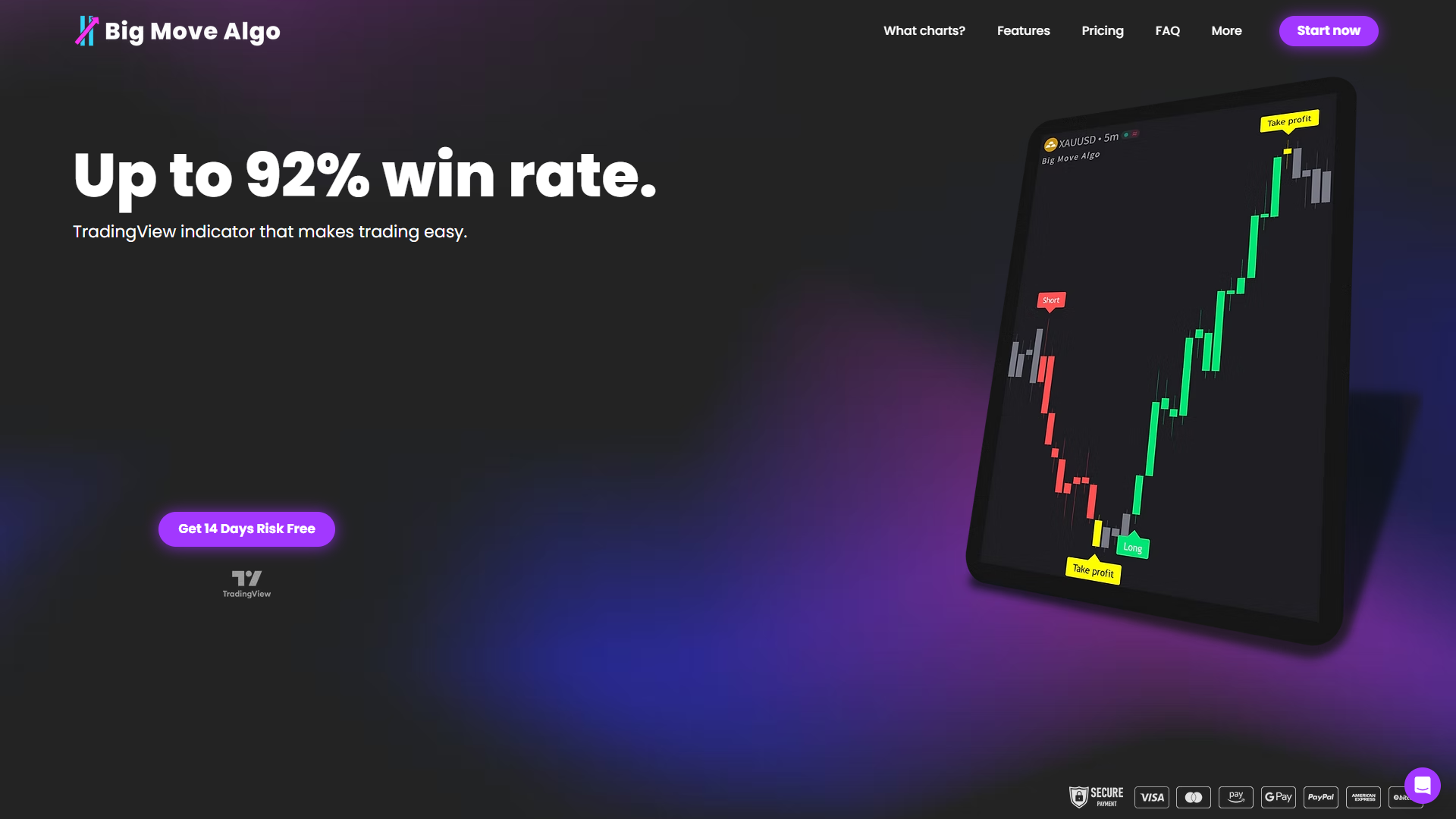
AUTO mode gets you live in minutes. MANUAL mode lets you tune parameters as your experience grows. The built-in Fake Trend Detector filters out the low-quality setups that trip up most signal tools, and alerts route to your broker or automation platform through TradingView’s native alert system. Subscription access is instant after payment through Stripe, and the indicator works across unlimited devices.
If you want to see how automated trading generates income without rebuilding your entire workflow from scratch, Big Move Algo is the practical starting point. Visit bigmovealgo.com to review subscription plans and get started today.
Useful sources and further reading
Vendor documentation and downloads:
Independent comparisons and reviews:
Platform and automation documentation:
“Switching platforms often triggers data work: many alternatives require high-quality historical tick or broker-style data, and migrating tests across platforms can be invalidated by differences in spreads and data sources.” — Forex Tester Online
Recommended
Comments