
3 Steps to Automate TradingView Alerts on Bybit Safely


Yes, you can route TradingView alerts to Bybit for automated derivatives execution. Create a Bybit webhook, paste the correct JSON payload into TradingView’s alert dialog, and validate everything on Testnet before risking real money. Get those three steps right and the rest is refinement.
TL;DR:
Webhook URLs on Bybit are generated within the Trading tools menu and require a Unified Trading Account with a separate webhook per trading pair, not available on legacy accounts.
TradingView plans essential, plus, or premium are needed to activate webhook alerts, with the payload built using placeholders that populate dynamically during trading.
Always test webhook signals on Bybit Testnet or with real_order set to no before live deployment, and verify payload formatting and symbol recognition thoroughly.
Common webhook failures stem from symbol mismatches, order size limits, latency issues, or misconfigured account modes, requiring careful troubleshooting of each factor.
Keep webhook URLs secure, limit API permissions to trading only, and add custom validation methods like unique alert IDs to prevent accidental duplicate orders or security breaches.
Table of Contents
How Do You Create a Bybit Webhook Signal?
The webhook lives inside Bybit’s own trading tools, not somewhere buried in account settings. Here’s the path:
Log into Bybit and go to Tools → Webhook Signal Trading.
Click Create Now to start a new signal.
Choose the derivatives pair you want to trade (USDT perpetuals, USDC perpetuals, or inverse contracts all qualify).
Set your position mode to One-Way Mode. This is not optional. Bybit’s webhook signal trading system will not accept Hedge Mode orders through this channel.
Give the signal a clear, memorable name. If you plan to run five strategies across five symbols, “BTC scalper” beats “signal1” the day something breaks at 2 a.m.
Copy the generated webhook URL. Treat it like a password from this point forward.
One detail catches people off guard: Bybit issues a separate webhook per trading pair, and this feature requires a Unified Trading Account. If you’re still on a legacy account structure, upgrade first.
What Does TradingView Require to Send Webhooks?
TradingView alerts for cryptocurrencies won’t fire a webhook on the free plan. You need Essential, Plus, or Premium to unlock that toggle. It’s an easy detail to miss because everything else about setting alerts in TradingView looks identical across plans until you hit the webhook checkbox and find it grayed out.
Once you’ve confirmed your plan, opening the alert dialog is quick: press Alt+A, or click the alarm icon on any chart. From there:
Set your condition (price crossing a level, a strategy signal, an indicator trigger).
Scroll to the Notifications tab and enable Webhook URL.
Paste the Bybit webhook you generated in the previous step.
Switch to the Message field and build your JSON payload using placeholders.
The placeholders do the heavy lifting. {{exchange}} and {{ticker}} populate the market data automatically. {{timenow}} timestamps the alert. {{strategy.order.action}} and {{strategy.order.contracts}} pull directly from your Pine Script strategy, so a single alert template can serve every trade your strategy generates without manual edits. This is TradingView notification setup at its most efficient.
What JSON Template Does Bybit Actually Need?
Bybit’s own message template uses named fields, and pasting it exactly avoids the alert landing in Bybit’s “Unknown” tab, where it sits unprocessed and does nothing.
For a strategy-driven approach, a working template looks like this:
Field | Placeholder / value | Purpose |
exchange | {{exchange}} | Confirms source exchange |
symbol | BTCUSDT | Exact Bybit contract name |
side | {{strategy.order.action}} | buy or sell |
qty | {{strategy.order.contracts}} | Position size |
order_type | Market or Limit | Execution style |
price | {{close}} | Required for limit orders |
real_order | No | Set to Yes only when live |
Keep real_order set to No while testing. It lets you confirm formatting without touching your balance. Switch it to Yes only after a clean test run.
Symbol formatting trips up more traders than any other single field. TradingView often resolves {{ticker}} with an exchange suffix attached, which Bybit doesn’t recognize. Writing the literal Bybit symbol (BTCUSDT, not BTCUSD or BTCUSDT.P) into your payload sidesteps the problem entirely.
How Do You Test Before Going Live?
Skipping this step is the single most common reason automated setups fail on their first real trade.
Generate Bybit Testnet or demo API keys, or simply leave real_order set to No in your payload.
Restrict any live keys to read and trade only. Never enable withdrawal permissions on a key tied to a webhook.
Use TradingView’s Send Test Signal button inside the alert dialog, or trigger a live condition manually, then check that Bybit received and parsed the payload correctly.
Run a handful of trades at minimal size before scaling up. Watch fills, not just order confirmations.
The real risk in this whole process usually isn’t a bad strategy. It’s signal loss or order lag between the alert firing and the order landing. Test for that specifically, not just for whether the trade “worked.”
Pro Tip: Run your test sequence during a normal trading session, not overnight when liquidity is thin. Slippage and latency issues show up differently depending on market conditions, and you want your test to resemble the environment you’ll actually trade in.
Why Do Webhook Alerts Fail, and How Do You Fix Them?
Most failures trace back to one of five things:
Latency rejections. Bybit defaults to a short default allowed latency window. Thin altcoin markets sometimes need a slightly longer window during testing, though expect worse slippage as a tradeoff.
Symbol mismatches. If Bybit rejects an order outright, check whether {{ticker}} resolved with an unexpected suffix rather than the clean contract name.
Position mode conflicts. Webhook Signal Trading only works in One-Way Mode. Hedge Mode accounts will see orders bounce.
Order limit or margin errors. Insufficient margin, exceeding max order size, or hitting a delisted contract all produce rejection messages that look similar but require different fixes.
Silent non-delivery. If nothing happens at all, recheck that the webhook URL was pasted without trailing spaces and that the alert’s “Webhook URL” toggle is actually enabled, not just the field filled in.
How Do You Keep Webhook Automation Secure?
Your webhook URL functions as an unauthenticated trigger. Anyone who has it can fire orders into your account. Never post it in a public script, forum, or shared spreadsheet, and rotate it immediately if you suspect exposure.
Scope every API key to trade permissions only, with withdrawal access disabled, and whitelist IPs where Bybit’s interface allows it. If you’re running a custom bridge rather than Bybit’s native signal feature, add a secret header, payload validation, and deduplication using a unique alert ID so a duplicated or replayed webhook can’t fire the same order twice.
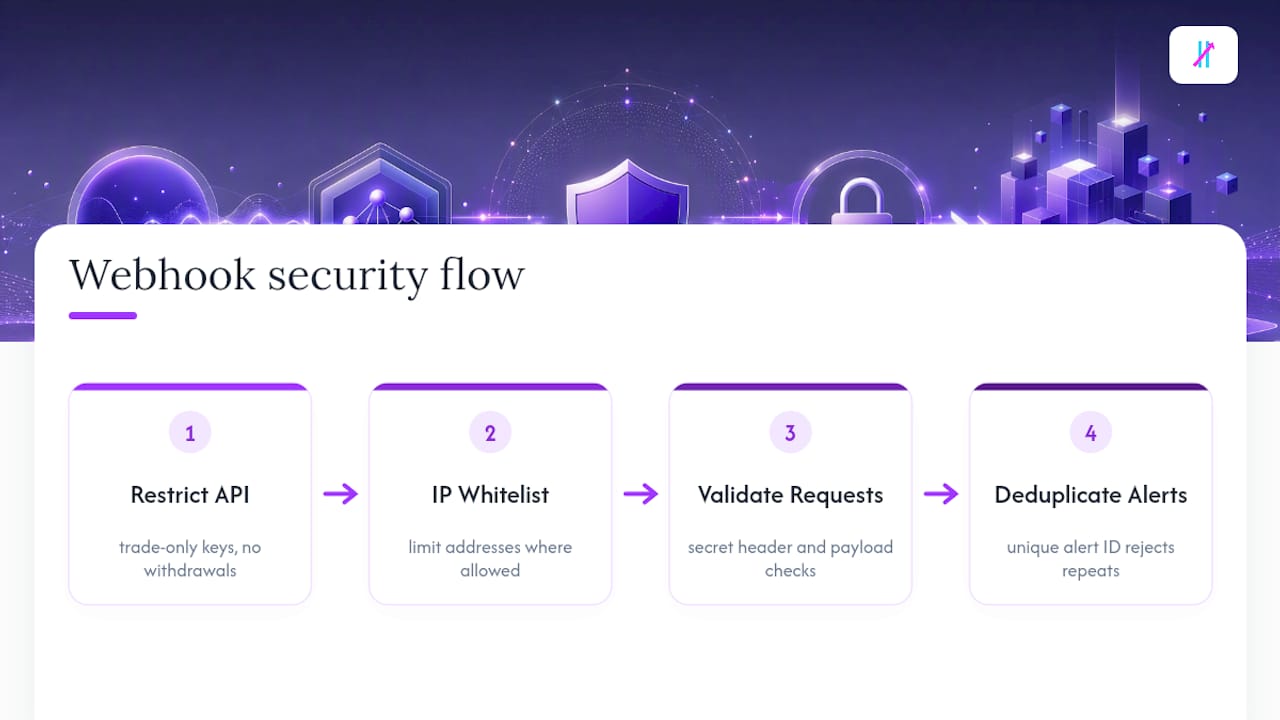
Pro Tip: Build your alert message with {{timenow}}-{{strategy.order.action}} as a unique identifier. Your bridge can then reject any payload with a repeated ID, which stops connection hiccups from causing double fills.
When Should You Automate, and When Should You Watch Closely?
Alerts execute your rules. They don’t design your strategy or manage your risk for you. Automation earns its keep on repeatable, rule-based setups and mechanical exits. It earns distrust fast in volatile, low-liquidity conditions where a strategy nobody’s stress-tested starts making decisions unsupervised. Validate on Testnet, then check in on live behavior regularly. Don’t assume day one performance holds forever.
— Steven Hartwell
Getting Cleaner Signals Into Your Webhook Setup
None of this webhook plumbing matters if the alerts feeding it are noisy; using a TradingView trade copier can help automate follower accounts and streamline execution. That’s where the signal source itself becomes the real bottleneck for most traders trying to automate.
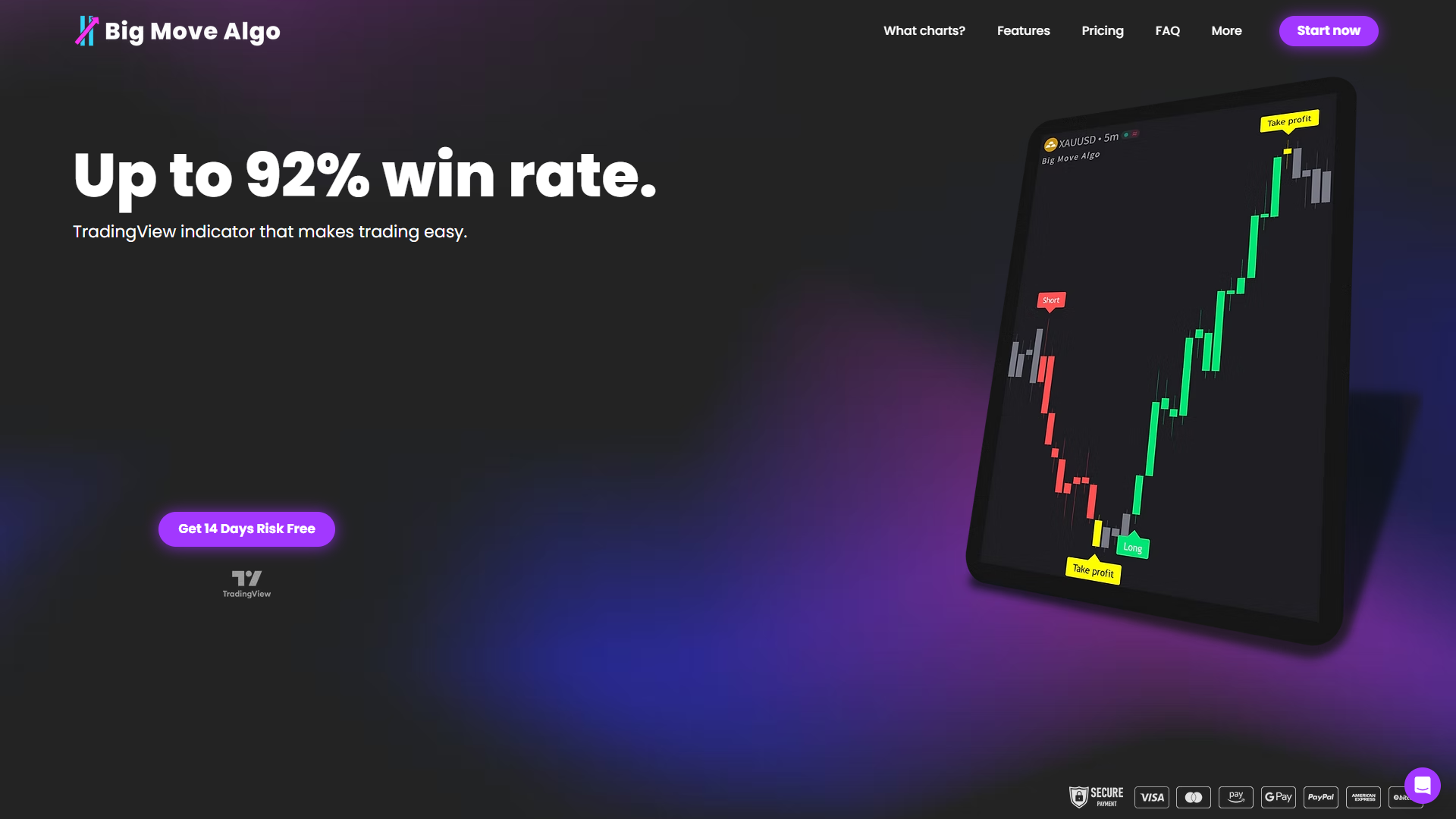
A proprietary trading indicator can generate TradingView-native Long, Short, and Exit signals that can plug straight into the webhook workflow you just set up. An AUTO mode allows running with minimal configuration, while a MANUAL mode offers the ability to adjust entries and exits. A built-in Fake Trend Detector filters out low-quality setups that tend to generate false alerts, meaning fewer junk signals clogging your webhook pipeline and fewer bad trades reaching Bybit. It works across multiple markets including crypto, forex, stocks, indices, and commodities, so the same alert structure can carry over if you trade more than one market.
Before routing anything live, test your Big Move Algo signals on Bybit Testnet exactly the way this guide outlined. Once you’ve confirmed clean execution, check out Big Move Algo to see subscription options and get instant access.
Sources
FAQ
Where Can I See My TradingView Alerts?
Open the alarm clock icon in TradingView’s right sidebar to view all active and triggered alerts, including logs of fired webhooks and any error messages tied to each one.
How Do I Connect TradingView With Bybit?
Create a Webhook Signal on Bybit under Tools, then paste that webhook URL into a TradingView alert’s Notifications tab along with a correctly formatted JSON message using Bybit’s template placeholders.
Why Am I Not Receiving Alert Notifications on TradingView?
Check that your alert’s condition actually triggered, confirm your TradingView plan supports webhooks, and verify the webhook URL field has no extra spaces or missing characters.
Why Is Bybit Not Available to US Residents?
Bybit restricts access for US-based users due to regulatory requirements around derivatives trading in that market; traders based in the United States should confirm current platform availability directly with Bybit before setting up any webhook automation.
Can Big Move Algo Signals Trigger Bybit Webhook Orders?
Yes. Because Big Move Algo runs natively on TradingView and outputs standard Long, Short, and Exit signals, its alerts can populate the same JSON payload structure used to route orders to a Bybit webhook.
Recommended
Comments