Best TradingView Indicators in 2026: What to Use and Why

The best TradingView indicators are the few that each answer one question: which way is price going, how strong is the move, how wide is the range, and when do I get in or out. For most retail traders, that means a short list of proven built-ins (VWAP, moving averages, RSI, MACD, ATR) plus one signal indicator that turns them into a clear Long, Short or Exit call. Big Move Algo is built for that second job, with AUTO Mode for a fast start and a Fake Trend Detector that filters out low-quality conditions.
TL;DR
- Build your chart around four jobs: trend, momentum, volatility and volume. One or two indicators per job is plenty.
- The classics most guides agree on are VWAP, moving averages, RSI, MACD, ATR, Bollinger Bands and Volume Profile.
- Every classic lags or fails in some market conditions, so a single indicator is never a trade plan.
- A signal indicator such as Big Move Algo combines analysis into Long, Short and Exit calls, so you spend less time interpreting and more time executing.
- Your TradingView plan caps how many indicators you can load per chart, which is another reason to keep the list short.
Table of Contents
- How to choose: match the indicator to the job
- The classic indicators, and what each one actually tells you
- Built-in indicators versus community scripts
- Why classic indicators are not enough on their own
- Comparing your options
- What TradingView itself limits
- Best picks by trader type
- Buy and sell signal indicators: what to look for
- Our perspective
- Get the signals on your chart
- FAQ
- Sources
How to choose: match the indicator to the job
Most lists of “best indicators” rank tools by popularity. A better filter is what the tool does for you. Indicators fall into four groups, and a clean chart usually has one or two from each:
- Trend: moving averages, Supertrend, DMI/ADX. They tell you which side is in control.
- Momentum: RSI, MACD, Stochastic, Williams %R. They show how fast price is moving and when a move is stretched.
- Volatility: ATR, Bollinger Bands. They size your stops and show when the market is compressed or expanded.
- Volume: VWAP, Volume Profile. They show where real trading happened.
If you want a deeper look at how these groups differ, our guide to TradingView indicator categories walks through each one.
The trap for newer traders is stacking five momentum indicators that all say the same thing. That feels like confirmation, but it is one opinion repeated. Pick across groups, not within one.
The classic indicators, and what each one actually tells you
Two 2026 guides from independent publishers land on a similar core set. Emerge Profit names VWAP, EMA, RSI, MACD, ATR, Bollinger Bands and Volume Profile as the most used for day trading. Liberated Stock Trader tested 103 free indicators and put Volume Profile HD, VWAP, RSI, DMI, Relative Volatility, ATR, Technical Ratings, Chart Pattern Recognition, Supertrend and Vertical Volume in its top ten, while noting that the right pick depends on the task.
VWAP: who is in control today
VWAP is the volume-weighted average price for the session. Price above it suggests buyers are in control, price below it suggests sellers, according to Emerge Profit. It resets each session, so it suits day traders more than swing traders. On futures, the number can differ depending on whether the overnight session is included, so check how your chart is set.
Moving averages: direction, with a delay
Moving averages smooth price into a line you can read at a glance. Trade Nation describes them as lagging tools, generally used to confirm an existing trend rather than predict the future. That lag is also why crossovers can whipsaw in sideways markets.
RSI: how stretched is the move
The Relative Strength Index is a momentum oscillator from J. Welles Wilder that measures the speed and change of price moves on a scale of 0 to 100. Fidelity notes the traditional readings: above 70 is overbought, below 30 is oversold. In a strong trend RSI can sit above 70 for a long time, so treat it as context, not an automatic sell.
MACD: momentum shifts
MACD compares a 12-period and a 26-period exponential moving average, as EODData’s indicator catalogue specifies. Emerge Profit treats it as confirmation rather than a trigger, which is the right way to use it.
ATR: how far price typically moves
Average True Range measures volatility, not direction. Its job is practical: placing a stop that sits outside normal noise and sizing your position accordingly. Liberated Stock Trader reports testing an ATR trailing stop with a 14-period setting and a multiplier of 3.
Bollinger Bands and Supertrend
Bollinger Bands are built on a 20-period average per EODData, and show when volatility is compressing or expanding. Supertrend is a trend-following line that flips color when the trend changes. Both work well in clean trends and mislead in choppy ranges.
Volume Profile: where the trading happened
Volume Profile shows how much traded at each price level, which helps mark support and resistance zones. It needs a paid TradingView plan, per Emerge Profit.
Built-in indicators versus community scripts
TradingView’s library has two broad sources. Built-in indicators ship with the platform: moving averages, RSI, MACD, Bollinger Bands, Ichimoku and the rest. Community scripts are written by other users in TradingView’s Pine Script language and published to the library. Trade Nation lists Squeeze Momentum, WaveTrend and Supertrend among the popular community scripts.
To add either, open the Indicators menu at the top of your chart, search by name, and click the result. Before you rely on a community script, check three things: whether the code is visible, whether the description explains exactly when it signals, and whether the signals stay put after the bar closes. A script that moves its past signals to look good in hindsight (repainting) will mislead you when you review it.
Our chart setup best practices cover how to lay out a clean chart once your indicators are chosen.
Why classic indicators are not enough on their own
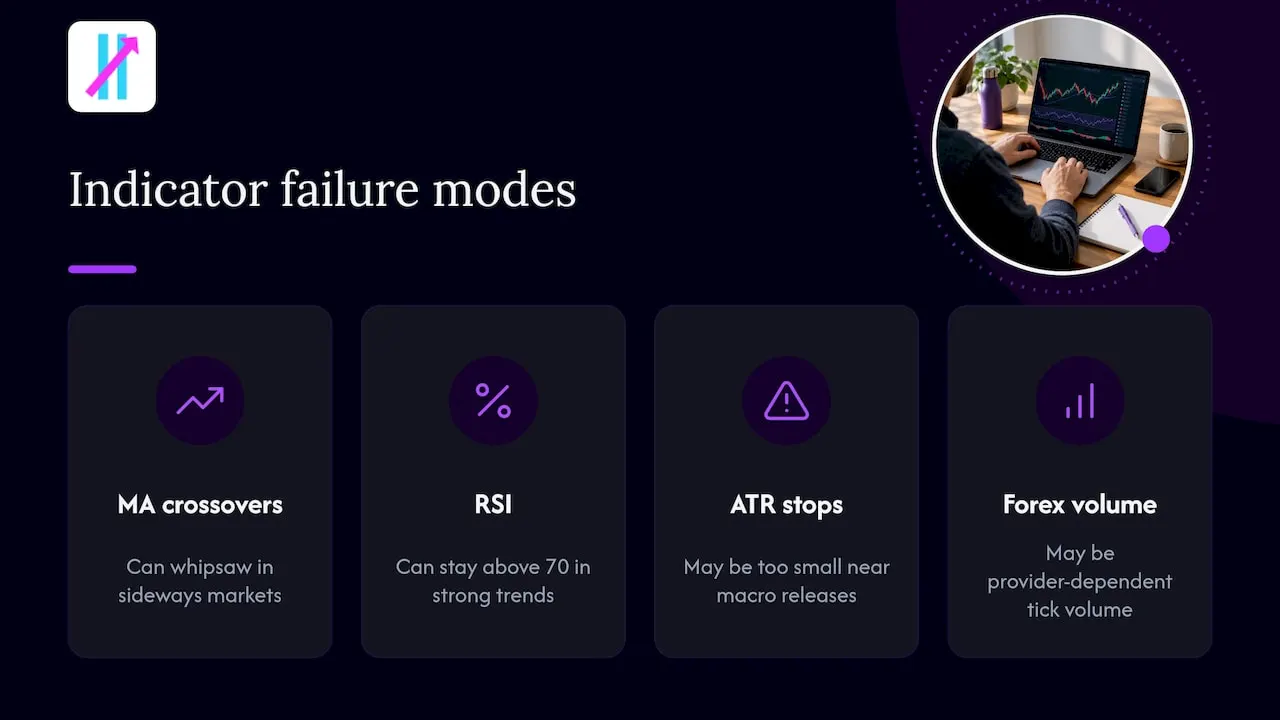
Each tool above has a known failure mode. Emerge Profit warns that moving-average crossovers can whipsaw in sideways markets, that RSI can stay above 70 in a strong trend, and that ATR-based stops can be too small around major macro releases. Forex volume on TradingView may be provider-dependent tick volume rather than true exchange volume.
The common thread is market regime. The same reading means different things in a trend and in a range. That is why experienced traders pair a trend filter with a momentum trigger, and why beginners get chopped up: they read each indicator in isolation. Our piece on lagging versus leading indicators explains how to combine them without double counting.
There is also a human cost. Reading five indicators, deciding whether they agree, and then acting is exactly where hesitation and second-guessing creep in. A tool that does the weighing and shows a plain call removes a lot of that friction.
Comparing your options
| Option | What it gives you | Cost | Best for |
|---|---|---|---|
| Big Move Algo | Long, Short and Exit signals, AUTO and Manual modes, Fake Trend Detector, alerts to multiple platforms | $55 to $79 per month, or $660 to $948 per year | Traders who want clear, structured signals across crypto, forex, stocks, indices and commodities |
| Built-in classics (RSI, MACD, moving averages, Bollinger Bands) | Raw readings you interpret yourself | Included with TradingView | Learning how each measure works |
| Free community scripts | Wide variety, quality varies, many are single-purpose | Free | Experimenting with one extra view of the market |
| Other paid indicator suites such as LuxAlgo, ChartPrime or AlgoAlpha | Libraries of tools and overlays | Set by each provider | Traders who want to assemble and configure many separate tools |
The first row is the one that matches what most readers of this page say they want: fewer decisions, clearer entries and exits, and less emotional second-guessing.
What TradingView itself limits
Your TradingView plan caps how many indicators sit on one chart. Emerge Profit lists two on Basic, five on Essential, ten on Plus, 25 on Premium and 50 on Ultimate. Admirals’ November 2026 guide reports U.S. monthly prices billed annually of $0 for Basic, $12.95 for Essential, $29.95 for Plus and $59.95 for Premium. Plans and prices change, so confirm on TradingView before you subscribe.
This matters for strategy. If you load RSI, MACD, Bollinger Bands, ATR and VWAP, you have used five slots on a mid-tier plan before adding anything else. One signal indicator that does the combining takes a single slot.
Best picks by trader type
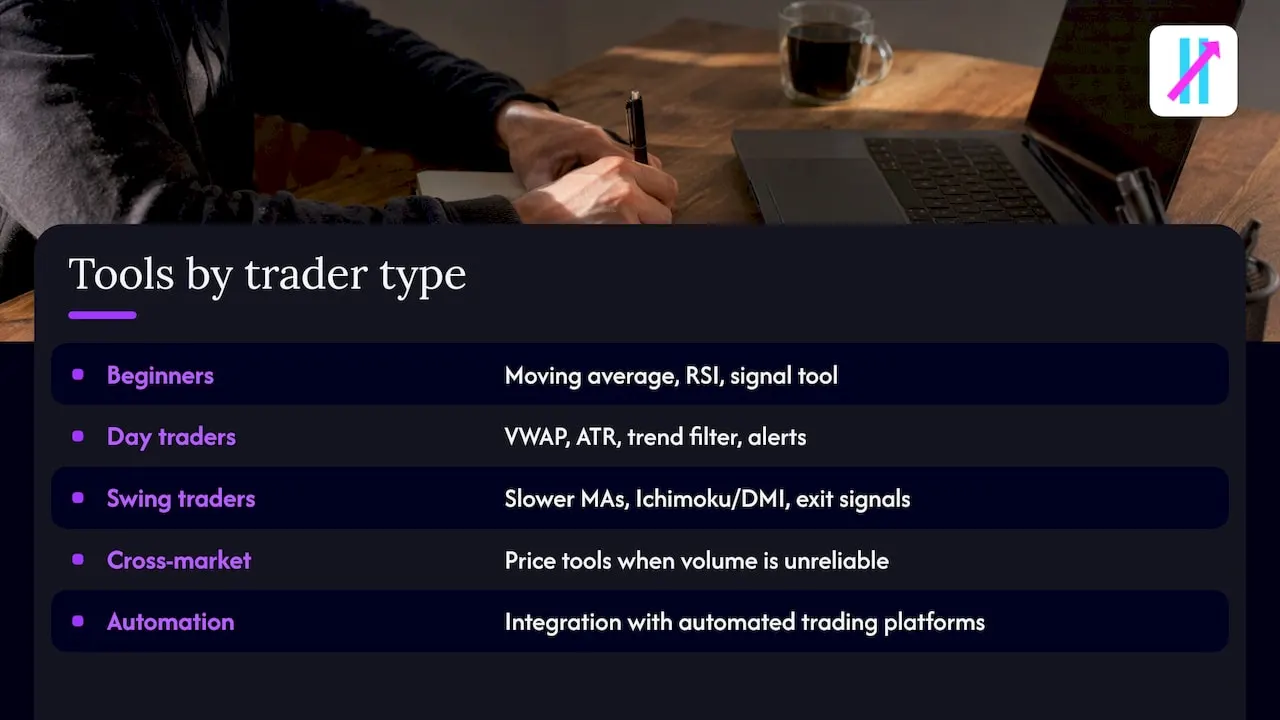
Beginners. Start with two or three: a moving average for direction, RSI for momentum, and a signal tool so you are not guessing at entries. Big Move Algo’s AUTO Mode needs minimal setup, so you can be on a chart quickly.
Day traders. VWAP and ATR for context, a fast trend filter, and alerts so you do not stare at the screen. Big Move Algo delivers alerts to multiple platforms. If you trade indices, see our indices day trading setups.
Swing traders. Slower moving averages, Ichimoku or DMI/ADX for trend strength, and Exit signals so you know when a position has run its course. Our guide to trend strength rules with ADX above 25 shows how to avoid false breakouts.
Crypto, forex and stock traders. The same logic applies across markets, but the volume data differs, so lean on price-based tools where volume is unreliable. Big Move Algo works across crypto, forex, stocks, indices and commodities.
Traders who want automation. Big Move Algo allows integration with automated trading platforms. For a wider look at how signal tools connect to execution, see our comparison of signal indicators as TradersPost.io alternatives.
Buy and sell signal indicators: what to look for
A signal indicator is only useful if you can trust and act on what it shows. Judge any of them on these points:
- Clear outputs. Long, Short and Exit, not a dozen colors you must decode.
- A filter for bad conditions. Many losses come from trading ranges as if they were trends. Big Move Algo’s Fake Trend Detector is designed to flag low-quality or misleading conditions where trading may not be recommended.
- No repainting. Signals should not change after the fact. Big Move Algo states that its indicator does not repaint.
- Speed. Late signals cost money. See how we think about it in our piece on measuring TradingView signal latency.
- Fit with your workflow. Alerts to the platforms you use, and use on any device.
For a longer look at the category, read our guides to the best buy sell indicators, TradingView buy/sell signals for active traders and trend-following indicators.
Our perspective
Most traders do not lose because they picked the wrong oscillator. They lose because they read six tools, saw six slightly different stories, and then acted on the one that agreed with what they already wanted to do.
That is why we built Big Move Algo around clarity. It gives you a Long, Short or Exit call, so the decision on your screen is a plain one. AUTO Mode keeps setup minimal for people starting out, and Manual Mode gives experienced traders room to customize. The Fake Trend Detector is there because the best trade is often the one you skip.
A good indicator does not replace judgment. It gives your judgment a structure to work inside, so your plan is written before the market moves and not during it.
Steven Hartwell
Get the signals on your chart
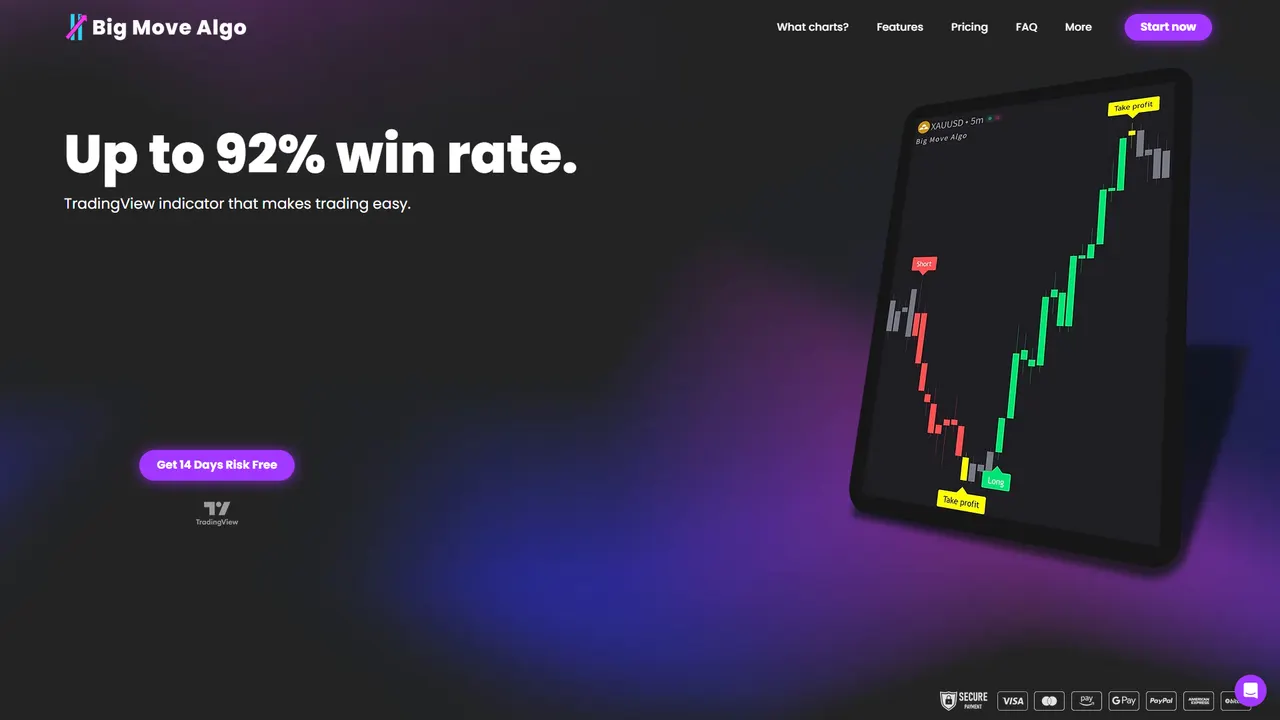
Big Move Algo is a proprietary TradingView indicator that analyzes markets in real time and gives you Long, Short and Exit signals. Access is instant after purchase, it runs on unlimited devices, and updates are free.
Plans are Version 2 at $55 per month or $660 per year, Version 3 at $64 per month or $768 per year, and Version 3 Plus at $79 per month or $948 per year. See the plans on the Big Move Algo site. If you already have a TradingView account you want to use, the change TradingView account page covers that.
FAQ
What are the best TradingView indicators for beginners?
Start with a moving average for trend, RSI for momentum and ATR for stop placement. Add one signal indicator so you have a clear entry and exit rule. Big Move Algo’s AUTO Mode is designed for a quick start with minimal setup.
Are free TradingView indicators good enough?
The built-ins are the standard tools of technical analysis and are the right way to learn what each measure does. Many traders then add a signal indicator to turn those readings into defined entries and exits. Free plans also limit you to two indicators per chart, according to Emerge Profit.
Which indicator gives the most accurate buy and sell signals?
No single indicator is accurate in every market condition. Signals work best when they account for the market regime, such as trending versus ranging. That is the idea behind the Fake Trend Detector in Big Move Algo, which filters out low-quality conditions.
Can I use the same indicators for crypto, forex and stocks?
Mostly yes. Price-based tools like moving averages, RSI and ATR carry across markets. Volume-based tools need care, since forex volume on TradingView can be provider-dependent tick volume. Big Move Algo works across crypto, forex, stocks, indices and commodities.
How many indicators should I put on one chart?
One or two per job (trend, momentum, volatility, volume) is enough, and your TradingView plan caps the number anyway. More indicators rarely add information, they add noise.
Sources
- Best TradingView indicators for futures and forex in 2026, Emerge Profit
- 10 Best Free TradingView Indicators: I Tested 103 for 2026, Liberated Stock Trader
- 14 Most Used TradingView Indicators, Trade Nation
- What is RSI? Relative Strength Index, Fidelity
- Technical Indicators, EODData
- What Is TradingView? How to Use It Step by Step, Admirals