TradingView Alerts to MT5: Your Options Compared

TradingView can fire an alert the moment your indicator changes state. MetaTrader 5 (MT5) is where many forex brokers let you place the order. The two platforms do not talk to each other out of the box, so something has to sit between them. The quality of what travels through that chain matters more than the plumbing: a noisy indicator wired to a live account just loses money faster. That is why we start with the signal. Big Move Algo gives you Long, Short and Exit signals on TradingView, delivers alerts to multiple platforms and allows integration with automated trading platforms, so the alert you route is already structured and unambiguous.
Below: how the connection works, the realistic ways to build it, what to check before real money is involved, and which forex indicators are worth putting behind an alert.
TL;DR
- TradingView sends an alert as a message (email, app push or webhook, which is an automatic web request to a URL). MT5 needs a receiver that turns that message into an order.
- Webhooks require a paid TradingView plan, Essential or higher.
- Three routes exist: alerts to your phone and you click the trade, a third-party bridge into MT5, or a bot you or a developer build. Start with the first and move up as trust grows.
- Big Move Algo gives you structured Long, Short and Exit signals, AUTO Mode for quick setup and a Fake Trend Detector to filter low-quality conditions.
- Whatever route you pick, run it on a demo account first and keep MT5 online.
Table of Contents
- How a TradingView alert becomes an MT5 order
- The options compared
- What to check before you trust the chain
- Which forex indicators deserve an alert?
- Why start with the signal, not the bridge
- Perspective
- Big Move Algo plans
- FAQ
- Sources
How a TradingView alert becomes an MT5 order
Three pieces make up every working setup.
- The trigger. An indicator or strategy on a TradingView chart with an alert condition attached. This is where bad signals get in, so it is the piece to get right first.
- The message. When the condition fires, TradingView can notify you by popup, email or app, or send a webhook: a message posted to a web address you supply. A webhook is what makes automation possible, and it needs a paid plan. TradingView’s free tier has no technical alerts or webhooks, according to a July 2026 plan guide.
- The receiver. Something has to catch that message and place the order in MT5, typically a bridge service or an expert advisor (EA, a program running inside MT5) that listens for instructions.
If you want the same three-part logic explained for a generic bot, our guide to connecting TradingView to a bot walks through it. For the alert itself, see how to set up TradingView indicator alerts.
The options compared
| Route | What you do | Speed | Effort | Best for |
|---|---|---|---|---|
| Big Move Algo alerts with manual entry in MT5 | Get Long, Short or Exit alerts, place the order yourself | As fast as you act | Lowest | Beginners, swing traders, anyone building trust |
| Big Move Algo alerts routed to an automated trading platform | Send alerts onward to a platform that executes | Automatic | Medium | Active traders who want fewer missed entries |
| Third-party TradingView-to-MT5 bridge | Paste a webhook URL, install a receiver, write the message format | Automatic | Medium to high | Traders comfortable with setup |
| Custom bot or EA | A developer builds the receiver | Automatic | Highest | Developers |
Option 1: Big Move Algo alerts, with you in control
This is the route we recommend first. Big Move Algo is a proprietary TradingView indicator that analyzes markets in real time and prints Long, Short and Exit signals. It works across forex, crypto, stocks, indices and commodities, supports unlimited devices and sends alerts to multiple platforms, so a signal reaches you whether you are at your desk or not.
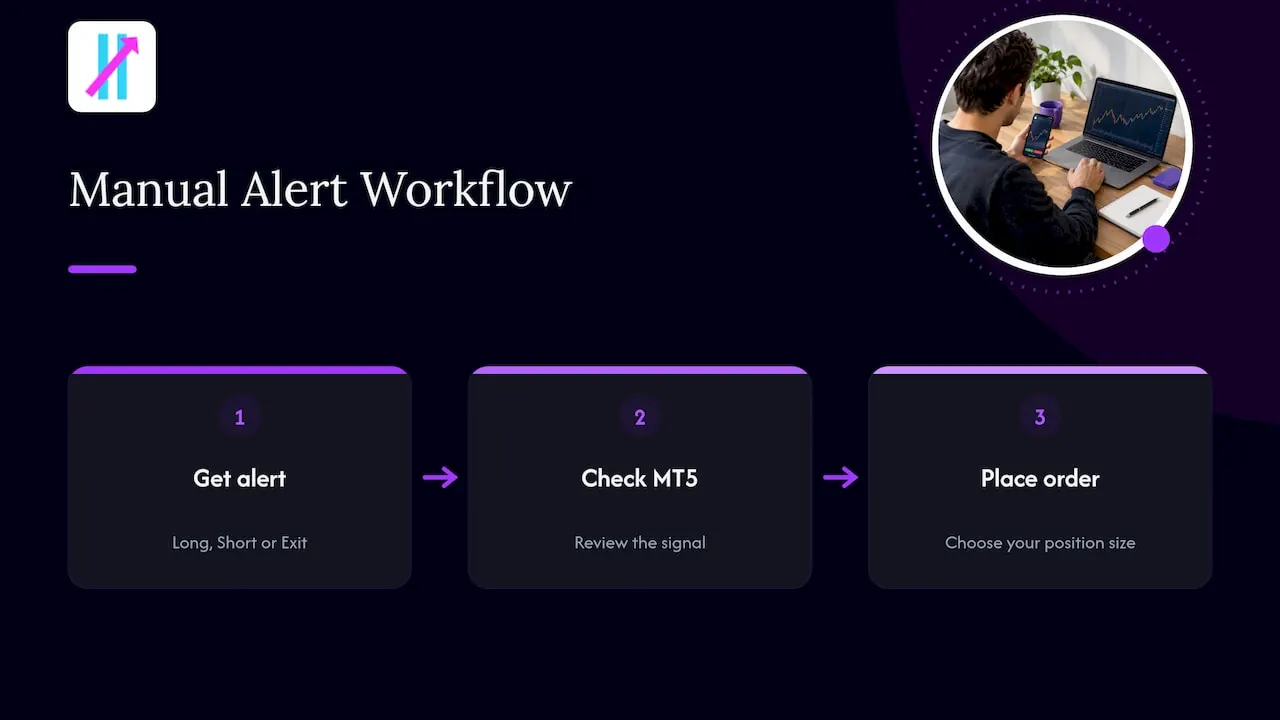
The practical advantage is clarity. Because every alert maps to one of three actions, you never have to interpret a squiggle on a chart at 3 a.m. You get the alert, check MT5 and place the order with the size you chose. The built-in Fake Trend Detector is designed to filter out low-quality or misleading market conditions where trading may not be recommended, which means fewer alerts you would regret acting on.
If you are new to alerts, our guide on using bar-close alerts to avoid repaint losses explains why alerts that fire only when a candle closes behave the way they appear on your chart.
Option 2: Big Move Algo alerts into automated execution
When you are ready to remove the manual step, Big Move Algo allows integration with automated trading platforms. The structure of the signal is what makes this workable: an entry, a reversal and an exit are three distinct messages, so the receiving end has a clear instruction each time.
Two guides cover this stage in detail. Alert routing options for retail traders shows what you can do without a developer. Sending alerts to a bot without duplicate trades covers the most common automation bug: the same alert hitting the receiver twice and opening a double position.
Option 3: A third-party bridge into MT5
A number of independent services and EAs exist for this job. They share a pattern: you get a webhook address, paste it into the TradingView alert, and write a short message, usually JSON (a structured text format), that names the symbol, the direction and the size. An EA installed in MT5 then reads the instruction and places the order. Google’s top results for this keyword are mostly walkthroughs of exactly this pattern.
What to weigh with any bridge:
- Message format. Every service has its own required fields. A typo means no trade, or the wrong trade.
- Symbol names. Your broker’s MT5 may call EUR/USD “EURUSD”, “EURUSD.a” or something else. The names in the alert must match.
- Hosting. Some bridges run in the cloud; others need your own computer or a virtual private server (VPS) to stay on.
- Recurring cost. Bridges are typically subscriptions that come on top of your TradingView plan and your indicator.
Option 4: A custom bot
A developer can write a receiver that accepts the webhook, validates it and sends the order to your broker. This gives full control and the most maintenance. If that is your situation, see our developer guide to webhooks and brokers. Most retail traders do not need to go this far.
What to check before you trust the chain
Automation multiplies whatever is already there, good or bad. Run through these before a live account is involved.
Repainting. A repainting indicator changes past signals after the fact, so the alert you received may not match what the chart shows later. Big Move Algo is built not to repaint. With any other indicator, confirm that alerts fire on bar close, not mid-candle.
Duplicate and missed alerts. Test with a demo account and watch whether one alert produces one order. Two alerts for one signal or none at all is a setup problem you want to find with play money.
Broker and prop firm rules. A connection that technically works does not mean your broker or funded-account firm permits automated execution. A professional platform profile of TradersPost notes that a supported broker link does not prove a prop firm allows every form of automation, and that such a setup is not set-and-forget. Read your account terms first.
Uptime. MT5 has to be running and connected when the order arrives. A laptop that goes to sleep is the usual culprit. Many traders use a VPS for this.
Execution speed. Webhook-to-order delay is usually small, but slippage (the gap between expected and filled price) is a market effect, not a software one. Keep position size modest while you learn how your broker fills.
Risk limits. Set stop-loss and size in MT5 or in the message, so that a wrong signal cannot do unbounded damage. Trading forex and other leveraged products carries a real risk of loss, and no indicator removes it. If you trade with money you cannot afford to lose, speak with a licensed financial adviser before automating.
For a structured way to test the setup, our 2 to 4 week test for alerts versus automation lays out how to compare them on a demo before committing capital, including the regulatory steps for U.S. traders.
Which forex indicators deserve an alert?
The search for the best TradingView forex indicators usually ends in a pile of oscillators. It helps to know what each one actually measures. According to a 2026 indicator guide, here is the short version:
- EMA and SMA show trend direction and slope. The EMA reacts faster.
- RSI measures the speed of price movement on a 0 to 100 scale; readings above 70 or below 30 mark extreme momentum.
- MACD tracks the gap between the 12 and 26 period EMAs with a 9 period signal line.
- ATR measures volatility, not direction.
- Bollinger Bands show relative volatility around a 20 period average.
- ADX measures trend strength and works as a filter, not a direction signal.
The same guide warns about stacking RSI, Stochastic and MACD on one chart: all three measure momentum, so they agree almost constantly and give a false feeling of confirmation. It also lists classic traps, such as trading every EMA crossover in a sideways market or assuming a Bollinger Band touch means a reversal when price can keep walking the band in a trend.
That is the problem with wiring raw indicators to alerts: each one generates conditions, not decisions. You still decide which alerts matter, and you do it fifty times a week. A tool that already outputs Long, Short and Exit, and screens out low-quality conditions with the Fake Trend Detector, collapses that decision into one alert you can act on. Pair it with one volatility reference such as ATR for stop placement and you have a chart that stays readable.
Why start with the signal, not the bridge
Most walkthroughs for this keyword begin with the webhook. The sequence that saves money runs the other way:
- Choose a signal source you understand and that does not repaint.
- Receive its alerts on your phone and trade a few of them by hand in MT5 on a demo.
- Only then route alerts into automated execution, with size limits.
Big Move Algo fits step one and two directly. AUTO Mode needs minimal setup, so you can be receiving signals quickly; Manual Mode gives experienced traders more customization. Access is instant after purchase.
Perspective
Traders come to us asking how to connect TradingView to MT5, and the honest answer is that the connection is the easy part. A webhook is a few lines of text. The hard part is deciding what deserves to trigger an order.
We built Big Move Algo around that problem. Our design goal is clarity: three signals, Long, Short and Exit, instead of a wall of settings. AUTO Mode exists so a beginner can start without tuning twenty inputs, and Manual Mode exists so an experienced trader can adjust it to their style. The Fake Trend Detector is there to filter out conditions where trading may not be recommended, and the indicator is built not to repaint, so what you saw when the alert fired is what stays on the chart.
Emotional decisions cost traders more than slow software does. When the alert is simple and consistent, you can follow a plan instead of reacting to every candle. Start with alerts, build trust on a demo, then automate at a size you can live with.
Steven Hartwell
Big Move Algo plans
Big Move Algo is sold as a subscription with instant access after purchase, paid through Stripe. Published prices:
- Version 2: $55 per month or $660 per year
- Version 3: $64 per month or $768 per year
- Version 3 Plus: $79 per month or $948 per year
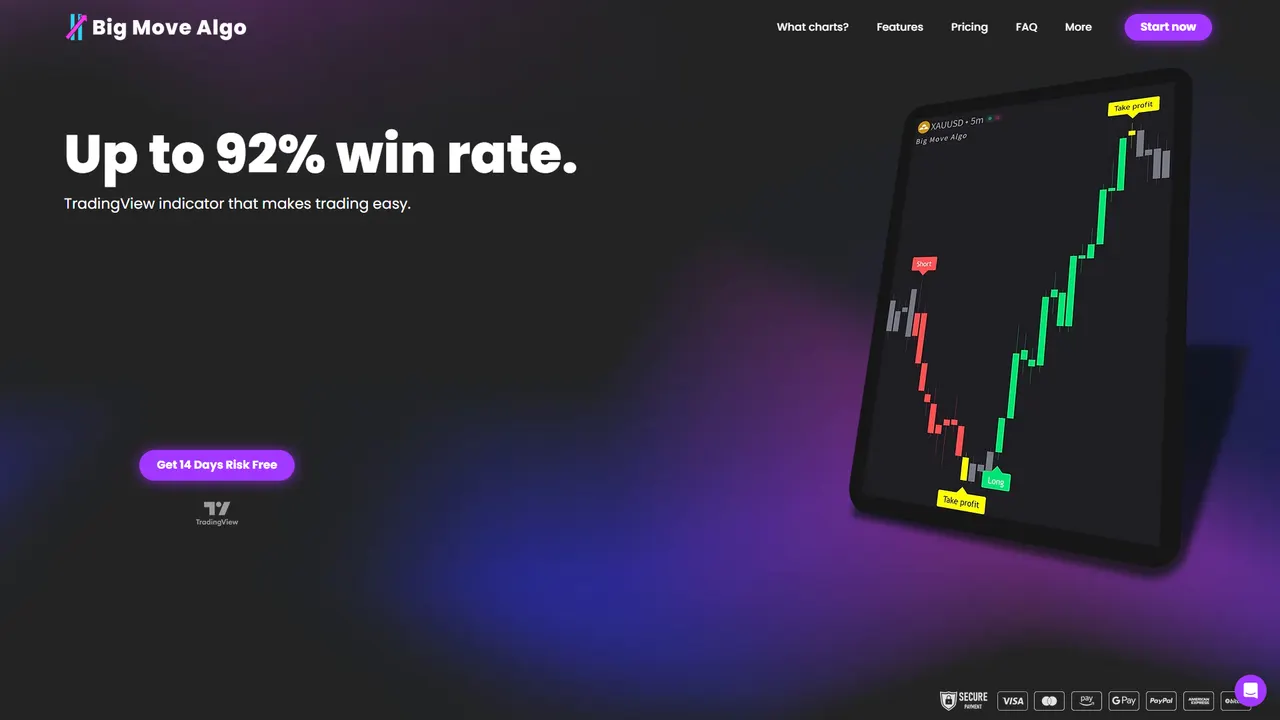
Updates are free and the indicator supports unlimited devices. You can see the plans and subscribe on the Big Move Algo site.
Remember that TradingView webhooks need a paid TradingView plan of their own, so budget for that alongside the indicator if you plan to automate.
FAQ
Can TradingView send alerts directly to MT5?
Not on its own. TradingView sends the alert as a notification or a webhook, and MT5 needs a receiver, such as a bridge service or an EA, to turn it into an order. You can also receive the alert and place the trade in MT5 by hand.
Do I need a paid TradingView plan?
For webhooks, yes. A July 2026 plan guide reports that webhooks and technical alerts start at the Essential tier, while the free plan has only a few price alerts. Check TradingView’s pricing page for current limits.
Can Big Move Algo alerts reach my phone and other platforms?
Yes. Big Move Algo delivers alerts to multiple platforms and supports unlimited devices. For a worked example of one destination, see our guide to sending TradingView alerts to Telegram.
Does the indicator work for forex pairs?
Yes. Big Move Algo works across crypto, forex, stocks, indices and commodities, with Long, Short and Exit signals on each.
Should I automate right away?
We suggest a staged approach: receive alerts, trade them manually on a demo, then automate with small size and firm stop-losses. Check that your broker or funded-account firm allows automated trading before you connect anything.
Sources
- TradingView Alerts Setup: Free Plan Limits (2026)
- Best TradingView indicators for futures and forex in 2026
- TradersPost: Platform Profile