Best Trading Alert Apps in 2026: How to Choose
The best trading alert app depends on what you want the alert to say. If you only need a ping when a price hits a level, a price alert app or a broker’s built-in alerts will do. If you want the alert to say Long, Short or Exit, you need a signal tool, and for U.S. traders who already chart on TradingView, that means an indicator that fires alerts inside the platform. Big Move Algo is built for that second job.
Below, we sort the main kinds of alert tools, show what each does well, and give you a checklist for judging any of them without trusting an advertised win rate.
TL;DR
- Alert apps fall into three groups: price alerts (a level is touched), event and data alerts (earnings, options flow, news), and signal alerts (a rule-based Long, Short or Exit).
- Price alerts tell you where the market is. Signal alerts tell you what a system thinks you should do about it. Pick the one that matches your decision.
- Judge any app on delivery speed, how many markets it covers, how alerts reach your devices, and what it costs per year, not on promised profits.
- Big Move Algo is a TradingView indicator that sends Long, Short and Exit alerts across crypto, forex, stocks, indices and commodities, from $55 per month.
- More alerts do not mean better trading. Treat every alert as a prompt to check your plan.
Table of Contents
- The three kinds of trading alert apps
- What to compare before you pick one
- How the main options compare
- Where Big Move Algo fits
- Pricing: what you pay for signal alerts
- How to judge signal quality without trusting a win rate
- Risks of acting on every alert
- Perspective
- Getting started with signal alerts on TradingView
- Try Big Move Algo
- FAQ
- Sources
The three kinds of trading alert apps
Most “best alert app” lists mix tools that do very different things. Sorting them first saves you from comparing a price pinger with a signal engine.
Price alert apps
These are the simplest. You pick a symbol and a price (or a percent move), and the app notifies you by push, email, text or phone call. Dedicated stock alert apps, broker apps and charting platforms all offer this. If your question is “what is the best price alert app,” the answer is whichever one delivers fast to the device you actually look at, supports the markets you trade, and lets you set enough alerts without a paywall.
Price alerts work well for support and resistance levels, breakouts you have already planned, and watchlists of longer-term holdings.
Event and data alert services
This group watches things beyond price: earnings dates, unusual options activity, news catalysts, analyst changes. Many of the pages ranking for this topic are options alert services such as Unusual Whales, Benzinga Options and Market Chameleon. They suit options traders who want a feed of ideas, and they usually come with a monthly fee or a newsletter-style subscription.
Signal alert tools
Signal tools apply a rule set to the chart and alert you when conditions change. On TradingView, this usually means an indicator or strategy with alert conditions attached. The alert is not “price touched 4,500” but “the system has flipped to Long” or “exit this position.” That is the category Big Move Algo belongs to.
What to compare before you pick one
A professional comparison of trading platforms suggests weighing usability and learning curve, charting and analysis tools, mobile and multi-device support, and costs including subscriptions and data fees. For alert apps specifically, five questions do most of the work.
- What triggers an alert? A fixed price, a percent change, an indicator crossing, or a full signal. The more your decision depends on conditions, the more you need conditions in the alert.
- Which markets does it cover? Many alert apps are stock-only. If you also trade crypto, forex, indices or commodities, check that one tool covers them or you will juggle several.
- How does the alert reach you? Push, email, SMS, phone call, webhook. Active traders usually want more than one channel, and anyone planning automation needs a webhook or integration option.
- How fast is it? A late alert can be worse than none. We come back to this below.
- What does it cost over a year? Monthly prices look small. Multiply by twelve, then compare with the annual price if one is offered.
How the main options compare
This table groups the options U.S. traders most often weigh. We describe what each type is for rather than quoting prices that change often; check each provider’s own page for the current plan.
| Option | Best for | Alert type | Markets | Watch out for |
|---|---|---|---|---|
| Broker app alerts (for example IBKR, moomoo) | Traders who want alerts where they already place orders | Price and percent move, some news | Mostly what the broker offers | Alert limits and features differ by broker |
| Dedicated stock alert apps (for example Stock Alarm) | Watchlist tracking with push, email or call alerts | Price, percent and indicator-based triggers | Mainly stocks | Not built to give Long or Short direction |
| Yahoo Finance | Longer-term investors who want research with alerts | Price and news | Stocks and funds | Premium tiers are priced separately |
| Options alert services (Unusual Whales, Benzinga Options, Market Chameleon) | Options traders hunting ideas | Flow, catalysts, trade ideas | U.S. options | Feeds of ideas, not rule-based entries and exits |
| TradingView alerts | Chart-based traders who want custom conditions | Price, drawing, indicator and strategy alerts | Stocks, crypto, forex, indices, commodities | The alert is only as good as the indicator behind it |
| Big Move Algo on TradingView | Traders who want Long, Short and Exit signals without building a system | Signal alerts from a proprietary indicator | Crypto, forex, stocks, indices, commodities | Needs a TradingView account |
For active traders, TradingView and dedicated alarm apps are commonly named as the quickest and most customizable, as a roundup of stock alert apps puts it. That is also why a signal indicator on TradingView is a natural fit: you get the platform’s alert delivery plus a rule set that decides when to fire.
Where Big Move Algo fits
Big Move Algo is a proprietary TradingView indicator that analyzes markets in real time and gives clear Long, Short and Exit signals. It is designed to cut guesswork and emotional decisions, and it keeps setup short.
- AUTO Mode needs minimal setup, so you can start quickly.
- Manual Mode gives experienced traders more customization.
- Fake Trend Detector is built to filter out low-quality or misleading conditions where trading may not be recommended.
- Markets: crypto, forex, stocks, indices and commodities.
- Delivery: alerts to multiple platforms, support for unlimited devices, and integration with automated trading platforms.
- Updates: free updates, and instant access after purchase through Stripe checkout.
It is designed not to repaint, which matters because a signal that changes after the fact cannot be traded reliably. Our guide to bar-close TradingView alerts explains why alert timing relative to the candle close affects what you see on the chart versus what you could have acted on.
Index trading signals and buy/sell signals
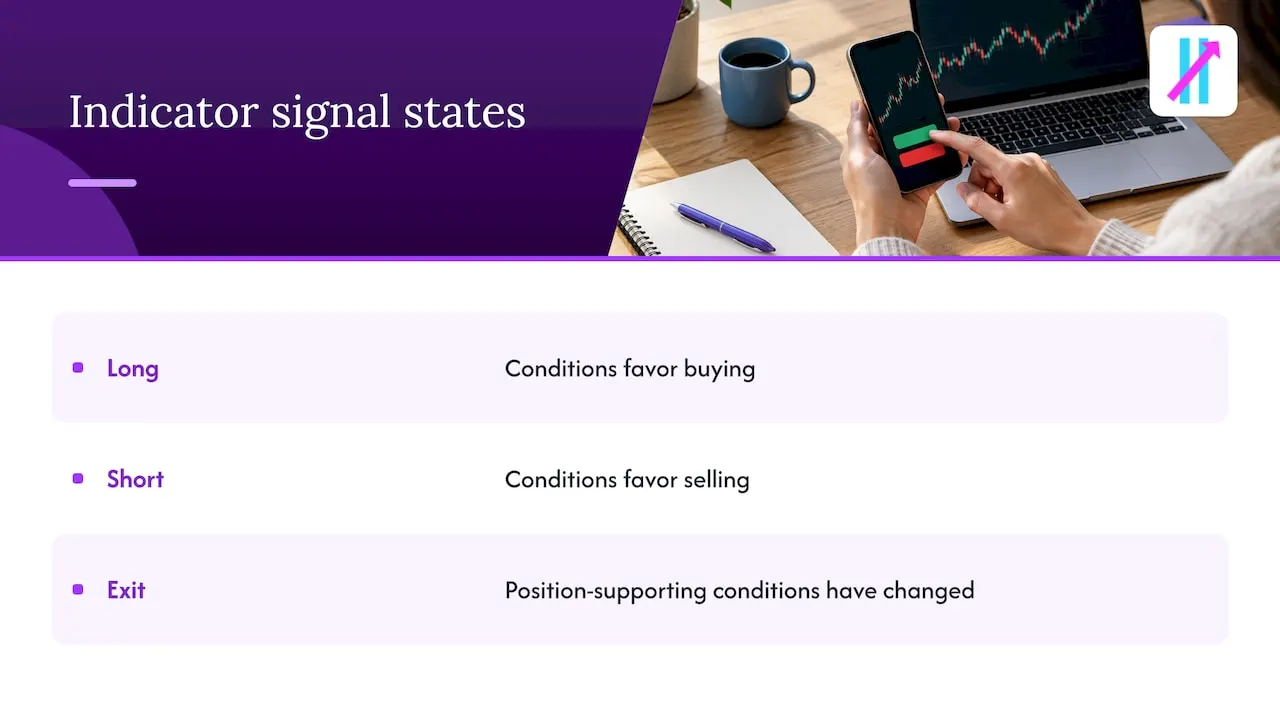
Traders searching for index signals usually want one of two things: a clear call on direction for an index such as the S&P 500 or Nasdaq, or a way to know when to stand aside. Because Big Move Algo covers indices alongside the other markets, you can load the indicator on an index chart, read the Long, Short or Exit state, and set an alert so the change reaches you without watching the screen. A Long means the indicator’s conditions favor buying, a Short means they favor selling, and an Exit means the conditions that supported the position have changed. The Fake Trend Detector is there for choppy periods when a signal would be low quality. To learn how to run one indicator across several asset classes, see using TradingView for multiple markets.
Pricing: what you pay for signal alerts
Big Move Algo is sold by subscription, monthly or annual. These are the plans published on our site:
| Plan | Monthly | Annual |
|---|---|---|
| Version 2 | $55 | $660 |
| Version 3 | $64 | $768 |
| Version 3 Plus | $79 | $948 |
The annual prices are the monthly price times twelve, so pick monthly if you want to start short, or annual if you already know you will use it all year. Price alert apps are often cheaper or free, but they do a narrower job: they tell you a price was hit, not what to do about it.
How to judge signal quality without trusting a win rate
An alert is information, not a result. Three habits keep you honest.
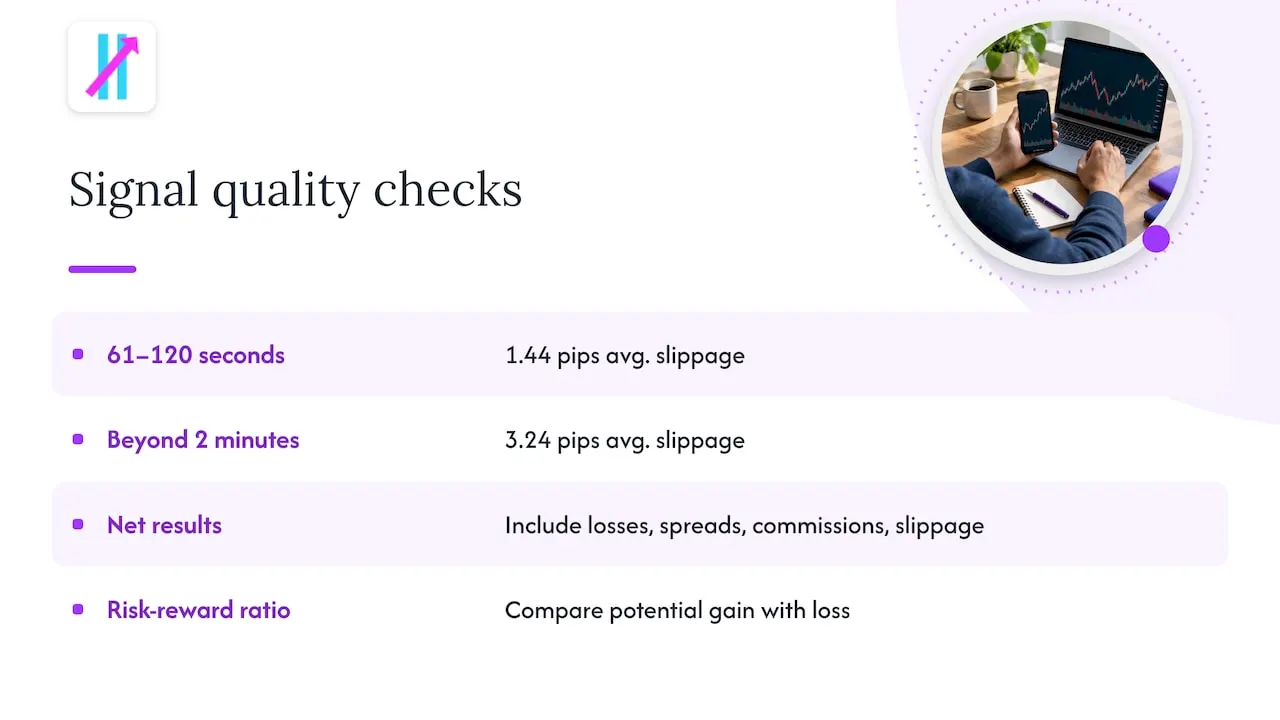
Measure delay. Delivery speed changes what you can actually get. One broker-independent test of Telegram forex signals against real execution reported more slippage as delay grew, from an average of 1.44 pips at 61 to 120 seconds to 3.24 pips beyond two minutes. That is one test on one setup, but the lesson applies broadly: a correct signal that arrives late can lose its edge. We have written about how to measure signal latency in TradingView and what retail traders have measured.
Look at net results. Win rate alone says little. The same source argues you should ask for the complete losing-trade record and the effect of spreads, commissions and slippage. Track your own alerts the same way in a journal.
Size by risk, not by excitement. A strong signal with oversized risk still ends badly. A risk-reward ratio tells you how much you stand to make versus lose on a trade before you take it, which is a better filter than any advertised hit rate.
Risks of acting on every alert
More notifications can push traders to do more, and more is not always better. CNBC reported on a study of 20,000 Taiwanese retail investors using a free price-alert tool, in which the alerts group’s performance fell about 1% over six months. The same report says the SEC has raised concerns that price-tracking alerts may encourage excessive trading.
The practical response is to alert on conditions you have a plan for, not on every wiggle. Overconfidence after a few good alerts is a common trap, and this piece on overconfidence in trading explains how it shows up in decisions. Trading carries risk of loss, and no alert tool or signal guarantees a profit.
A few rules we suggest for anyone using alerts:
- Limit yourself to a short list of symbols and one or two alert types.
- Decide in advance what each alert means: enter, add, trim or exit.
- Use a defined stop on every trade.
- Review the week’s alerts on the weekend, including the ones you ignored.
Perspective
Most traders do not lack alerts. They lack a decision attached to the alert. A price ping at a level leaves you asking the same questions: is this a real move, am I late, should I act at all?
That is why we built Big Move Algo around clarity. A signal that says Long, Short or Exit removes a layer of guesswork, and AUTO Mode keeps setup short so you spend your time on the trade, not on settings. The Fake Trend Detector is designed to filter the conditions where trading may not be recommended, because avoiding a bad trade is part of a good system.
We also believe in routing alerts where you will see them. Alerts that reach multiple platforms and any device you own, with integration options for automation, mean the signal gets to you when it matters. If you are comparing apps, compare the decision each one gives you, not just the notification.
Steven Hartwell
Getting started with signal alerts on TradingView
If you decide a signal indicator fits your style, the setup is short.
- Open TradingView and add the indicator to the chart of the market you trade.
- Create an alert from the indicator’s conditions. Our walkthrough on setting up TradingView indicator alerts covers each step.
- Choose where alerts go: app push, email, or a connected platform. Our guide to TradingView alert routing explains the options without any coding.
- Decide whether to stay on alerts or move toward automation. Alerts versus automation lays out a short test period to help you choose.
- Write your trade plan for each signal before you take the first one.
Day traders who want more on timing will find our real-time day trading signals guide useful, and a clean chart helps too: see TradingView chart setup best practices.
Try Big Move Algo
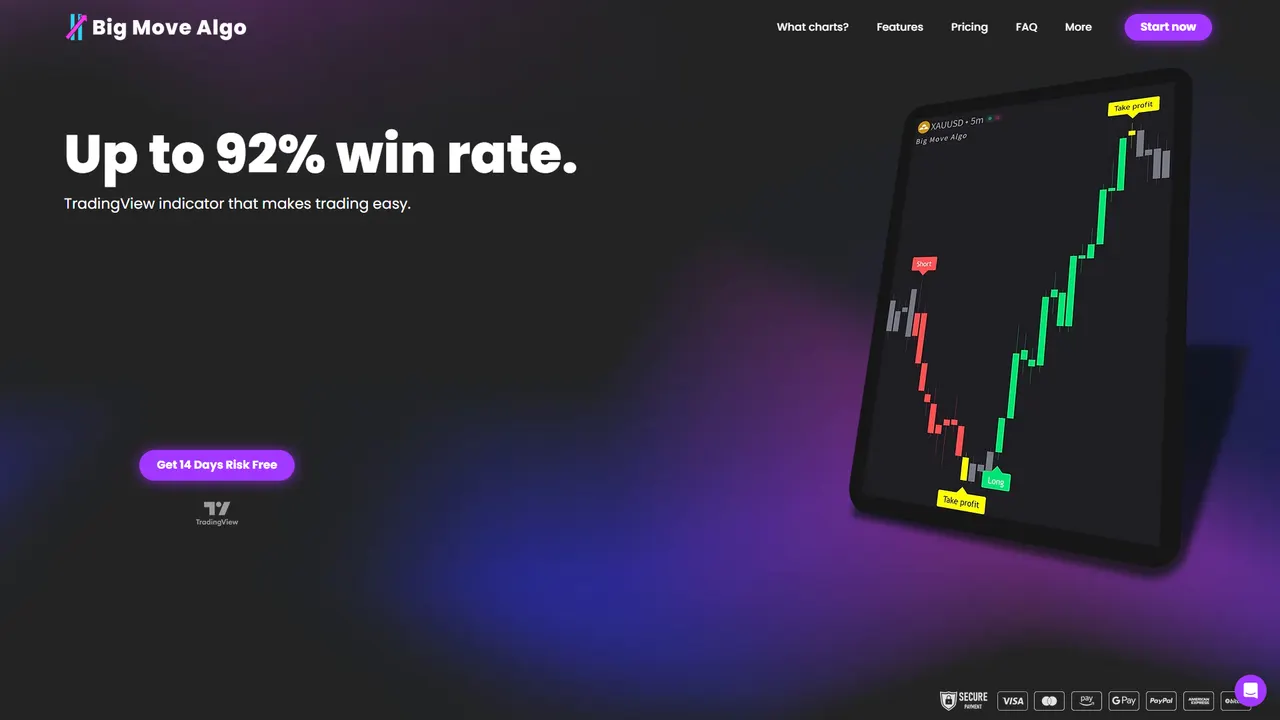
If you want Long, Short and Exit alerts on TradingView across crypto, forex, stocks, indices and commodities, Big Move Algo gives you AUTO Mode for a quick start, Manual Mode for control, and the Fake Trend Detector to screen out low-quality conditions. Plans start at $55 per month, with instant access after purchase.
See every plan on the Big Move Algo plans page. If you already subscribed and need to switch accounts, use the change TradingView account page.
FAQ
What is the best trading alert app?
It depends on the alert you need. For simple price levels, a broker app or dedicated alert app is enough. For chart-based conditions across stocks, crypto, forex and indices, TradingView is the usual choice, and a signal indicator like Big Move Algo adds Long, Short and Exit calls on top.
What is the best price alert app?
The best one delivers quickly to the device you check, covers the markets you trade and does not cap your alerts too low. Test the free tier with your real watchlist before paying for more, and make sure it offers the channels you want, such as push, email or text.
Do trading alerts guarantee profits?
No. An alert only reports a condition. Results depend on delivery speed, spreads, slippage, position size and your discipline. Keep a record of every alert you act on and judge the tool on net results over many trades.
Can I get buy and sell signals for indices?
Yes. On TradingView you can load a signal indicator on an index chart and create an alert from it. Big Move Algo supports indices and sends Long, Short and Exit signals, so a change in state reaches you without watching the screen.
Sources
- Best Trading Platforms | Compare Fees, Investing.com
- The best stock alert apps, InvestorsObserver
- Telegram Forex Signals: the Hidden Reality of Trade Latency, LineTrades
- Free Trading Signals: the Hidden Costs of Zero-fee Alerts, LineTrades
- Like getting price-tracking alerts? Why you should be careful, CNBC
- Risk Reward Ratio Trading: How to Calculate and Use It, PropFunding
- Overconfidence in Trading: Stop This Costly Mistake, PsyFi